
Discord leveling bot: XP, level roles and leaderboards
Members earn XP by chatting and in voice, level up and unlock roles, with a leaderboard to chase.

The Dispatch.IO leveling system rewards your members for being active. Every message earns XP (5 to 15 by default, halved for short messages) and every minute spent in voice earns 20. Messages made only of emojis, links or mentions earn nothing, and a 2-second gap between two messages keeps spammers from farming XP.
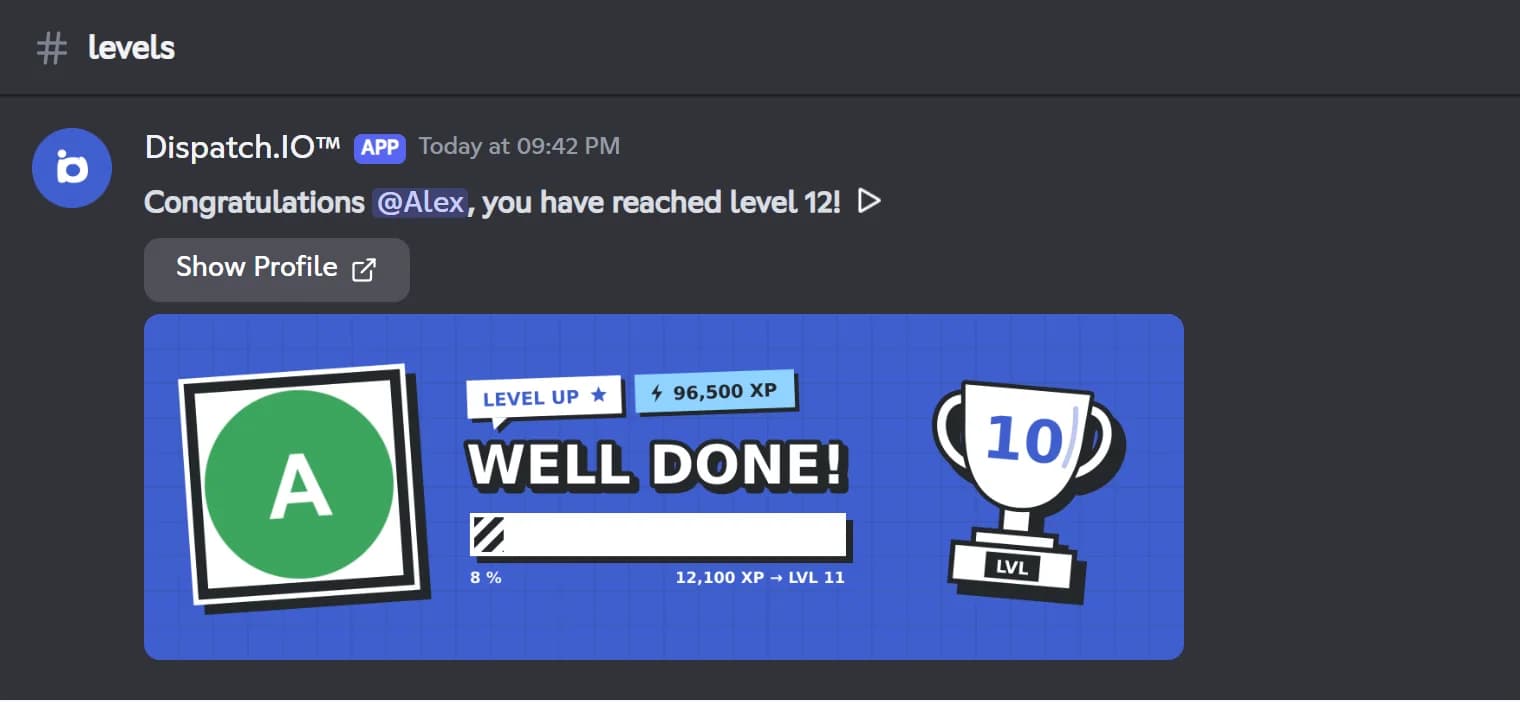
When a member levels up, the bot posts an announcement with a level card and gives them the reward roles you tied to each milestone, anywhere from level 1 to level 999. /rank shows a member's card, /top level shows the server ranking, and a public leaderboard is also available on the website.
The module is free: XP, announcements, role rewards and the level image all come without a plan. Only temporary roles, removed at the next level, need a Basic or Ultimate plan. Turn it on from Discord with /config or on the web dashboard, then tune the XP gains to fit your server.
What it does
XP for chatting
A random amount between an adjustable minimum and maximum (5 to 15 by default), halved for short messages.
XP in voice
1 to 50 XP per minute spent in voice, 20 by default, temporary channels included.
Level-up announcements
A message and a level card in the channel you choose, with a button to the member's public profile.
Level roles
One role per level, from 1 to 999, stacking up as members progress.
Leaderboards
/top level on Discord and a public leaderboard on the website, with a profile page for every member.
Built-in anti-spam
A 2-second gap between messages, and no XP for messages made only of emojis, links or mentions.
Ready in 3 steps
- 1
Add Dispatch.IO
Invite the bot from the website with the Add to Discord button. You need the Manage Server permission on that server.
- 2
Enable levels
Turn the system on in /config or on the dashboard, pick an announcement channel and add your role rewards.
- 3
Watch them climb
Members earn XP by chatting and in voice, level up and unlock their roles automatically.
Main commands
FAQ
How do I add a leveling system to my Discord server?
Add Dispatch.IO to your server, then turn levels on with the Enable button in /config or on the Levels page of the dashboard. The system is off by default. The /rank, /modify-xp and /reset-levels commands show up as soon as it is on.
How much XP does it take to level up?
Reaching level N takes 100 × N² total XP: 100 XP for level 1, 2,500 for level 5, 10,000 for level 10. With the default settings, level 10 is about 1,000 regular messages, or 8 h 20 min in voice.
How do I give a role at a certain level?
Add a role reward on the website or in /config: one role per level, from 1 to 999. The bot needs Manage Roles and the role must sit below the bot's own. Rewards are checked on level-ups, so a member who is already past that level gets the role at their next one.
Do members earn XP in voice channels?
Yes. Every full minute spent in a voice channel of the server earns the voice XP, 20 by default and adjustable from 1 to 50. Switching channels restarts the current minute.
Can I change a member's XP?
Yes, administrators can add or remove XP with /modify-xp, or reset a member or the whole server with /reset-levels. These changes trigger neither an announcement nor any role change.
Discord leveling bot: XP, level roles and leaderboards
Dispatch.IO is a free Discord leveling bot: XP for messages and voice, level roles, level-up cards and leaderboards. Reward your most active members.
Go further
Discord streak bot: daily flames for your server
One flame for every active day, freezes for the days off and a leaderboard to keep your members coming back.
Discord giveaway bot, with polls and suggestions
Giveaways with automatic draws, live polls, a suggestions box and a counting game to keep your server active.
Discord welcome bot: messages, cards and auto roles
Greet every newcomer with a message and a custom card, hand out roles automatically and announce departures.