
The level system rewards your members' activity: every message and every minute spent in voice earns XP (experience points). As XP adds up, a member goes up in level; the bot announces it with a card and can give them reward roles.
This page details the exact rules: what earns XP, how much, how often, how levels are calculated and what happens at every level-up. The commands (/rank, /top, /modify-xp, /reset-levels) are described in Levels and leaderboards, and the settings on the Levels page of the dashboard.
The essentials
With the default settings, a normal message earns 5 to 15 XP and a minute in voice 20 XP. Level 1 is reached at 100 XP, level 10 at 10,000 XP.
Turning the level system on
The system is off on a new server. Turn it on with the Enable levels switch on the Levels page of the website, or with the Enable button in the Leveling category of /config (see Bot configuration).
When you turn it on:
- members start earning XP;
- the
/rank,/modify-xpand/reset-levelscommands appear on the server.
When you turn it off, XP stops increasing, those three commands disappear and running giveaways that award XP are cancelled. XP already earned is kept.
Bot permissions
The bot needs Manage Roles and Manage Channels. Without them, the Enable button of /config is greyed out, and if the bot loses one of them the system turns itself off (the bot reports it in the server logs channel, if set). Give the permissions back, then turn the system on again.
Earning XP by chatting
The conditions, the calculation and the delay between two messages.
Every message sent in a channel of the server can earn XP: text channels, threads, forum posts and the chat of voice channels. Direct messages don't count. No channel or role is excluded.
For each message, the bot applies these rules in order:
- System on: if levels are turned off, nothing is counted.
- Who: bots, system messages and members blacklisted from Dispatch.IO earn nothing. Neither does a message blocked by the anti-raid.
- 2-second delay: after a message, about 2 seconds must pass before a new message earns XP. The delay restarts with every message, even one that earned nothing.
- Content: the bot removes mentions (members, roles,
@everyone,@here), links and Unicode emojis (😀) from the text. If nothing is left, the message earns nothing. That is the case for a message made only of emojis, links or mentions, or an image without text. - Calculation: the message earns a random whole number of XP between Text XP min and Text XP max (5 and 15 by default, both included).
- Short message: if the remaining text has fewer than 5 words or fewer than 20 characters, the XP is halved (rounded down).
Examples with the default settings
| Message | XP earned |
|---|---|
| "Has anyone tried the new Node release yet?" | 5 to 15 XP |
| "gg!" | 2 to 7 XP (short message) |
| "😂😂😂" or a link on its own | 0 XP |
| A second message one second after the first | 0 XP (2-second delay) |
Earning XP in voice
A member earns XP while connected to a voice channel of the server, temporary voice channels included:
- every 60 seconds spent in voice, they receive the Voice XP (20 by default);
- the first XP arrives after one full minute;
- switching voice channels restarts the counter: the started minute is lost;
- leaving voice stops the counter;
- the voice XP value is the one in place when the member joined voice: if you change it, the change applies from their next connection.
The bot does not check whether the member muted their microphone or headset, nor whether they are alone in the channel. Bots and members blacklisted from Dispatch.IO earn nothing. When the bot restarts, it resumes counting for members already in voice.
The level curve
The formula and the XP thresholds.
The level depends on the member's total XP on the server, that is message XP + voice XP:
level = whole part of √(total XP ÷ 100)
In other words, reaching level N takes 100 × N² total XP, and each level takes a little more than the previous one (100 × (2N + 1) XP between level N and level N + 1).
| Level | Total XP | Level | Total XP |
|---|---|---|---|
| 1 | 100 | 10 | 10,000 |
| 2 | 400 | 15 | 22,500 |
| 3 | 900 | 20 | 40,000 |
| 5 | 2,500 | 30 | 90,000 |
| 7 | 4,900 | 50 | 250,000 |
With the default settings, level 10 is about 1,000 normal messages, or 8 h 20 min in voice. Message XP and voice XP never go below 0.
XP and levels are specific to each server: a member starts from zero on another server.
The level-up announcement
The message and card posted when a member levels up.
A level-up is detected when total XP reaches a new threshold after a message, a minute in voice or a giveaway that awards XP (see Polls, giveaways and suggestions). The bot first gives the reward roles, then posts the announcement.
The announcement is posted in the notification channel (Notification channel on the website, Notification Channel in /config), in the server language:
- the text "Congratulations @Alex, you have reached level 12!", which mentions the member;
- the level card;
- a Show Profile button that opens the member's public page on the website (their level card and flame history).
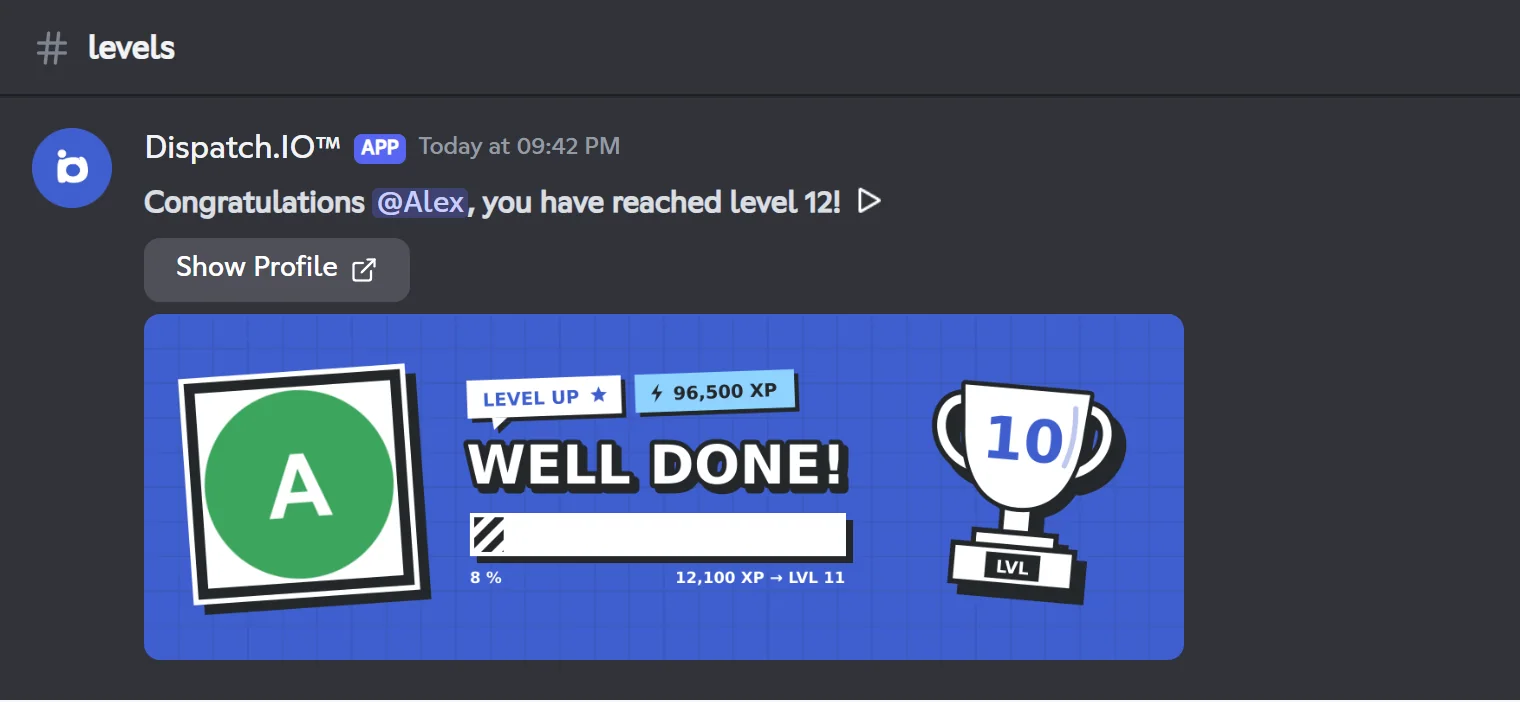
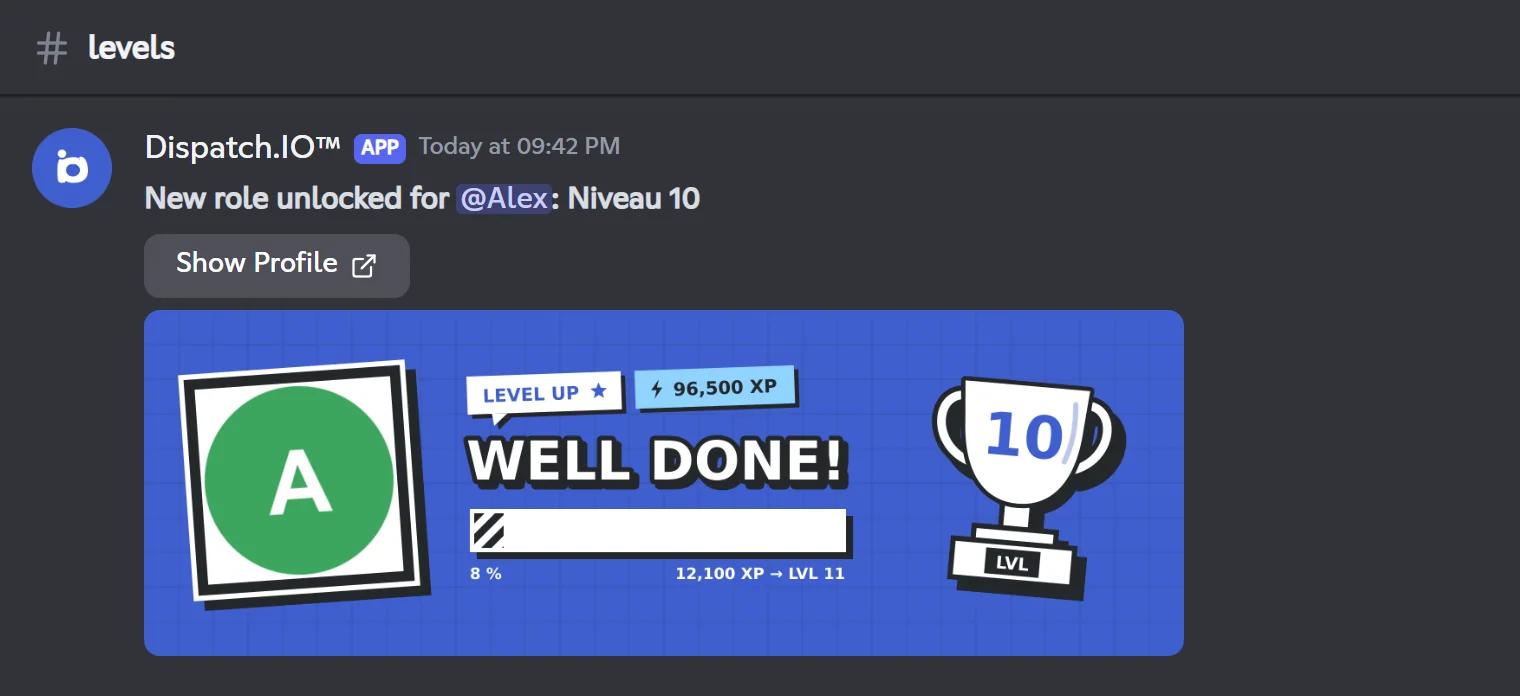
If a role reward exists for this exact level, the text becomes "New role unlocked for @Alex: Niveau 10". The role name is written as plain text: the role itself is not mentioned.
If a member gains several levels at once (for example with an XP giveaway), only one announcement is posted, for the level reached.
The level card
The card (1200 × 400 pixels) shows the member's avatar in a polaroid, the "LEVEL UP" tag, their total XP, the title "WELL DONE!", a progress bar towards the next level (percentage and XP still needed, for example "1,250 XP → LVL 13") and a trophy with the level number.
The background is the first one available among: the member's own level card background (personal plans, set in their website preferences), the server's Level image (website only), the server's welcome image, then the Dispatch.IO default image.
Note
Without a notification channel, no announcement is posted, but XP and role rewards work normally. In the chosen channel, the bot needs View Channel, Send Messages and Attach Files.
Role rewards
Giving a role at a given level, permanently or temporarily.
A reward links a role to a level (from 1 to 999, one role per level). It is set on the website (Role rewards) or in /config (Rewards).
At every level-up, the bot goes through all the server's rewards:
- Normal reward: the role is given if the new level is greater than or equal to the reward level. Roles stack: a member at level 20 keeps those of levels 5, 10 and 15. A normal role is never removed automatically, even if the member's XP goes down or is reset.
- Provisional reward (Provisional role, website only): the role is given only when reaching that exact level, then removed as soon as the member reaches a higher level. Example: provisional role at level 26 → given at level 26, removed at level 27.
| Reward | Level 9 → 10 | Level 10 → 11 |
|---|---|---|
| Normal at level 10 (@Niveau 10) | Role given | Role kept |
| Provisional at level 10 | Role given | Role removed |
Rewards are only checked at level-ups
If you add a reward for level 5 while Alex is already level 8, he only gets the role at his next level-up (level 9). The same goes after an XP change with /modify-xp or from the website. Deleting a reward does not take the role back from members who already have it.
To give a role, the bot needs Manage Roles and the role must be below the bot's highest role. In /config, roles that are too high or managed by an integration are refused. A role deleted from Discord is skipped.
Leaderboards and XP tracking
| Tool | What it shows or does | Where |
|---|---|---|
/rank | A member's level card: position, level, XP | Levels and leaderboards |
/top level | The server leaderboard by total XP, 5 members per page | Levels and leaderboards |
| Public leaderboard | The server leaderboard on the website, and each member's profile page | Leaderboards and rank cards |
/modify-xp | Add or remove message or voice XP (administrators) | Levels and leaderboards |
/reset-levels | Reset one member or the whole server (administrators) | Levels and leaderboards |
| Members & XP page of the website | See members ranked by XP, edit or reset their XP | Levels |
XP changes made by an administrator (/modify-xp, /reset-levels, Members & XP page) trigger neither an announcement nor role changes. A reset does not remove reward roles already obtained.
Settings, default values and Premium
| Setting | Where | Default | Values |
|---|---|---|---|
| Enable levels | Website, /config | Off | On or off |
| Notification channel | Website, /config | None | A text or announcement channel |
| Voice XP | Website, /config (Voice Experience) | 20 | 1 to 50 per minute |
| Text XP min — max | Website, /config (Text Experience Min / Max) | 5 — 15 | 1 to 50, max strictly above min |
| Role rewards | Website, /config | None | One role per level, levels 1 to 999 |
| Provisional role | Website | No | Server with Dispatch.IO Basic or Ultimate |
| Level image | Website | None (welcome image, then default image) | PNG, JPG, WEBP or GIF, 5 MB max |
Some values cannot be set per server: the 2-second delay between two messages, the short-message threshold (5 words or 20 characters) and the one-minute voice interval.
Premium plans
| Feature | Free | Basic | Ultimate |
|---|---|---|---|
| Level system, XP, announcements, normal rewards, level image | Yes | Yes | Yes |
| Provisional rewards | No (treated as normal rewards) | Yes | Yes |
A server chosen as the Ultimate slot of an Individual Ultimate subscription counts as Ultimate. Without Basic or Ultimate, rewards marked provisional stay saved but behave like normal rewards; they become provisional again on renewal. There is no XP bonus or multiplier. Plan details are on Premium plans and limits.
Common problems
| Problem | Likely cause and fix |
|---|---|
/rank does not exist on the server | The level system is off: turn it on, the commands are added at that moment. |
| The system turned itself off | The bot lost Manage Roles or Manage Channels. Give them back, then turn the system on again. |
| The system is off after re-inviting the bot | Removing and re-inviting the bot turns levels off. Turn them back on: members' XP is kept. |
| No level-up announcement | No notification channel, or missing bot permissions in that channel. |
| A member did not get their role | Role above the bot's role, missing Manage Roles permission, or reward added after their level-up (they'll get it at the next one). |
| A member spams but earns little | Expected: at most one message every 2 seconds counts, and short messages are halved. |
After /modify-xp the level changed but nothing was announced | Manual changes trigger neither announcements nor roles. The member gets their rewards at their next level-up. |
Learn more: Flames (streaks), the other engagement module, and Permissions and roles.