
Discord anti-raid bot
Captcha, raid mode and 14 automatic protections that sanction attackers and undo the damage.

The Dispatch.IO anti-raid watches your server around the clock and acts on its own against spam, links, forbidden words, mass mentions, mass joins, accounts less than 7 days old, apps added without permission, channels or bans created in bulk and sensitive server changes. The culprit is sanctioned, the damage is undone (deleted channel recreated, victims of a mass ban unbanned, server name restored) and every action is reported in your raid logs channel.
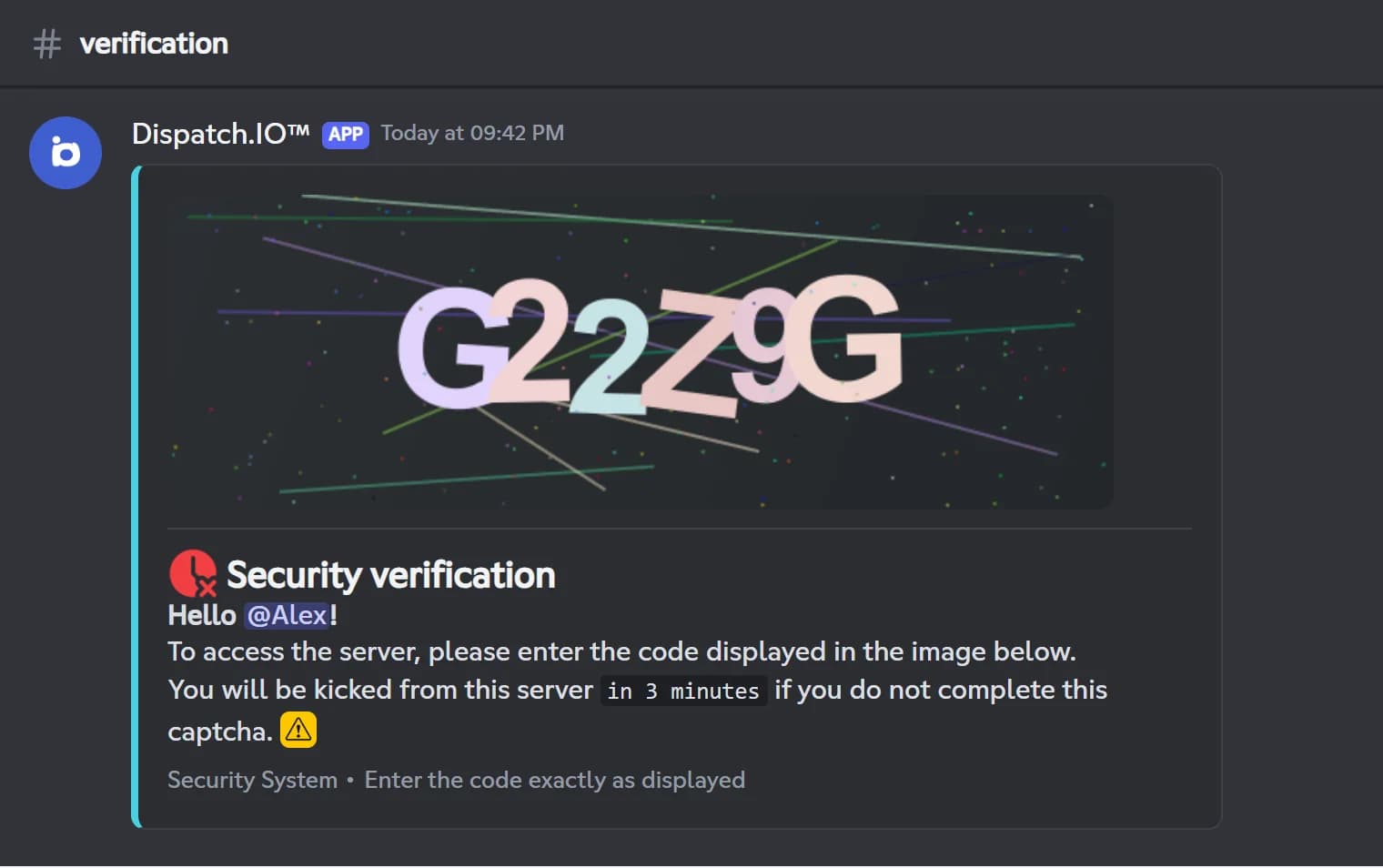
When someone joins, a captcha can ask them to copy a 6-character code before they get in. During an attack, raid mode kicks every new member for the duration you pick, and on a Community server it also pauses invites and DMs. The whitelist exempts trusted members, roles and apps, and emergency mentions ping your staff on every important log.
The module is free, with no limit tied to your plan. You turn on each protection one by one from Discord with /config, under Antiraid, or from the web dashboard.
What it does
14 automatic protections
Message filters, join control and server protections: each one is turned on separately.
Captcha on join
Newcomers copy a 6-character code within 3 minutes. If they fail, they are kicked.
Raid mode in one click
/raid-mode kicks every new member for 24 hours. The website lets you pick from 1 to 24 hours.
Damage undone
Deleted channels recreated, mass-ban victims unbanned, server name and verification level restored.
Whitelist
Exempt members, roles or apps, globally or protection by protection.
Emergency mentions
The roles or members you choose are pinged on critical logs, with a DM copy on Basic or Ultimate.
Ready in 3 steps
- 1
Add Dispatch.IO
Invite the bot and keep its Administrator permission, with its role above the members it watches.
- 2
Turn on the anti-raid
In /config, under Antiraid, or on the Anti-Raid page of the website, flip the main switch, pick the logs channel, then the protections you want.
- 3
Let it keep watch
The bot sanctions, repairs and logs on its own. If an attack hits, run /raid-mode.
Main commands
FAQ
How do I stop a raid on Discord?
Turn on the Dispatch.IO anti-raid with the mass join and recent account protections: from the 6th join within 10 seconds, the newcomers are kicked, and accounts younger than 7 days are refused. If the attack goes on, run /raid-mode to kick every new member for 24 hours. Raid mode never turns on by itself: it is always your staff's call.
How do I add a captcha to my Discord server?
Turn on the anti-raid, then the Captcha protection, and pick a captcha channel. Every newcomer gets a 6-character code to copy within 3 minutes; if they fail, they are kicked. The bot does not hide channels by itself, so keep the rest of the server for a welcome role given after the captcha.
Is the Dispatch.IO anti-raid bot free?
Yes. The anti-raid, the captcha and raid mode have no limit tied to your plan. Only the DM copy of emergency alerts requires the Basic or Ultimate plan.
Can the anti-raid sanction my own staff?
Yes, on purpose: the server protections also watch staff members, to stop a hacked account. Someone who deletes 3 channels within 30 seconds loses their administrator roles and gets a timeout. Add trusted members to the whitelist with the right scope to exempt them.
Discord anti-raid bot
Dispatch.IO is a free Discord anti-raid bot: captcha, raid mode, anti-spam filters and a whitelist. Your server stays protected, even while your staff sleeps.
Go further
Discord moderation bot
Warnings, timeouts, kicks and bans with a full infraction history and automatic filters.
Discord logging bot
Deleted messages, joins, sanctions, server changes: every event in the right channel, with who did it.
Discord welcome bot: messages, cards and auto roles
Greet every newcomer with a message and a custom card, hand out roles automatically and announce departures.