
Discord bump bot: get your server discovered
Share your server's listing with every server in the Dispatch.IO network, one /bump at a time.

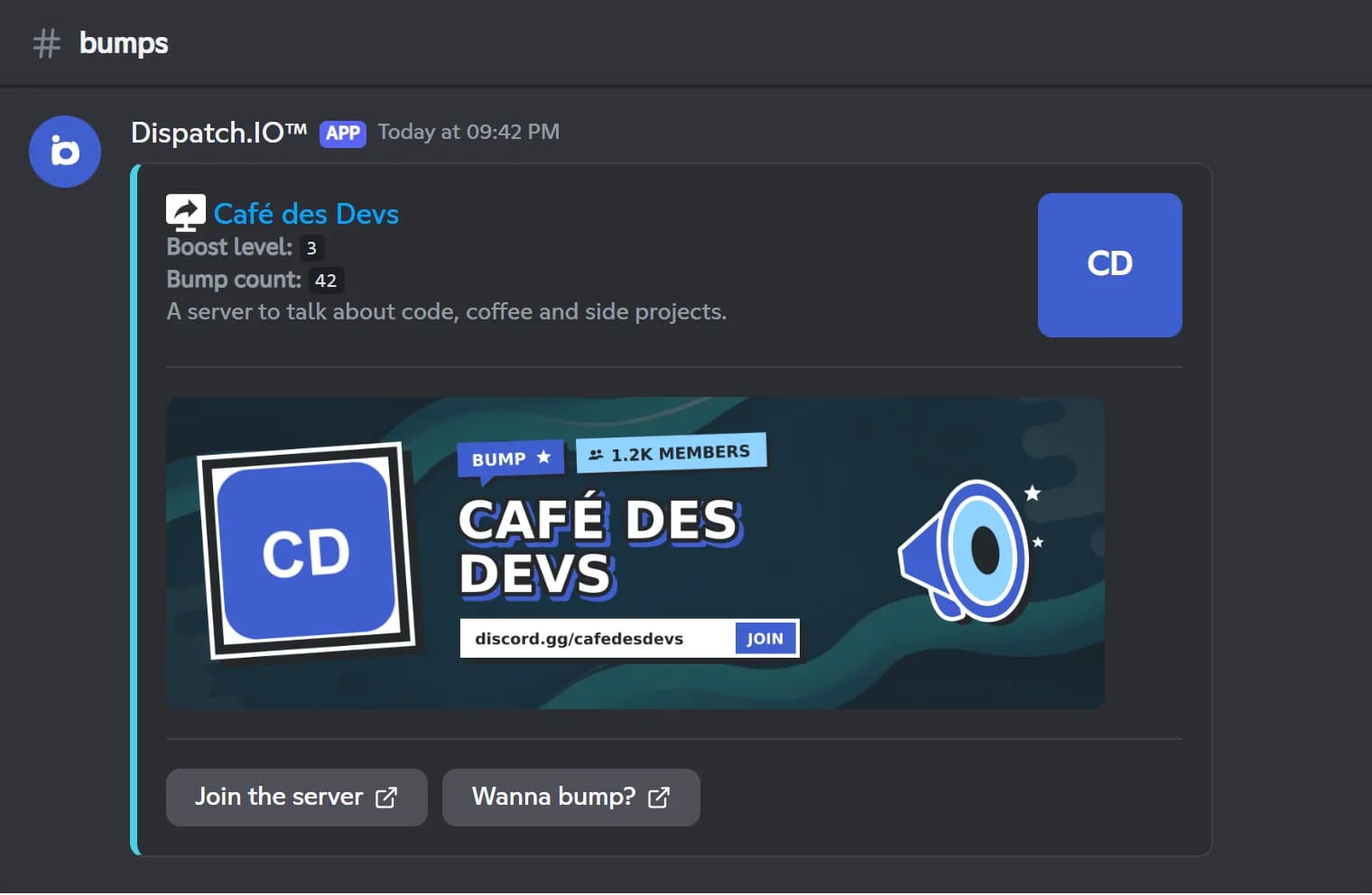
The Dispatch.IO bump puts your server in front of a whole network of servers that use the bot. When a member types /bump, your server's listing is posted in the bump channel of every server in the network: its name, your description, a card with the member count and a Join the server button that points to your invite.
It works both ways: to join the network, you turn the bump on and pick a channel that in turn receives the other servers' listings. Each receiving server sees your card in its own language and color. The cooldown between two bumps is shared by the whole server: 12 hours on the free plan, shorter with the Basic and Ultimate plans.
The bump is free and set up once, from Discord with /config (Bump category) or on the web dashboard, where you can also write your description and choose your card image. After that, any member can bump.
What it does
A network of servers
Your listing goes out to the bump channel of every server in the Dispatch.IO network.
A clean listing
Name, a 500-character description, a card with the member count and a button to join your server.
Open to every member
Any member can run /bump; only they see the reply and the number of servers reached.
Fits every server
The card texts follow the language of the server that receives the bump, with its own color.
Invite watch
If the bump invite is deleted, the bot clears the code and posts an alert in the server logs channel.
Cooldown per plan
12 hours between two bumps on the free plan, less with the Basic and Ultimate plans.
Ready in 3 steps
- 1
Add Dispatch.IO
Invite the bot from the website with the Add to Discord button. You need the Manage Server permission on that server.
- 2
Set up the bump
Turn the bump on, generate a permanent invite and pick the channel that will receive bumps, in /config or on the dashboard.
- 3
Bump your server
A member types /bump: your listing is sent to the whole network, and you can do it again once the cooldown ends.
Main commands
FAQ
How do I bump my Discord server?
With Dispatch.IO, type /bump on your server once the bump is set up (enabled, with an invite and a bump channel). Your server's listing is then posted in the bump channel of every server in the network. The bot then shows how many servers were reached.
How can I promote my Discord server?
Bumping is an easy start: every /bump sends your listing and a button to join your server to other communities. Write a clear description (500 characters on the website) and pick a bump image so your card stands out.
How often can I bump?
The cooldown is shared by the whole server: 12 hours on Free, 9 hours with Basic and 6 hours with Ultimate. It starts as soon as /bump is used. The bot does not remind you when it is over, but the Last bump time is shown on the website's Bump page.
Why does /bump say no invite code is configured?
The bump has no invite, or the one it used was deleted, in which case the bot clears the code automatically. Set up a permanent invite, ideally with the Generate button on the website, which reuses an existing one or creates one.
Do I have to receive other servers' bumps?
Yes, the network is mutual: a bump channel is required to use /bump, and it receives the other servers' listings. Your own bump shows up there too.
Discord bump bot: get your server discovered
The Dispatch.IO Discord bump bot posts your server's listing across its whole server network, for free. Get more visibility and attract new members.
Go further
Discord welcome bot: messages, cards and auto roles
Greet every newcomer with a message and a custom card, hand out roles automatically and announce departures.
Discord bot for YouTube and Twitch notifications
New YouTube videos, Twitch streams and RSS articles announced automatically in your server.
Discord leveling bot: XP, level roles and leaderboards
Members earn XP by chatting and in voice, level up and unlock roles, with a leaderboard to chase.