
Discord bot for YouTube and Twitch notifications
New YouTube videos, Twitch streams and RSS articles announced automatically in your server.

Dispatch.IO watches YouTube channels, Twitch channels and RSS feeds, and posts every new item in the channel of your choice, with an optional role mention. Each YouTube video is announced once, with its thumbnail and Watch video, Visit channel and Subscribe buttons. RSS feeds post their latest article with its summary and images, on an interval you pick from 1 to 1440 minutes.
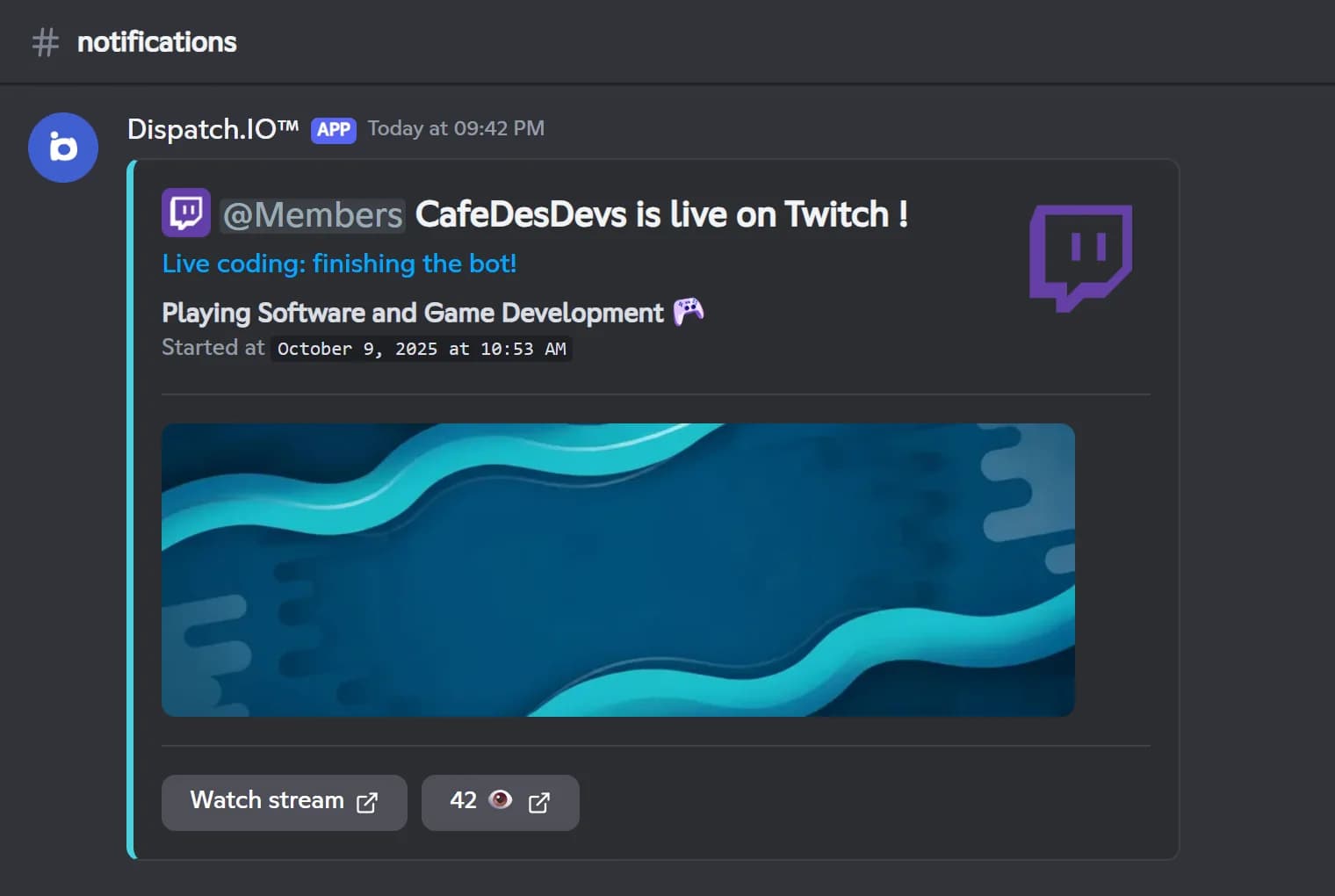
Twitch gets special treatment: the bot checks every 30 seconds whether the streamer is live. The announcement shows the title, game, start time, a preview and the viewer count, and is refreshed at most every 3 minutes during the stream. Ten minutes after the stream ends, the same message turns into a link to the replay. The role is pinged only once, so updates don't spam anyone.
The module is free. You set it up from Discord with /config or from the web dashboard, where the Check & send buttons also run a check right away. RSS feeds are unlimited; the free plan watches 2 YouTube and 2 Twitch channels, and that quota grows with the Basic and Ultimate plans.
What it does
YouTube videos
Each new video is posted once with its title, thumbnail, date and Watch, Visit and Subscribe buttons.
Live Twitch alerts
Checked every 30 seconds, updated during the stream, then turned into the replay when it ends.
Any RSS feed
Blogs, news sites or status pages: the latest article is posted on the interval you choose.
Optional role mention
Ping a role on new videos and streams, only on the first post so updates stay quiet.
Manual check
The Check & send buttons on the website run a check immediately, without waiting.
Ready in 3 steps
- 1
Add the bot
Invite Dispatch.IO and let it see and send messages in your announcement channel.
- 2
Add your sources
From /config or the dashboard, add a YouTube or Twitch channel or an RSS feed, the channel and a role.
- 3
Never miss a post
Each new video, stream or article is announced automatically, with the role pinged.
Main commands
FAQ
How do I get YouTube notifications on Discord?
Add Dispatch.IO, then add the channel from the Social networks page of the dashboard or from /config. Give a YouTube link or @handle, pick the announcement channel and, if you want, a role to mention. Every new video is then posted automatically, each one only once.
How fast are new videos and streams announced?
YouTube channels are checked every 2 hours, so a video can be announced up to 2 hours after it goes out. Twitch is checked every 30 seconds. On the website, the Check & send last video button forces a check right away.
Can the bot ping a role when I go live on Twitch?
Yes. Add the Twitch channel with a role to mention: when the stream starts, the bot posts the announcement and pings that role once. The message is updated during the stream, then turned into the replay after it ends.
How many YouTube and Twitch channels can I follow?
The free plan watches 2 YouTube and 2 Twitch channels, and that number grows with the Basic and Ultimate plans. RSS feeds are unlimited on every plan.
Can I post an RSS feed in a Discord channel?
Yes. Add the full address of an RSS or Atom feed on the RSS feeds page of the dashboard, choose the check interval and the channel. The bot posts the feed's latest article with its summary, images and a Read more button.
Discord bot for YouTube and Twitch notifications
Dispatch.IO posts YouTube videos, Twitch streams and RSS articles in your Discord with a role ping. A free notifications bot your community never misses.
Go further
Discord welcome bot: messages, cards and auto roles
Greet every newcomer with a message and a custom card, hand out roles automatically and announce departures.
Discord bump bot: get your server discovered
Share your server's listing with every server in the Dispatch.IO network, one /bump at a time.
Discord logging bot
Deleted messages, joins, sanctions, server changes: every event in the right channel, with who did it.