
Bump promotes your server across a network of servers that use Dispatch.IO. When a member types /bump, your server's presentation (name, description, card, invite link) is posted in the bump channel of every server in the network. In return, your bump channel receives the other servers' presentations.
This page explains how the network works, what gets posted and the delay between two bumps. It is written for administrators, and for members who want to bump. For the settings, see Bot configuration (/config → Bump) or the Bump page of the website.
How it works
- The network is every server that has turned bump on and picked a bump channel. It works both ways: to receive other servers' bumps, your server must be part of it too.
- Your own bump channel receives your bump too.
- Each server receiving the presentation sees it in its own language and colour.
- There is no ranking and no reminder: the bot tells no one when the delay is over.
Getting bump ready
An administrator sets up bump once, on the website's Bump page or in /config → Bump:
| Setting | On the website | In /config | Default |
|---|---|---|---|
| Turning it on | Enable bump | Enable button | Off |
| Invite | Invite code, with the Generate button | Invite code | None |
| Bump channel | Bump receive channel | Bump channel | None |
| Description | Write the description (500 characters, Discord formatting) | — | The server's Discord description |
| Card image | Bump image | — | The welcome image, otherwise the default image |
The invite
- It must be permanent (unlimited duration and uses): otherwise the Join the server button eventually stops working.
- On the website, Generate reuses an existing permanent invite or creates one (the bot needs Create Invite). The website does not check a code typed by hand: a typo breaks the Join the server button.
- In
/config, the code orhttps://discord.gg/…link is checked: it must match a permanent invite of your server. A vanity URL is not accepted.
The bump channel
- It is a text channel that receives the other servers' bumps. It is also required to use
/bump. - On the website's Channels page, this channel type is called "Bump Reminders", but the bot sends no reminder there: only the bumps received.
- The bot must be able to view the channel, send messages, embed links and attach files there (the card is an image).
Note
After turning bump on or off from /config, receiving bumps can take up to an hour to adjust. From the website, the change is immediate.
Bumping
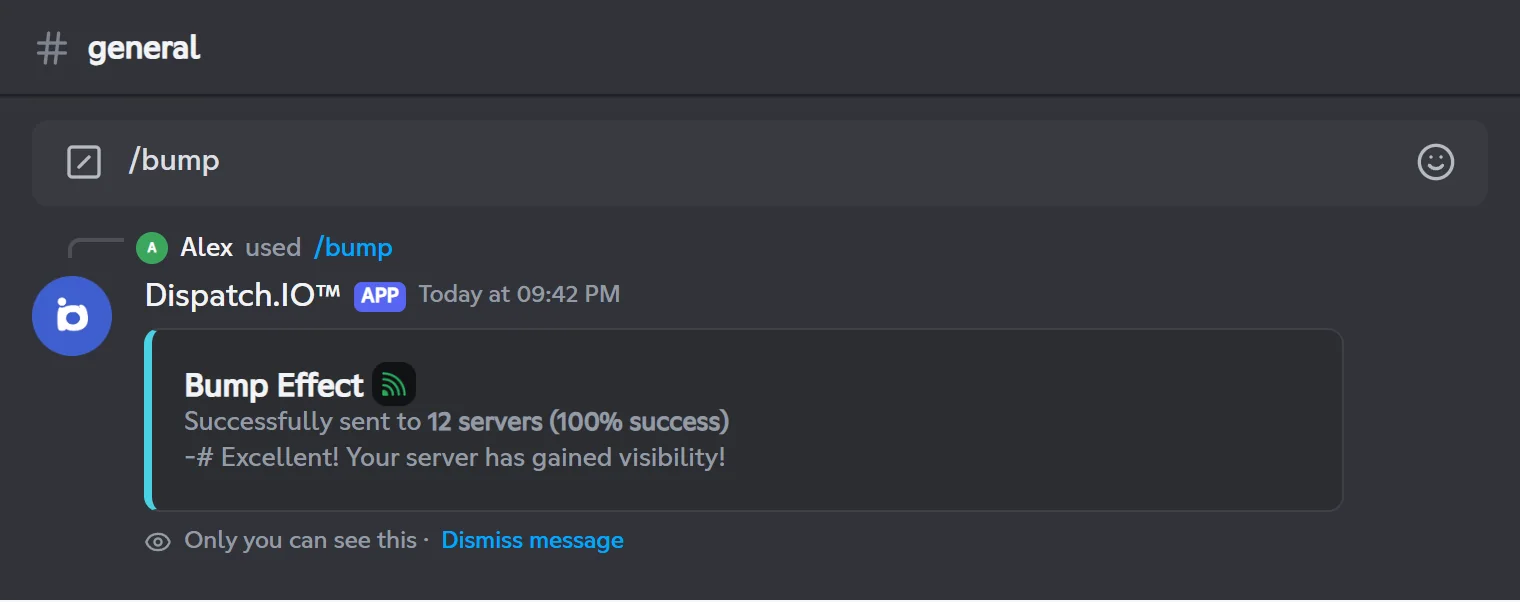
Any member can type /bump on the server; only they see the reply. The full command card is in Community.
- The bot checks, in this order: that bump is on, that an invite is set, that the bump channel exists and that the delay is over. Otherwise it replies with an error message; members with the Administrator permission also see where to fix the setting.
- It shows "Bump in progress...", saves the bump (the counter goes up and the delay starts), then sends the presentation to every server in the network. With many servers, sending is spread over time.
- It shows the confirmation: the number of servers reached, the success rate and an encouragement message that depends on the number of servers reached.
| Error message | Cause |
|---|---|
| "The bump system is disabled on this server." | Bump is not turned on |
| "No invite code configured." | No invite, or the invite was deleted (see below) |
| "No bump channel configured for this server or the channel does not exist anymore." | No bump channel, or the channel was deleted |
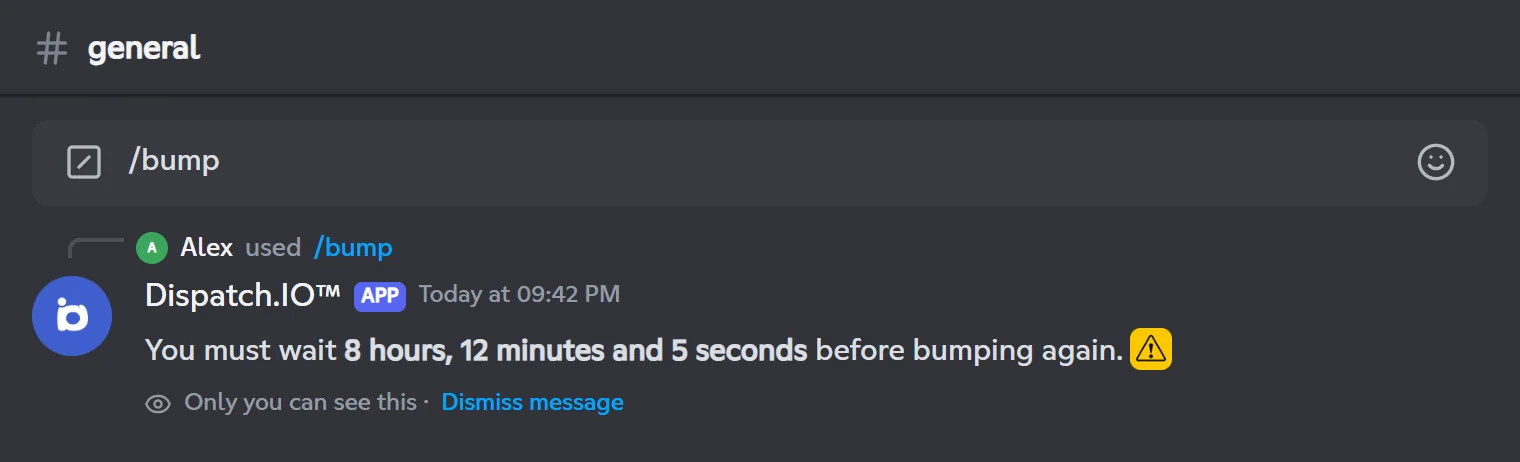
| "You must wait … before bumping again." | The delay is not over |
The posted presentation
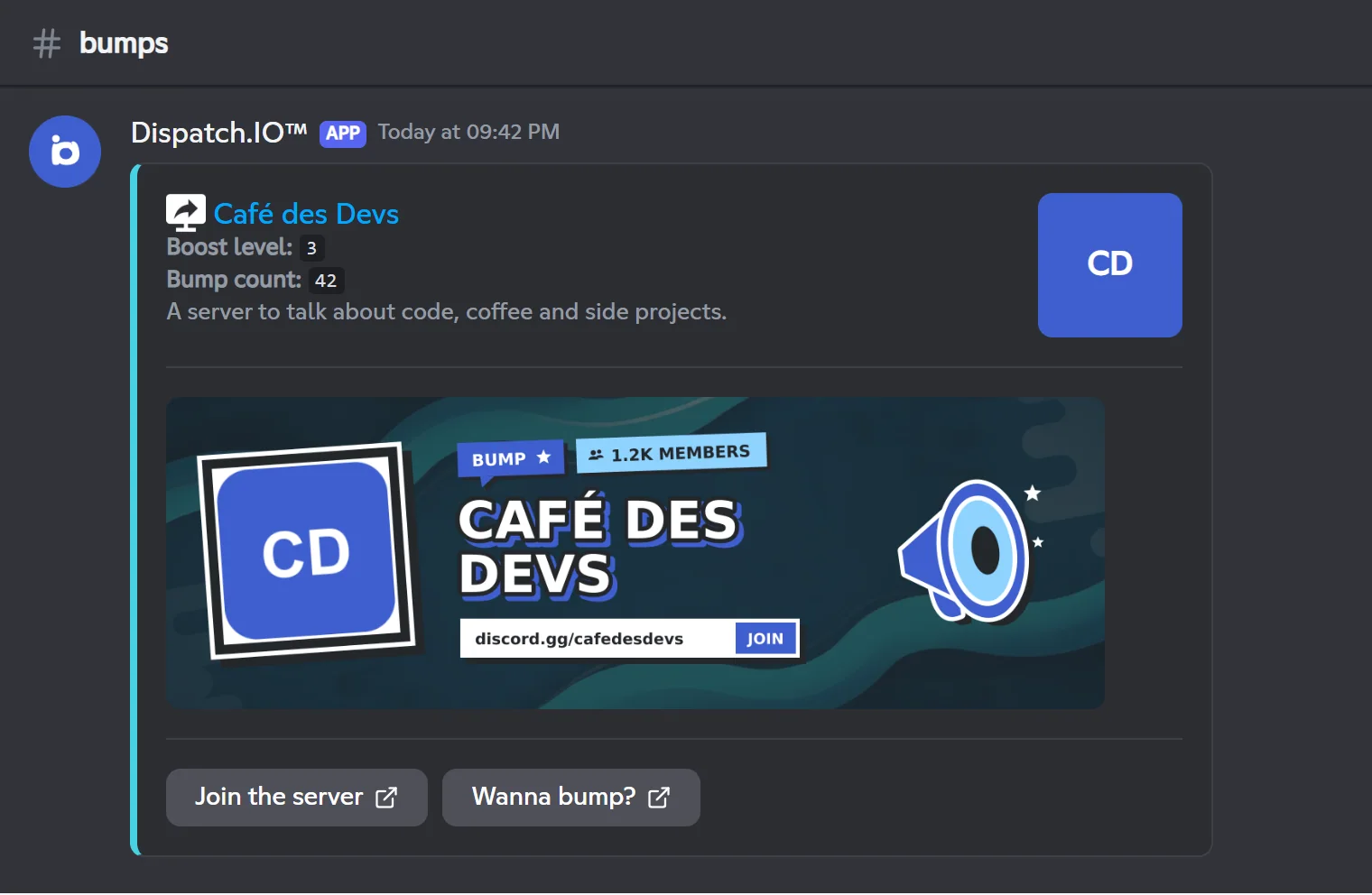
Here is what the other servers receive in their bump channel:
| Item | Content |
|---|---|
| Title | Your server's name, linked to your invite, and its icon |
| Boost level | The number of boosts of your server |
| Bump count | Your server's total number of bumps, this one included |
| Description | Your website description, otherwise the server's Discord description, otherwise "I think this server has not discovered the description." |
| Card | The server icon as a photo, its name in capitals, the member count, the "BUMP ★" tag and the discord.gg/… invite bar with "JOIN", on your darkened bump image (otherwise the welcome image or the default image) |
| Buttons | Join the server (your invite) and Wanna bump? (to add Dispatch.IO to a server) |
The card texts ("JOIN", "MEMBERS") are in the language of the server receiving the bump.
Delay between two bumps
The delay is shared by the whole server: once a member has bumped, nobody can bump again until it ends. It depends on the server's plan:
| Server plan | Delay |
|---|---|
| Free | 12 hours |
| Basic | 9 hours |
| Ultimate | 6 hours |
- The plan that counts is a Dispatch.IO Basic or Ultimate subscription linked to the server, or the server picked with an Individual Ultimate subscription. See Premium plans and limits.
- The delay starts as soon as
/bumpruns, even if no server received the presentation. - On top of that, each member can only run the command once every 20 seconds.
- During the delay, the bot shows the time left:
If the invite is deleted
If someone deletes the invite used by bump, the bot clears the bump's invite code: /bump then replies "No invite code configured." until you set a new one.
An alert is posted in the Server logs channel: the deleted code, its channel, who deleted it and, if any, the reason. The emergency mentions are added, without a notification.
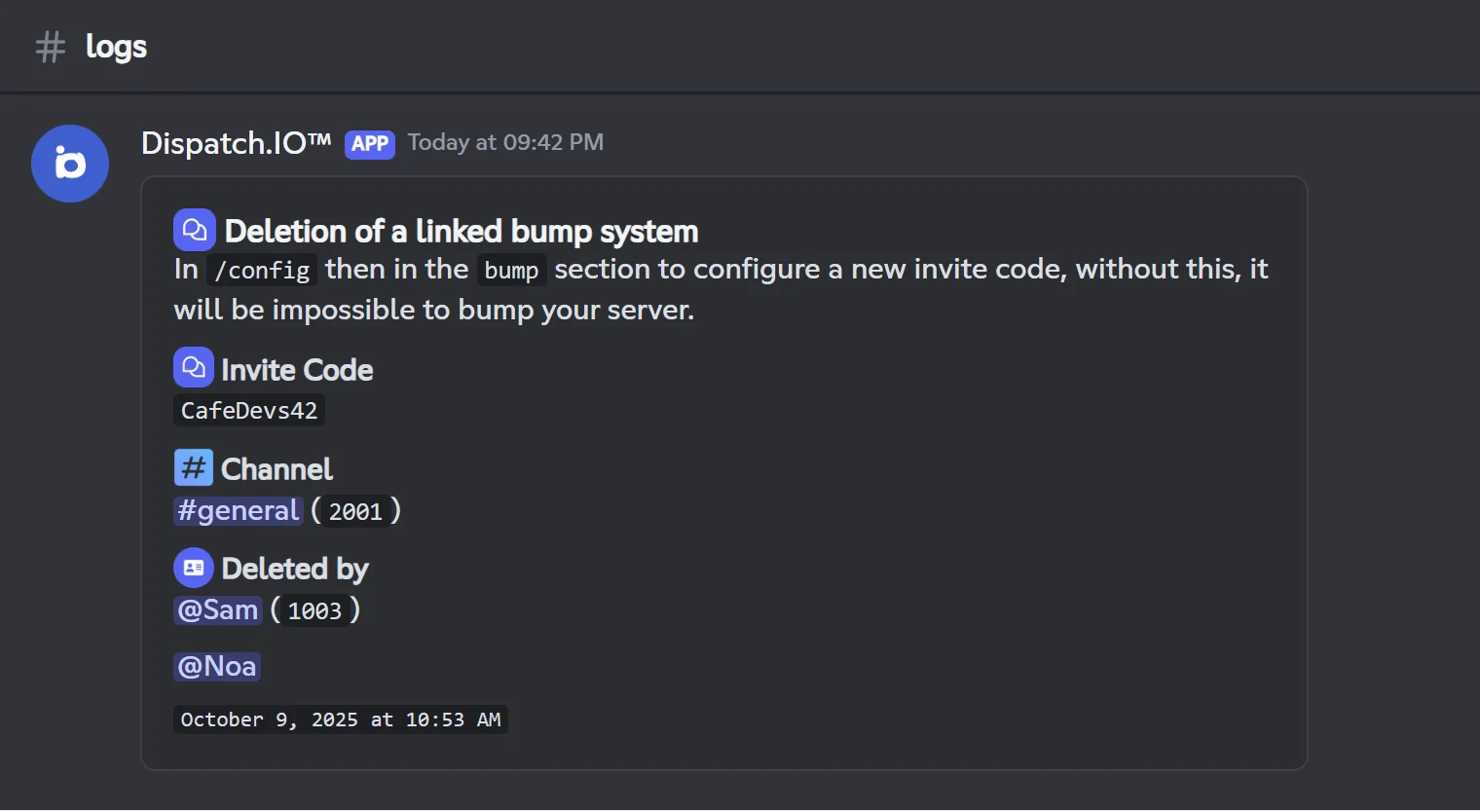
This alert is not posted if emergency mentions are turned off (see Anti-raid and security).
Pitfalls and limits
- "Boost level" shows the server's number of boosts, not its level.
- Success rate: a server where the bot could not post (for example without the permission to attach files) can still be counted as reached.
- No reminder: note the time of the next bump yourself, or check Last bump on the website's Bump page.
- Invite typed on the website: it is not checked; prefer the Generate button.
- Two bumps at the same time: if two members run
/bumpat exactly the same moment, both can go through.
Related pages
- Community: the
/bumpcommand in detail. - Bot configuration:
/config→ Bump. - Bump: the website's Bump page.
- Premium plans and limits: the delay per plan.