
Discord embed builder bot
Embeds, containers and banners built from Discord with a live preview, posted in the bot's name.

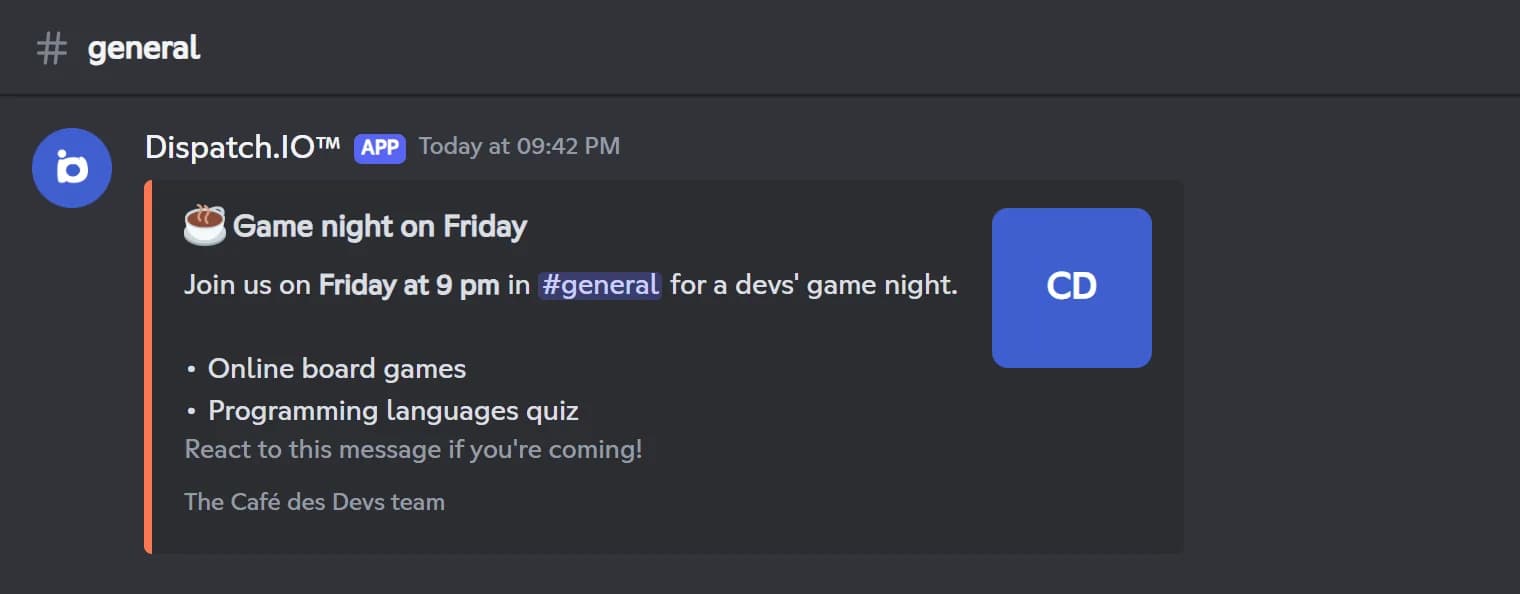
Dispatch.IO lets your admins post clean announcements in the bot's name, right from Discord. /say sends a plain message with text or an image, in the current channel, another channel or by DM. /create-embed opens a builder only you can see: title with a link, description in Markdown, color, footer, thumbnail and large image, with a live preview before you hit Send.
For richer layouts, /create-container uses Discord's newer message format: stack text blocks, sections with a thumbnail, image galleries, separators and link buttons, up to 25 items and 4,000 characters. /create-banner generates a 1200 × 400 px image with a styled title, a choice of fonts and effects, and your server icon if you want. Every message stays editable later with /say, /edit-embed or /edit-container, even weeks after it was posted.
These commands are free and reserved for administrators. The default color of embeds and containers is your server color, which you set in /config or on the web dashboard.
What it does
Step-by-step embeds
Title, link, Markdown description, color, footer, thumbnail and image, with a preview before sending.
Rich containers
Text, sections with thumbnails, image galleries, separators and link buttons in one message.
Generated banners
A 1200 × 400 px image with a styled title, five fonts and Gradient or Neon effects.
Speak as the bot
Post plain text or an image in any channel or by DM with /say.
Edit at any time
Fix any message posted by Dispatch.IO later with /edit-embed, /edit-container or /say.
Ready in 3 steps
- 1
Add the bot
Invite Dispatch.IO and make sure you have the Administrator permission on your server.
- 2
Build your message
In your announcement channel, type /create-embed, /create-container or /create-banner and fill in the builder.
- 3
Post and edit
Check the preview, click Send, and edit the message later whenever you need.
Main commands
FAQ
How do I create an embed on Discord?
Type /create-embed in the channel where you want to post it. A builder only you can see lets you fill in the title, link, description, color and footer, then add a thumbnail and a large image. Check the preview and click Send.
Can I edit an embed after posting it?
Yes. Copy the message ID (Developer Mode, then right-click on the message) and use /edit-embed, /edit-container or /say with the message_id option. Only messages posted by Dispatch.IO can be edited, even weeks later.
How do I make a banner for my Discord server?
Use /create-banner with a title of up to 25 characters. The bot generates a 1200 × 400 px image with the effect, font, alignment and text color you pick, then posts it as a message or inside a container.
What is the difference between an embed and a container?
An embed is a box with a color bar, a title, a description and images. A container is Discord's newer format: you stack several text blocks, sections with thumbnails, image galleries, separators and link buttons.
Discord embed builder bot
Dispatch.IO is a free Discord embed builder bot: create embeds, containers and banners with a live preview, edit them anytime. Announcements that stand out.
Go further
Discord welcome bot: messages, cards and auto roles
Greet every newcomer with a message and a custom card, hand out roles automatically and announce departures.
Discord reaction roles bot
Roles by reaction or button, response buttons and automatic word reactions, without your staff lifting a finger.
Discord bot for YouTube and Twitch notifications
New YouTube videos, Twitch streams and RSS articles announced automatically in your server.