
Dispatch.IO can watch YouTube channels, Twitch channels and RSS feeds (blogs, news sites, status pages…) and announce each new item in a channel of your server, mentioning a role if you want.
This page explains how often the bot checks, what it posts and the limits to know about. It is written for administrators. For the settings, see Bot configuration (/config → Social networks and RSS) or the Social networks and RSS page of the website.
Overview
| Source | What is announced | Check | Role mentioned | Limit |
|---|---|---|---|---|
| YouTube | The channel's latest video | Every 2 hours | Yes, optional | 2, 5 or unlimited depending on the plan |
| Twitch | The start of a stream, updated during the stream, then turned into the replay | Every 30 seconds | Yes, optional | 2, 5 or unlimited depending on the plan |
| RSS | The feed's latest article | Based on the interval you pick, from 1 to 1440 minutes | No | None |
The YouTube and Twitch frequencies are the same for every server and set by the Dispatch.IO team; these are the defaults. On the website, the Check & send last video and Check & send last article buttons run a check right away (see below).
Setting it up
A YouTube or Twitch channel
On the website's Social networks page, click Add a network:
| Field | What to enter |
|---|---|
| Title | A name to find it in the list (20 characters max) |
| Platform | YouTube or Twitch |
| Link or username | https://www.youtube.com/@handle or @handle; https://www.twitch.tv/name or name |
| Notification channel | The channel where announcements are posted |
| Role to mention | Optional: the role mentioned in every announcement |
The bot finds the channel on its own from the link. In /config → Social networks, the same fields exist, but the link must start exactly with https://www.youtube.com/@ or https://www.twitch.tv/.
Warning
The role picked in /config is not always saved. Check the "Mention:" line after adding and, if needed, set the role on the website.
An RSS feed
On the website's RSS feeds page, click Add a feed:
| Field | What to enter |
|---|---|
| RSS feed URL | The full address of an RSS or Atom feed. The website checks that it really is a feed before saving. |
| Interval (minutes) | The minimum time between two checks: 1 to 1440 minutes (5 suggested by default) |
| Notification channel | The channel where articles are posted |
In /config → RSS, Edit cannot change the channel, and adding may fail: in that case, add the feed from the website.
The bot's permissions
In the notification channel, the bot needs View Channel and Send Messages. To mention a role that not everyone can mention, it also needs Mention @everyone, @here, and All Roles.
YouTube
- Every 2 hours, the bot looks at each channel's latest video (a Short, a premiere or a live video count too).
- If that video was never announced on your server, it posts the announcement. Each video is announced only once per server.
- One video per check: if the channel publishes two videos between two checks, only the most recent one is announced.
- Right after you add a channel, the first check announces its latest video, even an old one. It happens at most 2 hours later, or right away with Check & send last video.
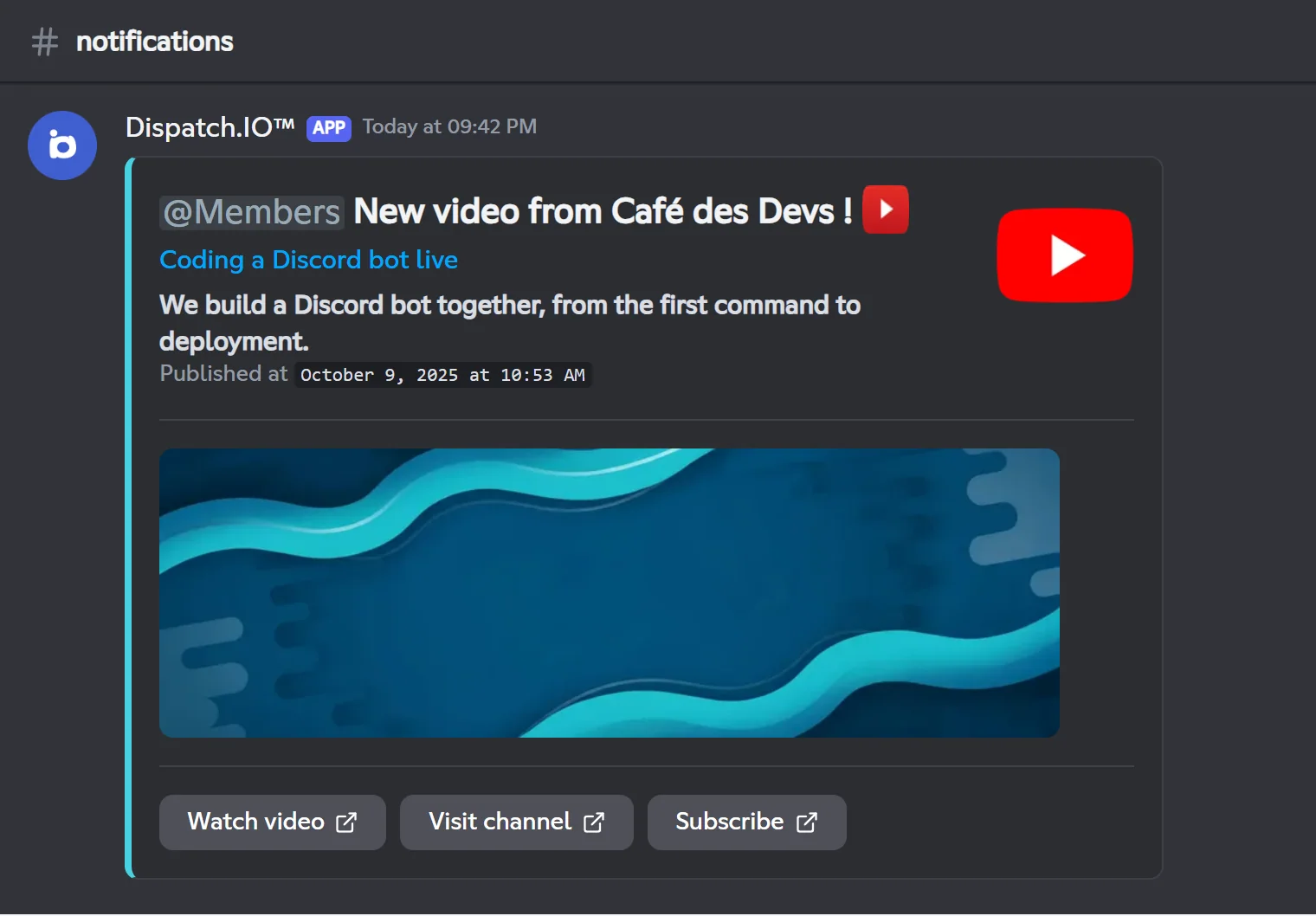
The announcement shows the channel name as it appears on YouTube (not the Title you picked), the mentioned role, the video title as a link, the start of its description (100 characters), its publication date, its thumbnail and three buttons: Watch video, Visit channel and Subscribe.
Twitch
Every 30 seconds, the bot checks whether each streamer is live.
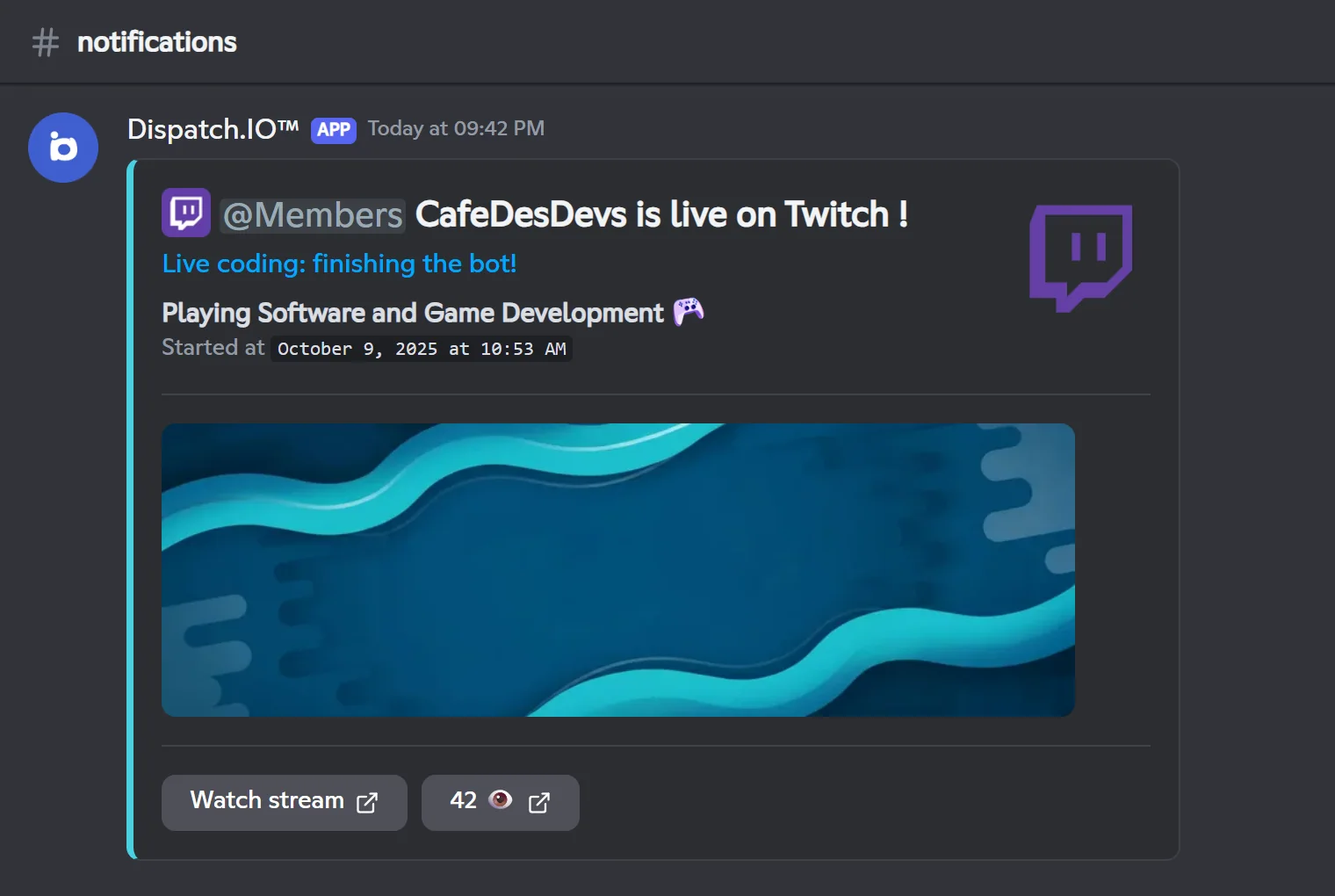
- Stream start: the bot posts "… is live on Twitch !" with the mentioned role, the stream title as a link, the game being played, the start time, a preview of the stream and the Watch stream, Discover game (when the bot finds the game's website) and viewer count buttons.
- During the stream: the announcement is updated at most every 3 minutes (title, game, viewers, preview). If someone deletes it, it is posted again at the next update.
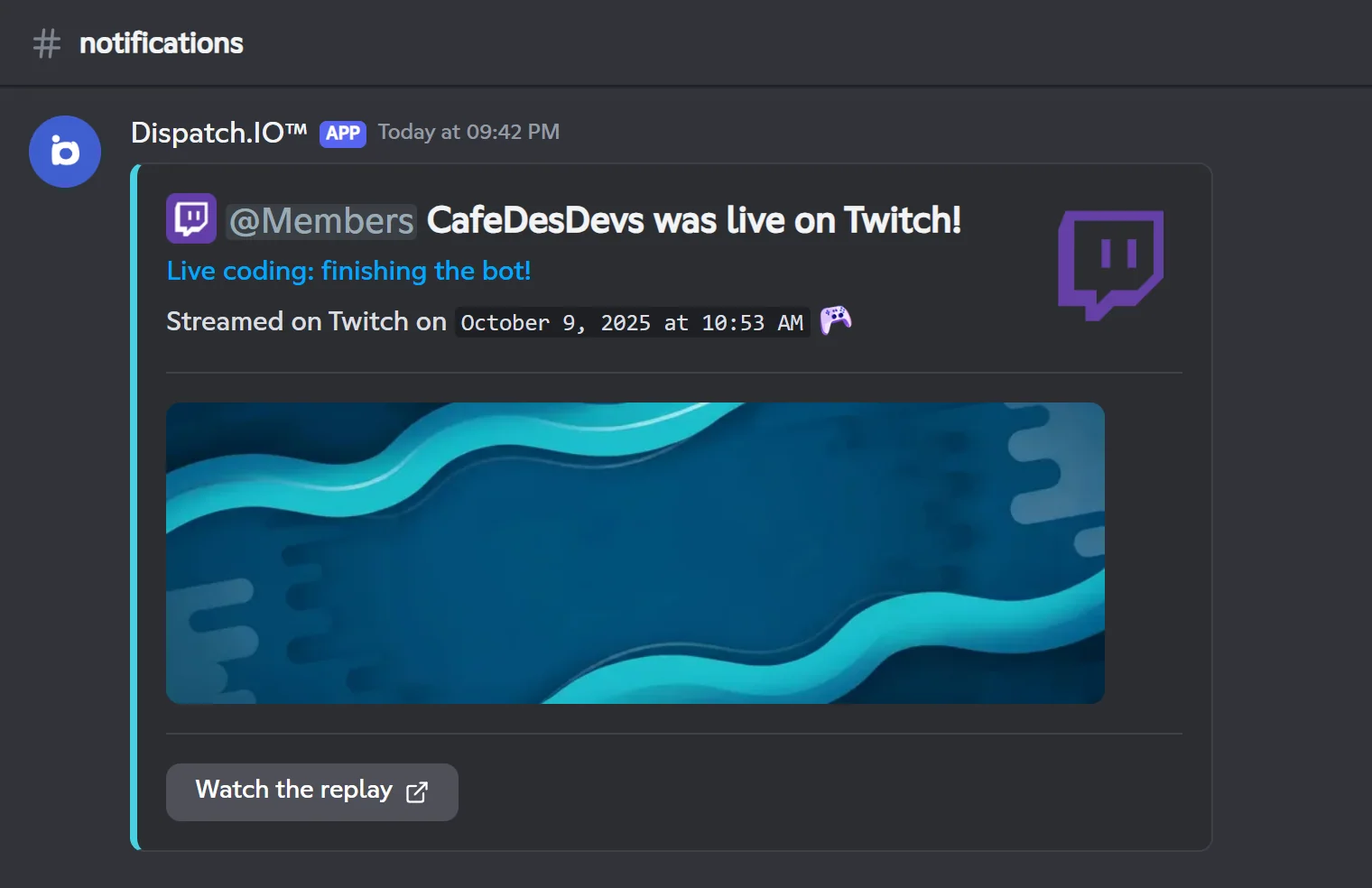
- Stream end: the bot waits 10 minutes, then fetches the latest replay. The announcement becomes "… was live on Twitch!" with the Watch the replay button. If there is no new replay (replays turned off on the channel, for example), the announcement stays as it is.
- The role is only mentioned on the announcement's first post: updates do not send a new notification.
RSS feeds
- Every minute, the bot looks at which feeds are due: those whose interval has elapsed since the last check.
- It only looks at the feed's most recent article. If it was never announced on your server, it posts it.
- If several articles come out between two checks, only the last one is posted.
- Right after you add a feed, the first check posts the current most recent article.
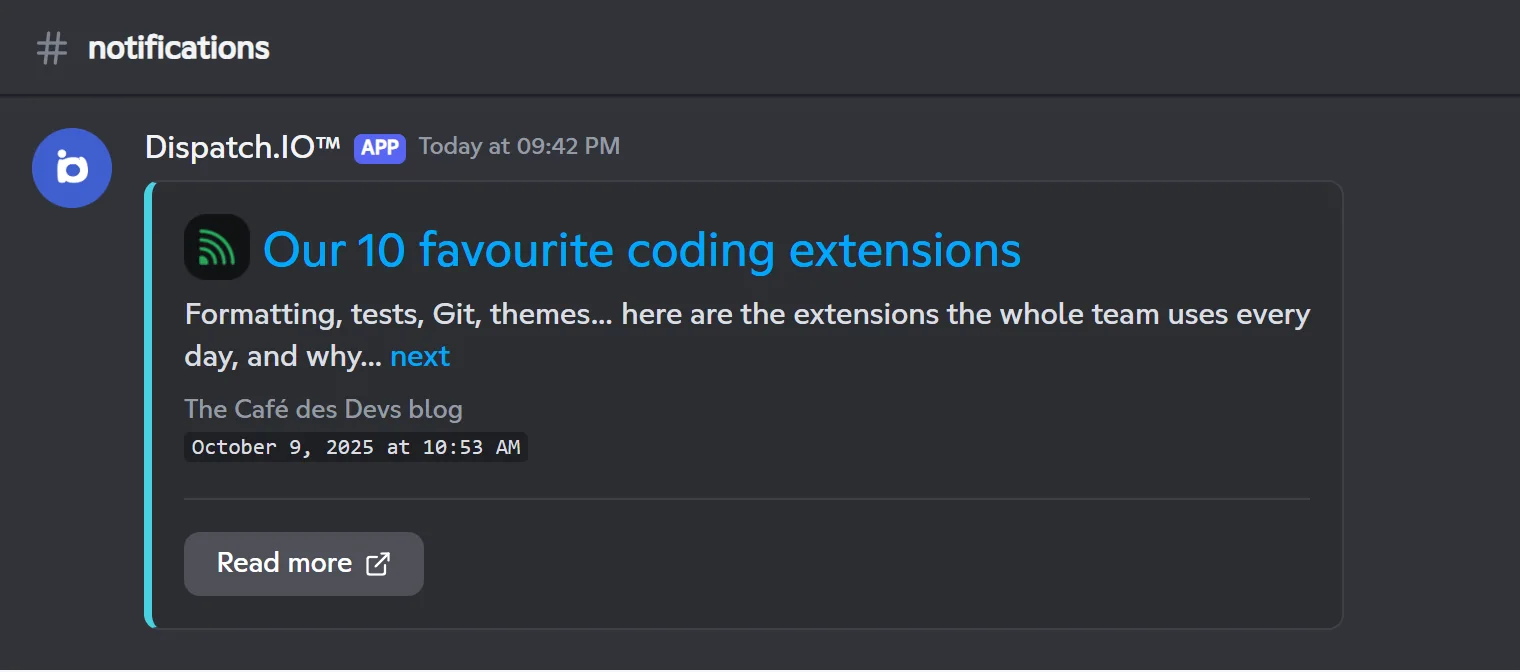
The announcement shows the article title as a link, its summary followed by a "next" link, the article's images (10 max), the feed name, the publication date and a Read more button. No role is mentioned.
When a feed does not answer or is invalid, the website shows "Last error: …" under the feed (for example HTTP_404). The bot does not clear this message after a successful check: save the feed again on the website to make it go away.
Manual check
On the website, each network has a Check & send last video button and each feed a Check & send last article button. They run an immediate check, even if the item was already announced:
| Source | What the button does |
|---|---|
| YouTube | Posts the latest video again |
| Twitch | Updates the announcement of the current stream, or turns it into the latest replay |
| RSS | Posts the latest article again |
After a click, the button is locked for that item for a delay that depends on the server's plan: 30 minutes on Free, 15 minutes on Basic, 10 minutes on Ultimate. This check does not exist in /config.
Limits per plan
| Limit | Free | Basic | Ultimate |
|---|---|---|---|
| YouTube channels watched | 2 | 5 | Unlimited |
| Twitch channels watched | 2 | 5 | Unlimited |
| RSS feeds | Unlimited | Unlimited | Unlimited |
| Delay between two manual checks of the same item | 30 minutes | 15 minutes | 10 minutes |
Above the limit (after a plan downgrade, or with /config, which accepts up to 6 channels per platform), the channels are kept but only the oldest ones, within the plan's limit, are watched: the others post nothing. See Premium plans and limits.
Pitfalls and limits
- YouTube is not instant: a video can be announced up to 2 hours after it goes out.
- The title is not shown: the announcement uses the YouTube or Twitch channel name, not the Title you entered.
- Editing in
/config: changing a channel's link or platform creates a new entry. Delete the old one afterwards. - Feeds in chronological order: a feed that lists its articles from oldest to newest never announces new ones, because the bot only looks at the first article.
- Deleted channel: if you delete the notification channel, the networks and feeds that posted there are deleted too.
Related pages
- Bot configuration:
/config→ Social networks and RSS. - Social networks and RSS: the website pages.
- Premium plans and limits: every limit per plan.
- Logs: configuration changes noted in the server logs channel.