
Flames (or daily streaks) reward regularity: every day a member takes part on the server, their streak gains a flame. One day without activity and the streak starts over, unless a freeze protects it. The bot announces each validated day with a flame card, can add the streak to the member's nickname and, with the Ultimate plan, give roles at the milestones you choose.
This page explains the module's exact rules for administrators. The settings live on the Flames page of the dashboard or in the Daily Streak System (Fire) category of /config (see Bot configuration).
The essentials
A day = a calendar day in the server's time zone (Europe/Paris by default). The first activity of the day validates the flame; a missed day breaks the streak, unless the member still has a freeze.
Turning flames on
The module is off on a new server. Turn it on with the Enable flames switch on the website, or with the Enable button in /config, then pick a flame channel for the announcements.
- In
/config, on a server where flames were never set up, you must click Enable twice: the first click saves the configuration without turning it on. - When turned on from
/configwith empty messages, the bot saves its default texts in the server language. On the website, the fields are pre-filled with the default texts in the website's language. - The bot needs the Manage Channels permission: without it, the Enable button of
/configis greyed out, and if the bot loses it, the module turns itself off.
The time zone that defines days is set in Language and time zone of /config or on the Basic configuration page of the website (see Server home).
What validates the day's flame
A member's first activity of the day on the server validates their day. These count as activity:
- sending a message in any channel of the server;
- voice activity: joining, leaving or switching voice channels, or changing your voice state (microphone, headset, camera, screen share);
- using a Dispatch.IO command (slash command or app command) whose reply is public. Commands whose reply only you can see don't count.
Bots and members blacklisted from Dispatch.IO have no flame, and a message blocked by the anti-raid doesn't count. No channel or role is excluded. Once the day is validated, other activities that day change nothing.
How the streak grows or stops
The rules applied on every validated day, with an example.
On the first activity of the day, the bot compares it with the member's last validated day:
| Situation | Result | Announcement |
|---|---|---|
| The member's first flame on this server | The streak is 1 | Start message |
| Day already validated today | Nothing changes | None |
| Last validated day = yesterday | The streak gains 1 | Progress message |
| One or more missed days, and enough freezes | One freeze per missed day, the streak gains 1 | Progress message |
| One or more missed days, not enough freezes | The streak goes back to 1 | Start message |
The day changes at midnight in the server's time zone. The streak is not reset every night: it only stops when a whole day goes by with no activity and no freeze. Days covered by a freeze don't add to the streak: they keep it alive.
Example
Alex has no personal plan, so he gets 1 freeze per month.
| Day | Alex's activity | Streak | Announcement |
|---|---|---|---|
| Monday | Sends a message | 1 | Start message |
| Tuesday | Joins a voice channel | 2 | Progress message |
| Tuesday evening | Sends more messages | 2 | None (day already validated) |
| Wednesday | No activity | 2 | None |
| Thursday | Uses /rank | 3 (his freeze covers Wednesday) | Progress message |
| Friday | No activity, no freeze left this month | 3 | None |
| Saturday | Sends a message | 1 | Start message |
Absent members
Every 10 minutes, the bot checks members with no activity for more than 2 days. If freezes are on, it uses their freezes to cover the missed days; otherwise, or once they don't have enough left, their streak drops to 0, with no announcement, and the flame suffix is removed from their nickname. Their next activity starts a new streak at 1.
Each member's record (their longest streak) is kept when the streak stops: it is shown on the public flame leaderboard.
Start and progress announcements
The two messages, their variables and the milestone mention.
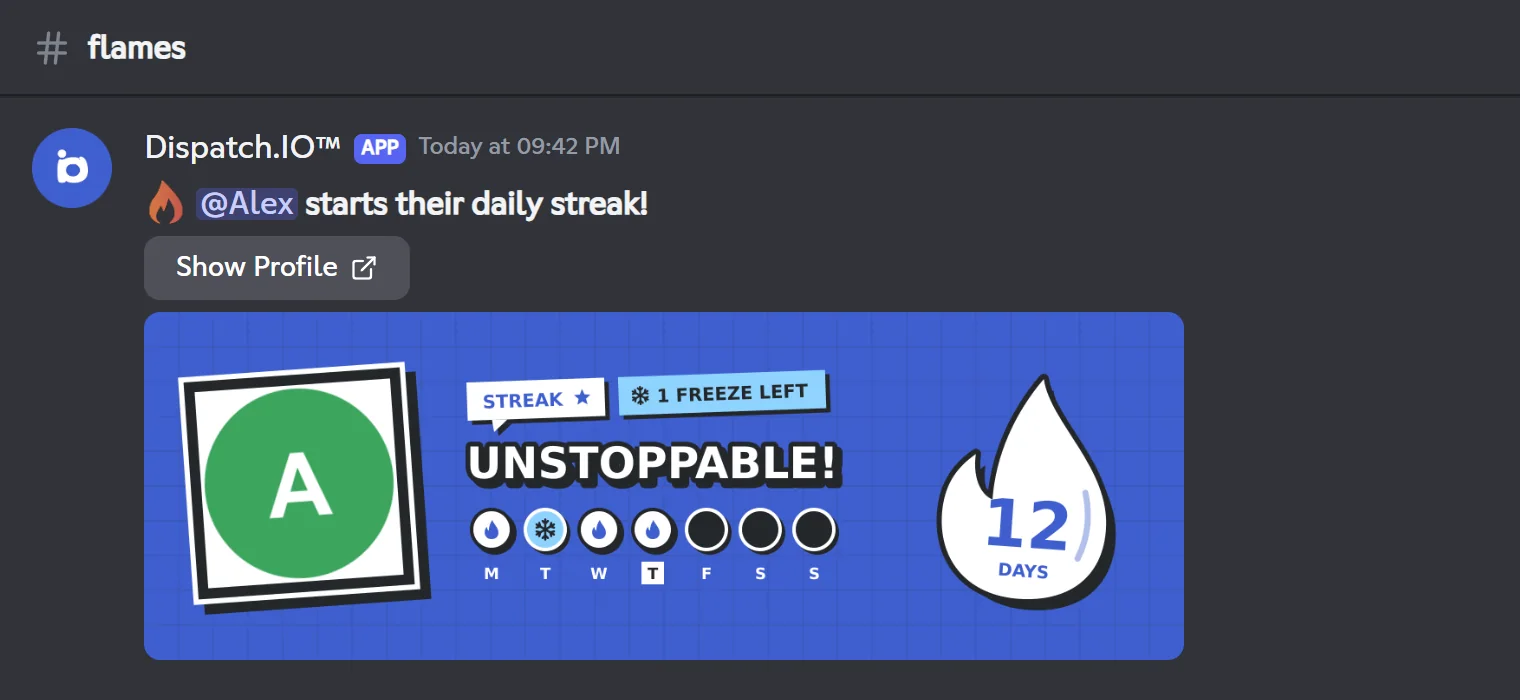
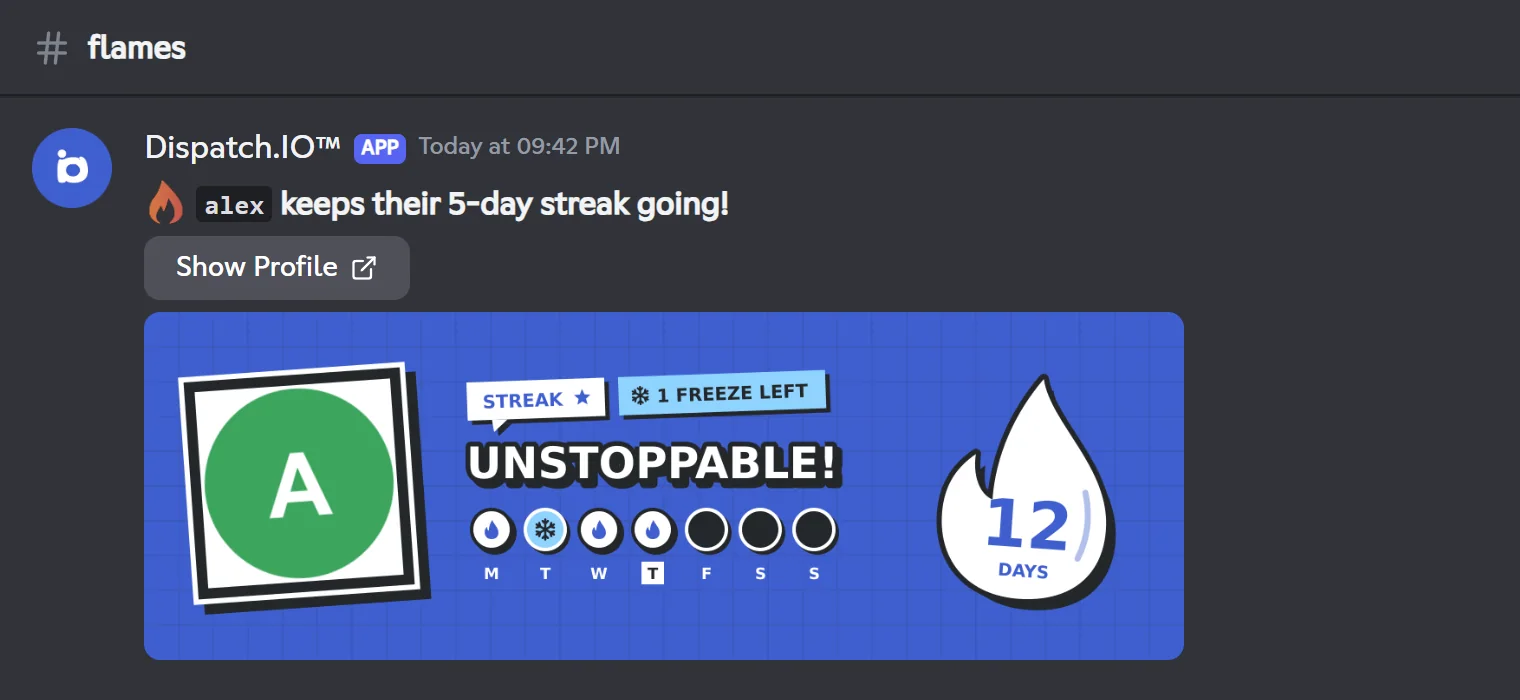
On every validated day, the bot posts in the flame channel an announcement made of the message, the flame card and a Show Profile button that opens the member's public page on the website. Without a flame channel there is no announcement, but the streak still counts.
- The start message is used when the streak is 1 (first flame or fresh start).
- The progress message is used on the following days.
Variables
| Variable | Start message | Progress message |
|---|---|---|
{user} | A mention of the member (they get a notification) | Not available: the text {user} would stay as is |
{userName} | The member's Discord username | Username, or a mention at milestones (see below) |
{day} | Always 1 | The number of days in the streak |
- Wrapped in backticks (
`{userName}`), the name shows as code; that is the case in the default texts. - Each message accepts 2000 characters and Discord formatting. For an emoji, paste the character itself (🔥).
Default texts
| Message | Saved by /config | Pre-filled by the website |
|---|---|---|
| Start | ### 🔥 `{user}` starts their daily streak! | ### 🔥 `{user}` starts their daily flame! |
| Progress | ### 🔥 `{userName}` keeps their {day}-day streak going! | ### 🔥 `{userName}` keeps their {day}-day flame going! |
The flame in the /config text is animated. Default texts are saved as they are: if you later change the server language, they are not translated. Edit them if needed.
The milestone mention
With the Milestone mentions option (Mention in /config), {userName} is replaced with a real mention of the member in the progress message on days 7, 14, then every 30 days (30, 60, 90…). If your message does not contain {userName}, nobody is mentioned.
The flame card
The card (1200 × 400 pixels, in the server language) contains:
- the member's avatar in a polaroid;
- the "STREAK" tag and, if freezes are on, how many freezes they have left this month ("1 FREEZE LEFT", "2 FREEZES LEFT" or "NO FREEZE");
- the title "STREAK ON!" on the first day, then "UNSTOPPABLE!";
- the current week, Monday to Sunday: a flame for today and the previous days of the streak, a snowflake for days saved by a freeze, a hatched grey box for missed days, an empty box for days to come;
- on the right, a big flame with the number of days in the streak.
The background is the first available among: the member's own flame card background (personal plans, set in their website preferences), the server's Flame image (Ultimate plan), the server's welcome image, then the Dispatch.IO default image.
Streak freezes
Keeping a streak despite a missed day.
A freeze saves a missed day. Freezes are used automatically, with no command, when the Streak freezes option is on (it is by default; it can only be changed on the website).
| Member's personal plan | Freezes per month |
|---|---|
| None (Free) | 1 |
| Individual Basic | 2 |
| Individual Ultimate (also included with Dispatch.IO Ultimate, and for the friend invited to an Ultimate subscription) | 5 |
The rules:
- One freeze per missed day. It counts in the month of the missed day, and the counter restarts every month.
- All or nothing: if there aren't enough freezes left to cover every missed day, none is used and the streak goes back to 1.
- Freezes are personal and shared across all servers: a missed day on three servers with flames costs three freezes.
- Only a running streak can be saved.
- Freezes are used when the member comes back, or during their absence by the automatic check (see Absent members).
- The server's plan does not change the number of freezes: only the member's personal plan counts.
Members see their remaining freezes on their flame card and on the My subscription page of the website (see Shop and subscription). The history on their public page shows the days "Saved by a freeze".
Role rewards (Ultimate)
With the Ultimate plan on the server (Dispatch.IO Ultimate, including the Ultimate slot that comes with an Individual Ultimate subscription), you can link a role to a streak day (from 1 to 999, one role per day) in the Role rewards section of the website. They are checked on every validated day:
- Normal reward: the role is given as soon as the streak reaches that day. It is never removed, even when the streak stops.
- Provisional reward (Provisional role): the role is given on that exact day, then removed as soon as the streak goes past it. Example: day 7 → given on day 7, removed on day 8.
Without Ultimate, rewards stay saved but the bot neither gives nor removes any; they turn back on at renewal. The bot needs Manage Roles, and the roles must be below its highest role.
The nickname with the flame
With the Rename with flame option (Auto-rename of users in /config), the bot adds the streak to the member's server nickname: Alex | 12🔥.
- The nickname is updated on every validated day, when the announcement is posted: a flame channel must therefore be set.
- The base of the nickname is the member's current nickname (without the old suffix), otherwise their Discord name.
- If the member changes their nickname the same day, the bot puts the suffix back.
- When the streak drops to 0 after an absence, the suffix is removed.
- The server owner is never renamed.
The bot needs Manage Nicknames and its role must be above the member's highest role. Discord limits nicknames to 32 characters: if the nickname plus the suffix exceeds that limit, renaming fails.
Leaderboards and history
| Tool | What it shows | Where |
|---|---|---|
/top streak | The server's leaderboard of running streaks | Levels and leaderboards |
| Public flame leaderboard | Running streaks and each member's record, on the website | Leaderboards and rank cards |
| Member's public page (Show Profile button) | The flame history over 12 months: active, frozen and missed days | Leaderboards and rank cards |
Settings, default values and Premium
| Setting | Where | Default |
|---|---|---|
| Enable flames | Website, /config | Off |
| Flame channel | Website, /config (Daily streak channel) | None |
| Start message | Website, /config | Default text (see above) |
| Progress message | Website, /config | Default text (see above) |
| Milestone mentions | Website, /config (Mention) | Off |
| Rename with flame | Website, /config (Auto-rename of users) | Off |
| Streak freezes | Website | On |
| Role rewards | Website (Ultimate) | None |
| Flame image | Website (Ultimate) | None (welcome image, then default image) |
| Time zone | Website, /config (Language and time zone) | Europe/Paris |
| Feature (server plan) | Free | Basic | Ultimate |
|---|---|---|---|
| Flames, announcements, freezes, mention, renaming | Yes | Yes | Yes |
| Role rewards | No | No | Yes |
| Server flame image | No | No | Yes |
The number of freezes depends on each member's personal plan (see Streak freezes). Plan details are on Premium plans and limits.
Common problems
| Problem | Likely cause and fix |
|---|---|
| No announcement | No flame channel, or missing bot permissions in that channel (View Channel, Send Messages, Attach Files). |
The Enable button of /config seems to do nothing | On a server never set up before, click it a second time. |
| The module turned itself off | The bot lost Manage Channels. Give it back, then turn the module on again. |
| The nickname is not changed | Member is the server owner, missing Manage Nicknames permission, bot role too low, nickname too long, or no flame channel set. |
{user} shows as is | In the progress message, use {userName}. |
| Messages are in the wrong language | The default texts were saved in the language active when the module was turned on: edit them. |
| The streak broke despite a freeze | Not enough freezes for every missed day (all or nothing), freezes already used on other servers, or Streak freezes turned off. |
| The streak went to 0 with no announcement | The member has been inactive for more than 2 days with no freeze left: that is the automatic check. |
| A command didn't validate the flame | Its reply was only visible to the member: only commands with a public reply count. |
| Flame roles are not given | The server doesn't have the Ultimate plan, or the role is above the bot's role. |
Learn more: Levels and XP, the other engagement module, and Permissions and roles.