
Logs keep track of what happens on your server: deleted or edited messages, members joining and leaving, changes to channels and roles, sanctions, anti-raid actions, configuration changes… Each type of log has its own channel: you pick the ones you care about, and the bot posts there automatically.
This page is for administrators and moderators. It lists every log channel, the events it receives and the content of each message.
How logs work
- One channel per type of log. There is no on/off switch: a log is posted if its channel is set, and nothing is posted otherwise.
- A regular text channel. Announcement channels can be picked in the menus, but the bot posts nothing there: pick a text channel.
- Server language. All logs are written in the server's language.
- Format. Each log is a box: a title with an icon, then one line per detail ("Member", "Channel", "Reason"…) and, at the very bottom, the date and time of the event. Some logs show the member's avatar on the right.
- Who did it. To show who performed an action (who deleted that channel, who kicked that member…), the bot reads Discord's audit log. It waits about 2 seconds for Discord to record it, so these logs arrive with a small delay. Without the View Audit Log permission, the author is replaced by "System action" or doesn't appear.
- No pings. Logs show members and roles without notifying them, except for the emergency mentions of critical logs.
Picking the log channels
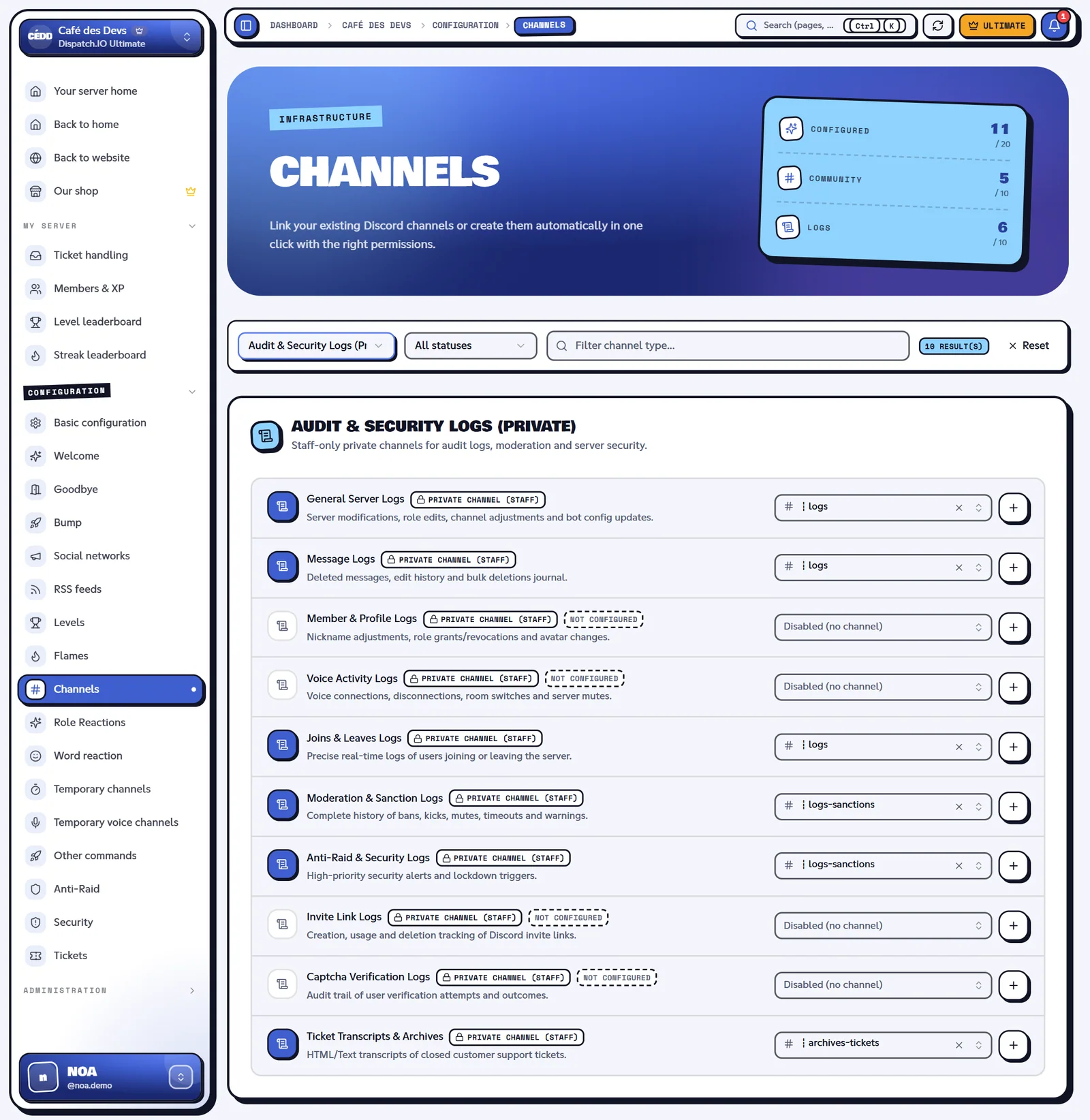
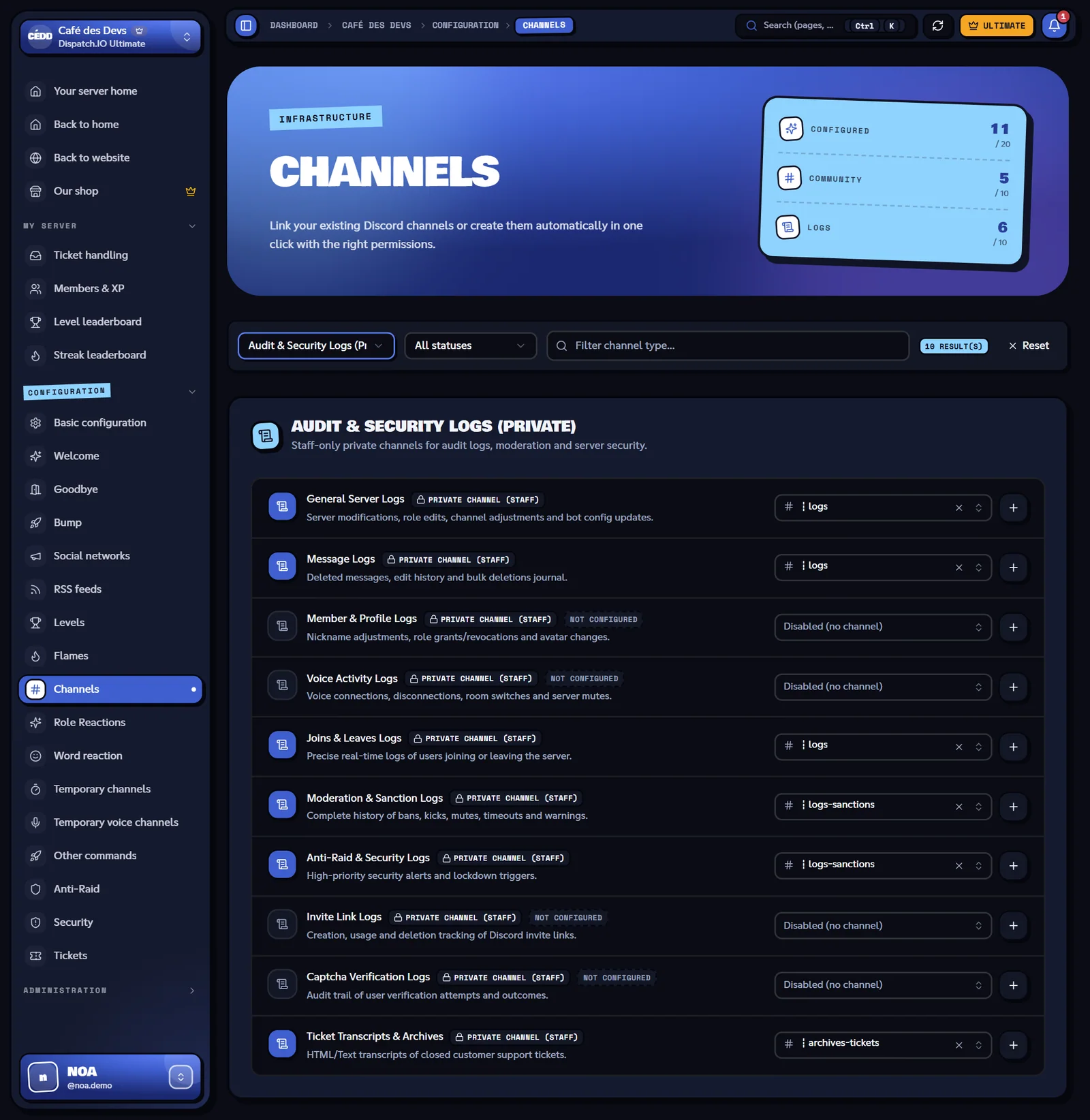
On the dashboard, open the Channels page, Audit & Security Logs (Private) section. For each row, pick an existing channel or click +: the bot creates a private channel (hidden from @everyone) and assigns it. You can also use /config → Channels on Discord.
| Channel (dashboard) | Name in /config | What it receives |
|---|---|---|
| General Server Logs | Server logs channel | Channels, roles and server settings, bot configuration changes, actions of some commands |
| Message Logs | Message logs channel | Deleted and edited messages, cleanups done with /clear |
| Member & Profile Logs | User logs channel | Departures and kicks, nicknames, roles, timeouts, bans |
| Joins & Leaves Logs | Join/leave logs channel | Joins, alerts about reported members, raid mode kicks |
| Voice Activity Logs | Voice logs channel | Voice connections, disconnections, channel switches and voice state changes |
| Moderation & Sanction Logs | Sanction logs channel | Warnings, timeouts, kicks, bans, reports |
| Anti-Raid & Security Logs | Raid logs channel | Anti-raid actions and settings, raid mode |
| Invite Link Logs | Invitation logs channel | Invite used when joining, inviter when leaving |
| Captcha Verification Logs | Captcha logs channel | Passed and failed captchas |
| Ticket Transcripts & Archives | Saved tickets channel | Saved copies of closed tickets (see Tickets) |
Tip
Keep these channels private and restricted to your team: they contain the text of deleted messages and the reasons for sanctions.
Messages
Message Logs channel.
Deleted message
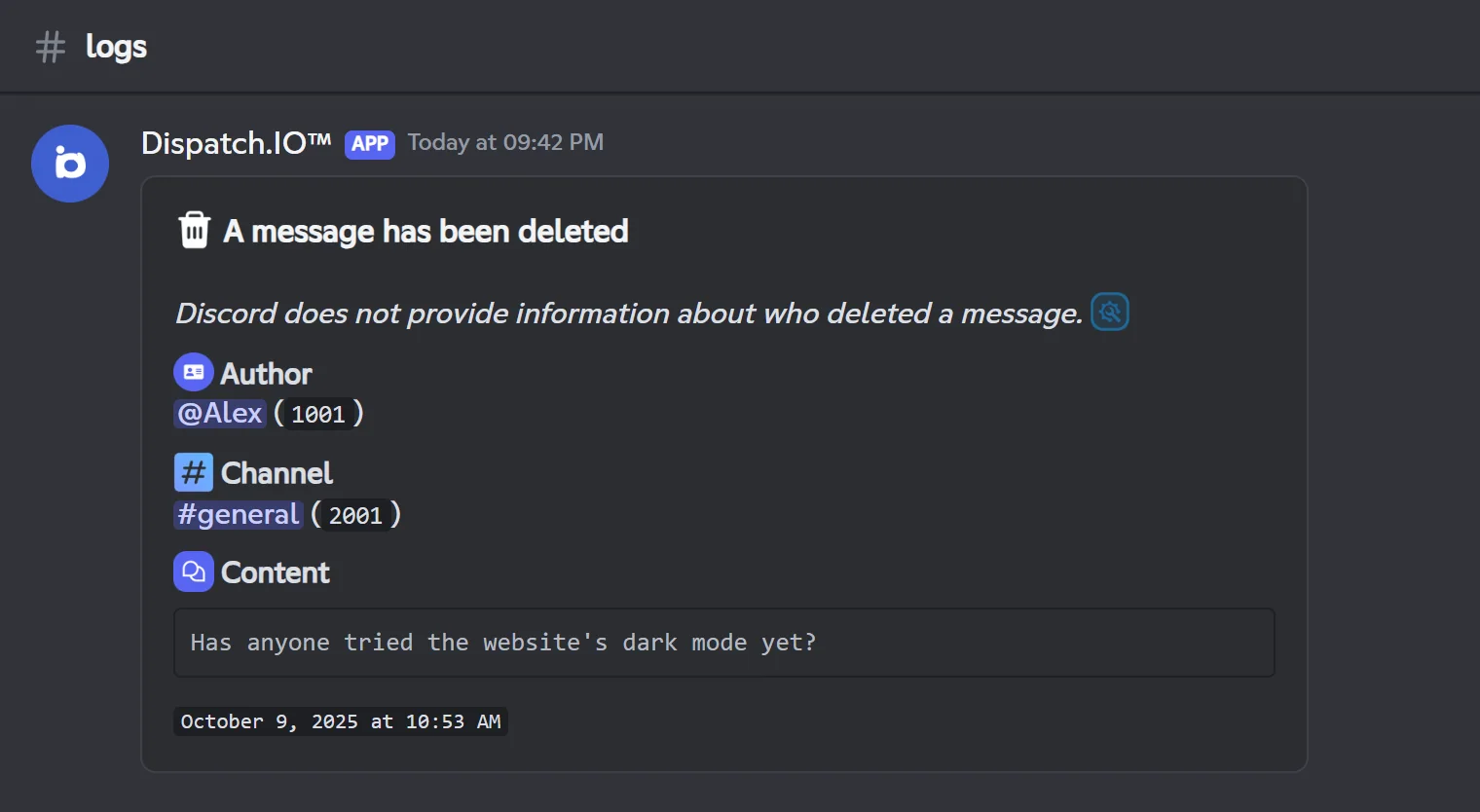
Posted for every deleted message, including messages from other bots. Discord doesn't say who deleted a message, so the log can't show it.
| Line | Content |
|---|---|
| Author | The member who wrote the message |
| Channel | The message's channel |
| Content | The text of the message (if any) |
| Attachments | One link per attached file (if any) |
If the message contained embeds, a second message reproduces them as they were.
Not recorded: the bot's replies to commands, its configuration previews, messages from the counting game and the panels of temporary voice channels.
Note
If the message was sent before the bot's last restart, the bot no longer has it in memory: the log shows "Message from a Discord application" instead of the author, with no content.
Edited message
Posted when a member edits the text of a message (not for bot messages): author, channel, a View the message link, the text Before and After. If the message is too old for the bot to have it in memory, "Before" shows "No content".
Cleanups with /clear
Every use of /clear is recorded in this channel, with a file listing the deleted messages (see Server management).
Members, joins and invites
Joins & Leaves Logs, Member & Profile Logs and Invite Link Logs channels.
A member joins (Joins & Leaves Logs)
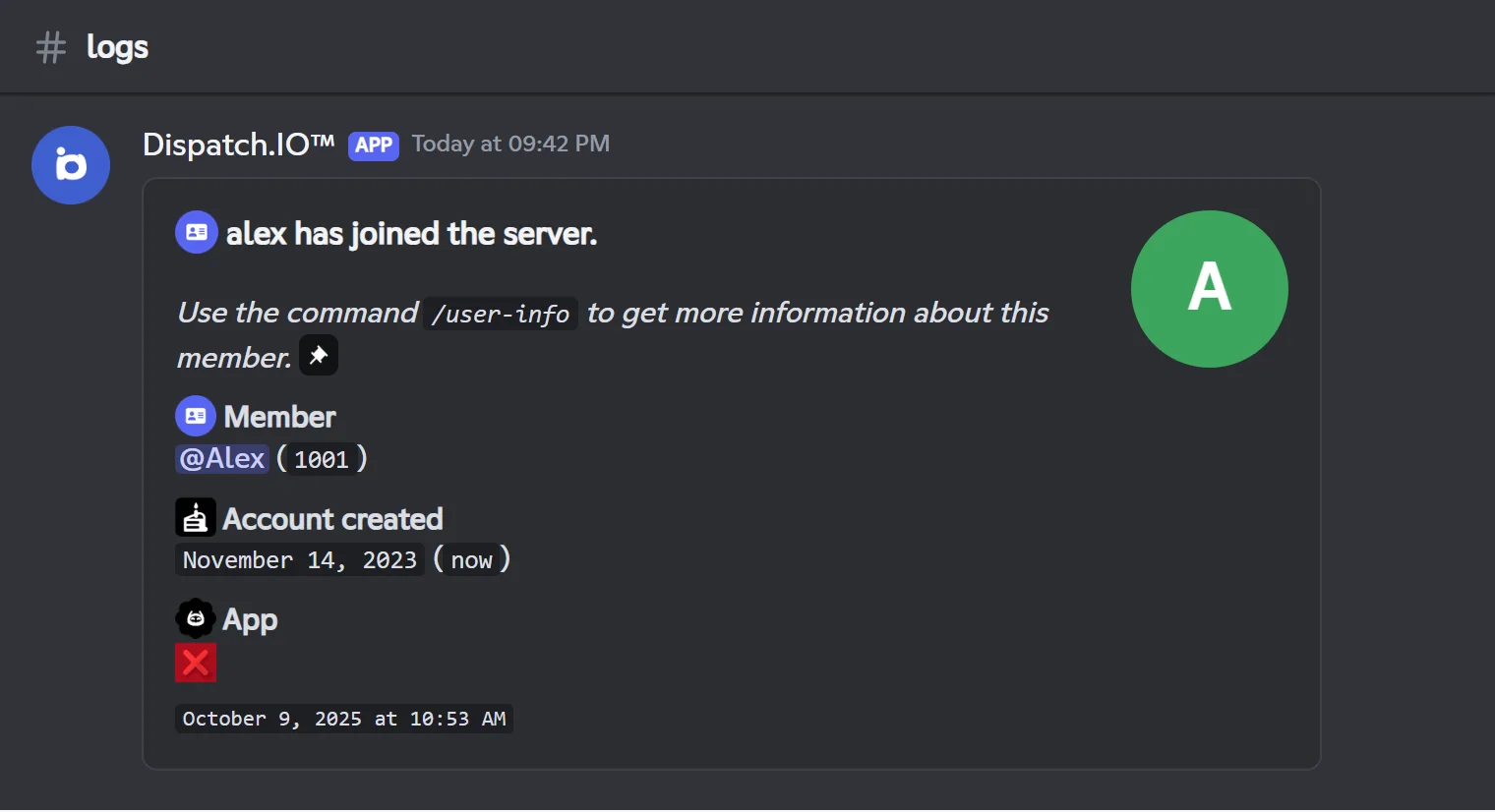
Posted as soon as a member joins the server, even before the anti-raid and the captcha: a member kicked right away by the anti-raid still shows up.
| Line | Content |
|---|---|
| Member | The member's mention and ID |
| Account created | When the Discord account was created, and how long ago |
| App | Whether it's a bot (application) or not |
This channel also receives:
- the "User reported" alert when a member who joins is reported by the DangerCord service or by the Dispatch.IO blacklist, with the reason and a Ban this user button;
- raid mode automatic kicks (see Anti-raid and security).
Leave or kick (Member & Profile Logs)
Posted when a member leaves the server. If the audit log shows a kick, the title becomes "… was kicked from the server" and the log adds Kicked by and Reason.
| Line | Content |
|---|---|
| Member | The mention and ID |
| Joined on | When they joined the server |
| Roles | The roles they had, or "No roles" |
| Nickname | Their server nickname, if they had one |
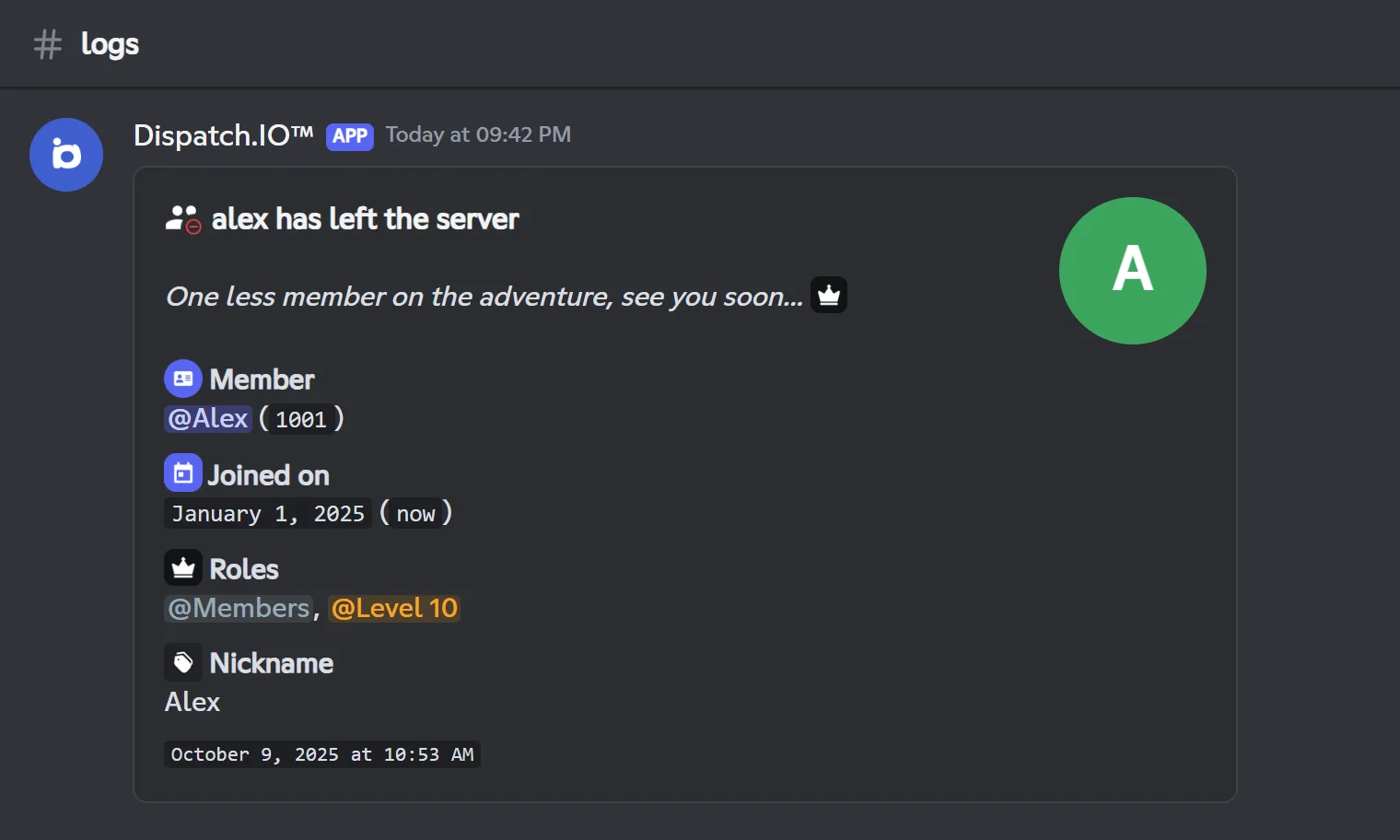
A ban produces two logs: the departure (like a regular departure) and the ban.
Member changes (Member & Profile Logs)
| Event | What the log contains |
|---|---|
| Member updated | Modified by, then only what changed: nickname (before → after), timeout added (time left, reason) or removed, roles added, roles removed. Changes made close together (2 seconds) are grouped in a single log. |
| Member banned | The member, Banned by and the reason |
| Member unbanned | The member and Unbanned by |
/rename | The old and the new nickname |
| Infraction deleted | The infraction deleted with /infractions |
Note
A timeout given directly in Discord (without the bot) is also saved in the member's infractions.
Invites (Invite Link Logs)
- When a member joins, the bot tries to find the invite that was used: "Alex was invited by Maëlle", with the code, the number of uses and when the invite was created. It needs the Manage Server permission. When it can't tell which invite was used (the server's vanity link, a single-use invite, a join through server discovery…), no log is posted in this channel.
- When a member leaves, a log shows who had invited them ("Unknown" if the bot doesn't know).
Server, channels, roles and configuration
General Server Logs channel.
Channels and roles
| Event | What the log contains |
|---|---|
| Channel created | Name, ID, type, Created by, category, reason |
| Channel updated | Modified by, then the changes: description, NSFW, bitrate, video quality, region, slow mode, user limit, category, permissions added, modified or removed. Changes made close together are grouped. |
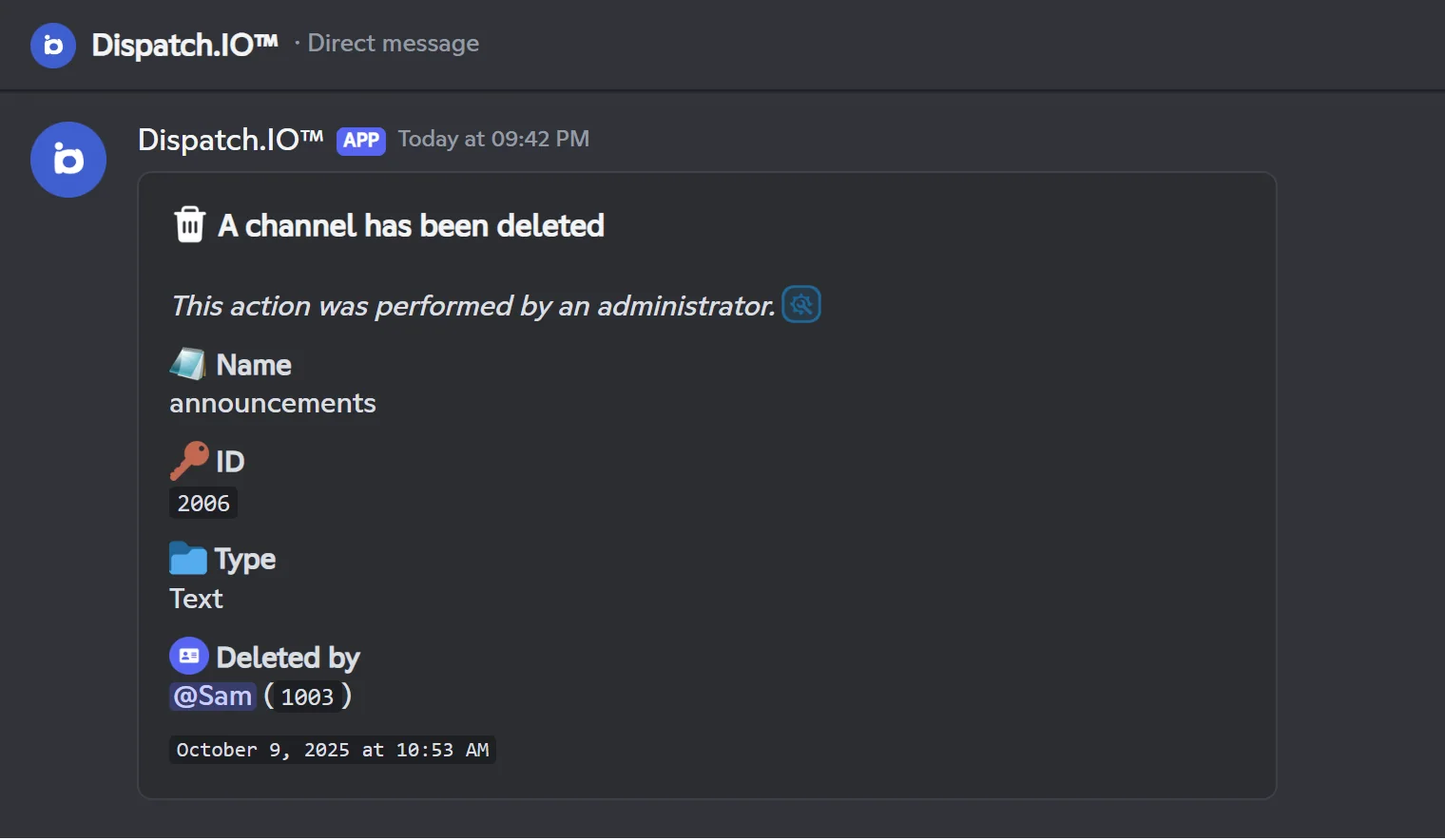
| Channel deleted | Name, ID, type, Deleted by, category, reason; for a channel used by the bot, whether it will be recreated or not (see the anti-raid). Critical log. |
| Role created | Name, ID, color, Created by, mentionable, displayed separately, permissions |
| Role updated | Modified by, then the changes: name, color, displayed separately, mentionable, permissions added and removed. For a welcome role, a warning is added. |
| Role deleted | Name, ID, color, Deleted by, then warnings if the bot used the role: level reward, remaining welcome roles, giveaways, social network notifications. Critical log. |
Renaming or moving a channel is not recorded.
Server
| Event | What the log contains |
|---|---|
| Server updated | Modified by, then the changes: name, icon, banner, description, owner, verification level, boost level. Critical log. |
| Bump invite deleted | The code, the channel, Deleted by, and a reminder: without a new invite, the server can no longer be bumped (see Bump). |
Configuration changes
Every setting changed in /config or on the dashboard produces a "Configuration Update" log with three lines: User (who made the change, or "Web Administrator"), Modified from ("Discord Application" or "Web Dashboard") and Action (what changed, with the old and new values when there are some).
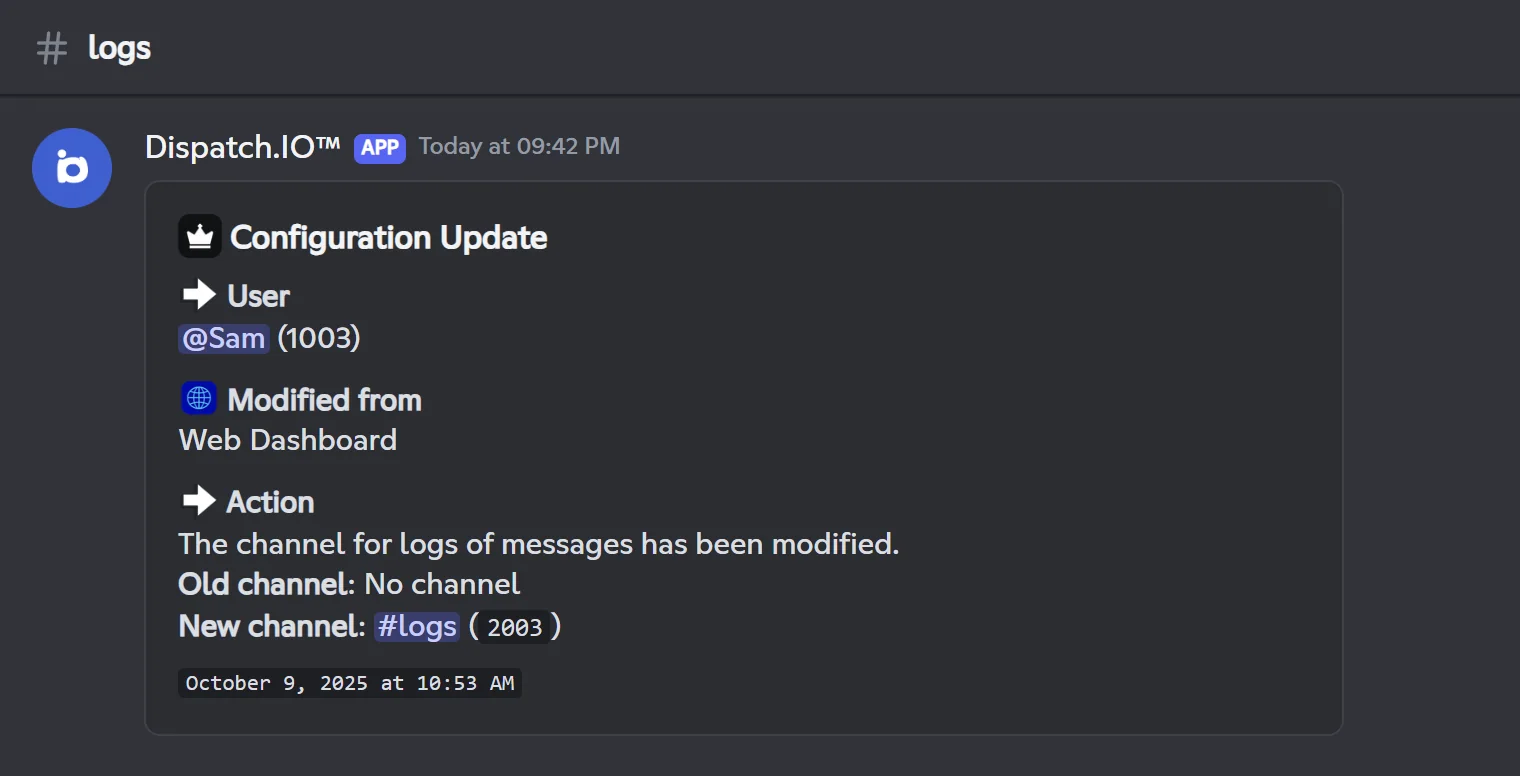
Anti-raid settings are recorded separately, in Anti-Raid & Security Logs. Some website pages don't produce any log on Discord: Goodbye, Bump, Flames, Word reactions, Temporary channels, Social networks and RSS feeds. Their changes remain visible on the dashboard's Configuration Logs page.
Command and module actions
This channel also receives the traces of /nuke, /role-all, /toggle-lock, /say, /snipe, of the creation and end of polls, giveaways and suggestions, as well as the bot's permission errors (when the anti-raid couldn't act because a permission was missing).
Voice channels
Voice Activity Logs channel.
| Event | What the log contains |
|---|---|
| Connection | Member, channel, connection time |
| Disconnection | Member, channel left, time spent in the channel, disconnection time |
| Channel switch | Member, old channel, new channel, time in the old channel, time of the switch |
| Voice state updated | Muted / unmuted, deafened / undeafened, screen sharing, camera; Modified by when a moderator did it |
Note
A disconnection is only recorded if the bot saw the connection: a member already in voice before the bot's last restart gets no disconnection log. Mutes that members apply to themselves are recorded too.
Sanctions
Moderation & Sanction Logs channel.
This channel receives a trace of every sanction, whether it comes from a command or from the dashboard: /warn, /timeout, /end-timeout, /kick, /ban, /unban, /force-disconnect. Each log shows the moderator and the action (target member, reason, duration).
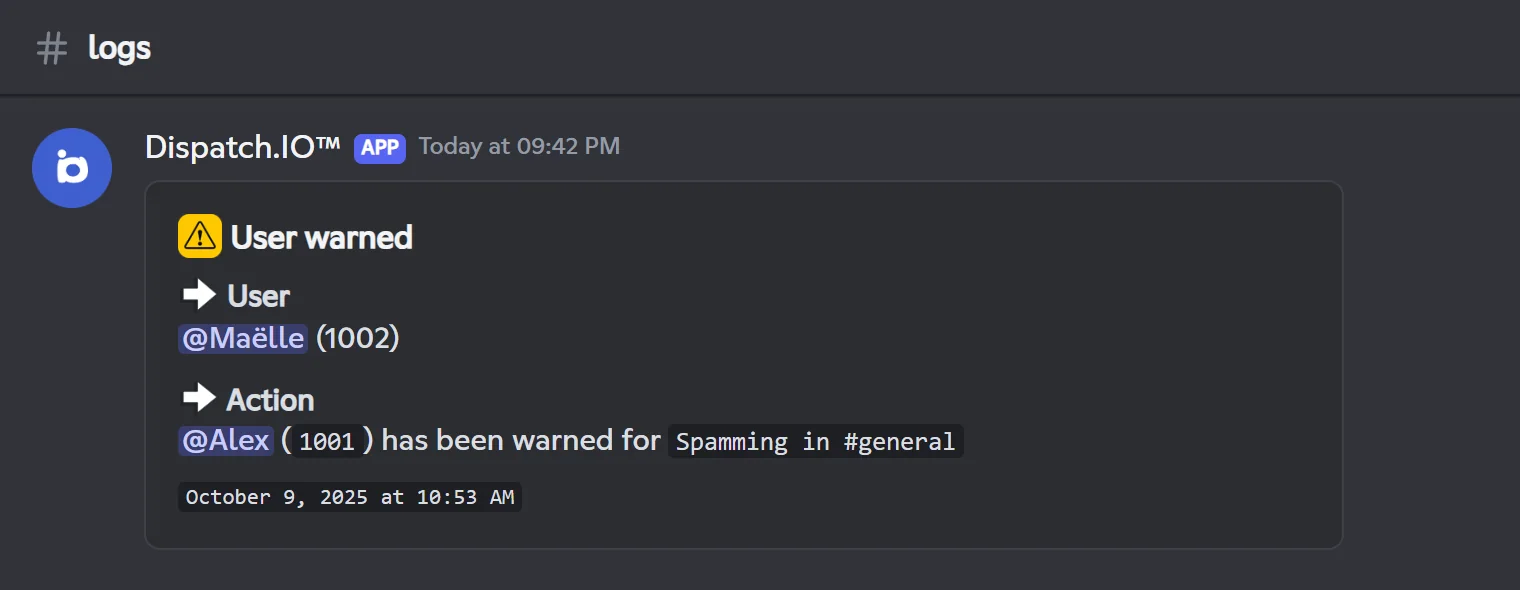
It also receives:
- reports made with
/report(see General commands); - bans made with the Ban this user button of a reported-member alert;
- the "Blacklisted user found!" alert, sent by the Dispatch.IO team when a member of your server is added to its blacklist, with a Ban button.
Every log in this channel is critical (see below). Command details are on the Moderation page.
Anti-raid and captcha
Anti-Raid & Security Logs and Captcha Verification Logs channels.
- Anti-Raid & Security Logs: every anti-raid intervention (link, spam, abusive mentions, forbidden word, account too recent, unauthorized bot, member influx, mass creations or deletions, server changes…) with the member, the reason and the sanction; every change to the anti-raid settings; raid mode being turned on and off; the anti-raid being turned off automatically when the bot loses the Administrator permission. All these logs are critical.
- Captcha Verification Logs: "Verification successful!" or "Verification failed!", with the member and their avatar.
How each protection works is explained on the Anti-raid and security page.
Critical logs and emergency mentions
Who gets alerted, and how.
Some logs are critical: the bot adds emergency mentions to them, which actually notify the people concerned.
| Critical logs |
|---|
| Everything posted in Anti-Raid & Security Logs and Moderation & Sanction Logs |
| In General Server Logs: channel deleted, role deleted, server updated |
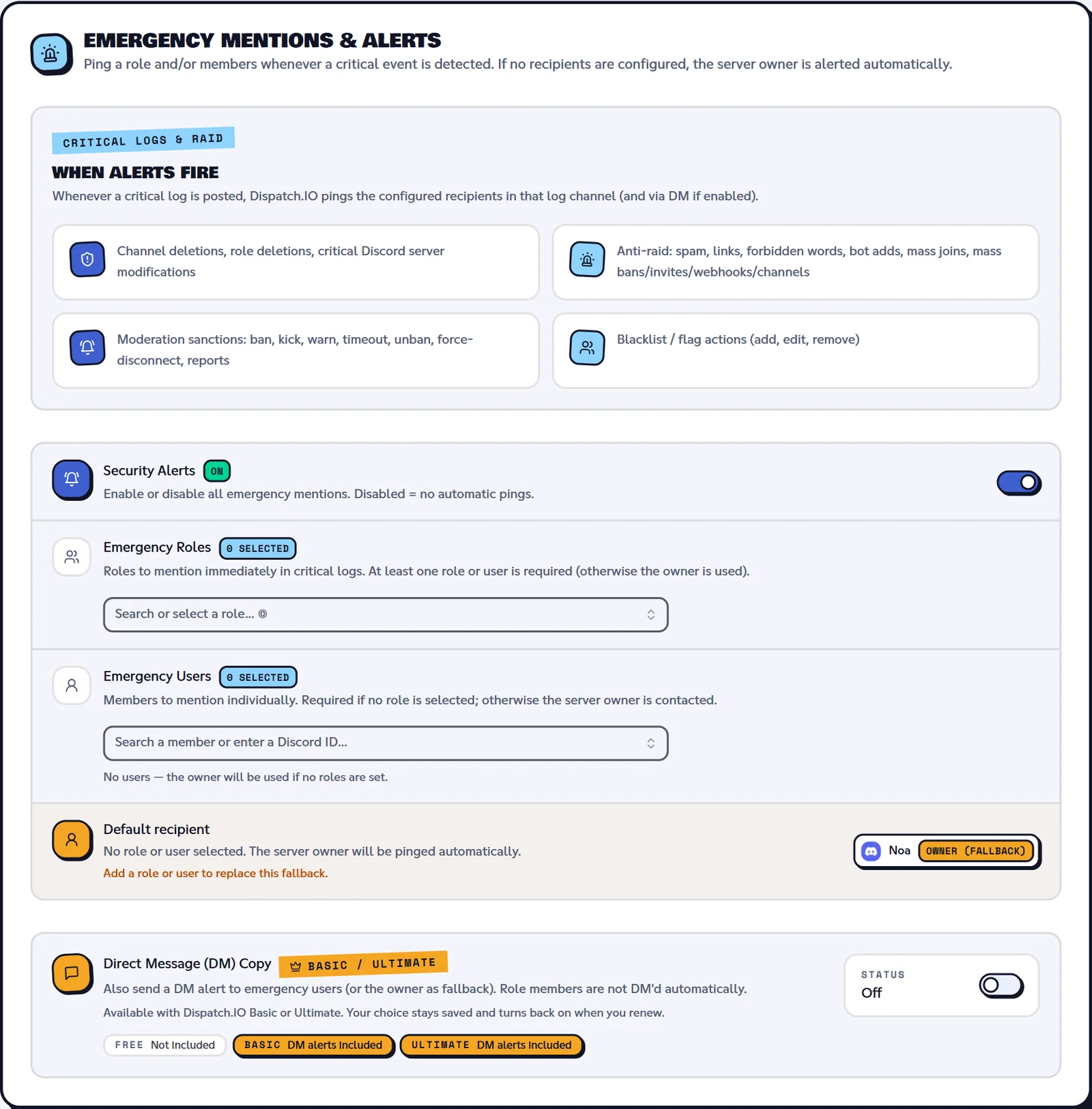
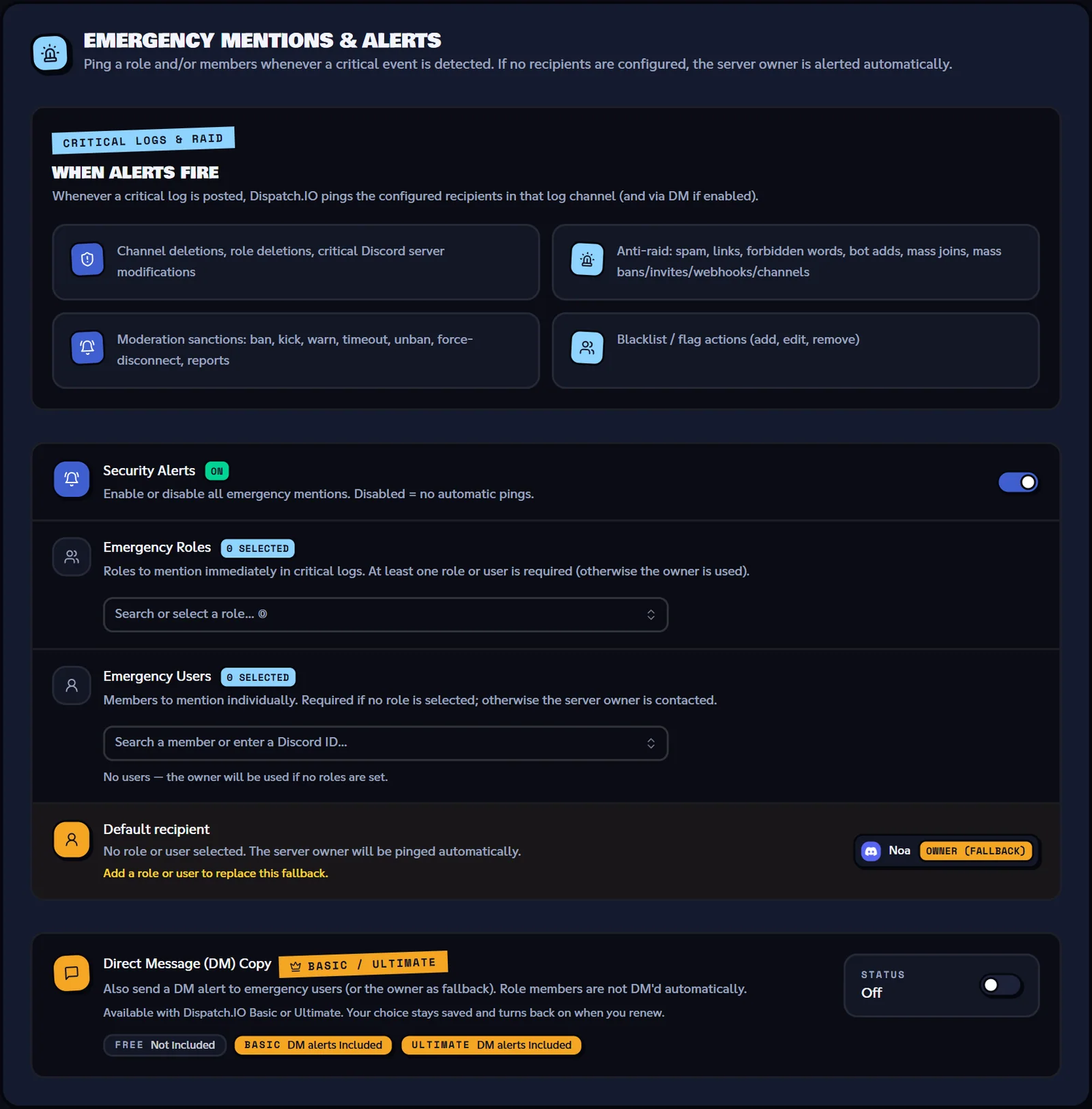
By default, the server owner is the one mentioned. To choose who gets alerted, open the dashboard's Basic configuration page, Emergency Mentions & Alerts section (see Server home):
| Setting | Effect |
|---|---|
| Security Alerts | On (default): mentions are added. Off: no mentions, no DMs. |
| Emergency Roles | The roles that get mentioned. |
| Emergency Users | The members who get mentioned. With no role or member picked, it's the owner. |
| Direct Message (DM) Copy | With Dispatch.IO Basic or Ultimate: the log is also sent by DM to the emergency users (or to the owner). Members of an emergency role don't get DMs. A person gets at most one DM every 30 seconds per server. |
In the channel, the mentions appear right above the date:
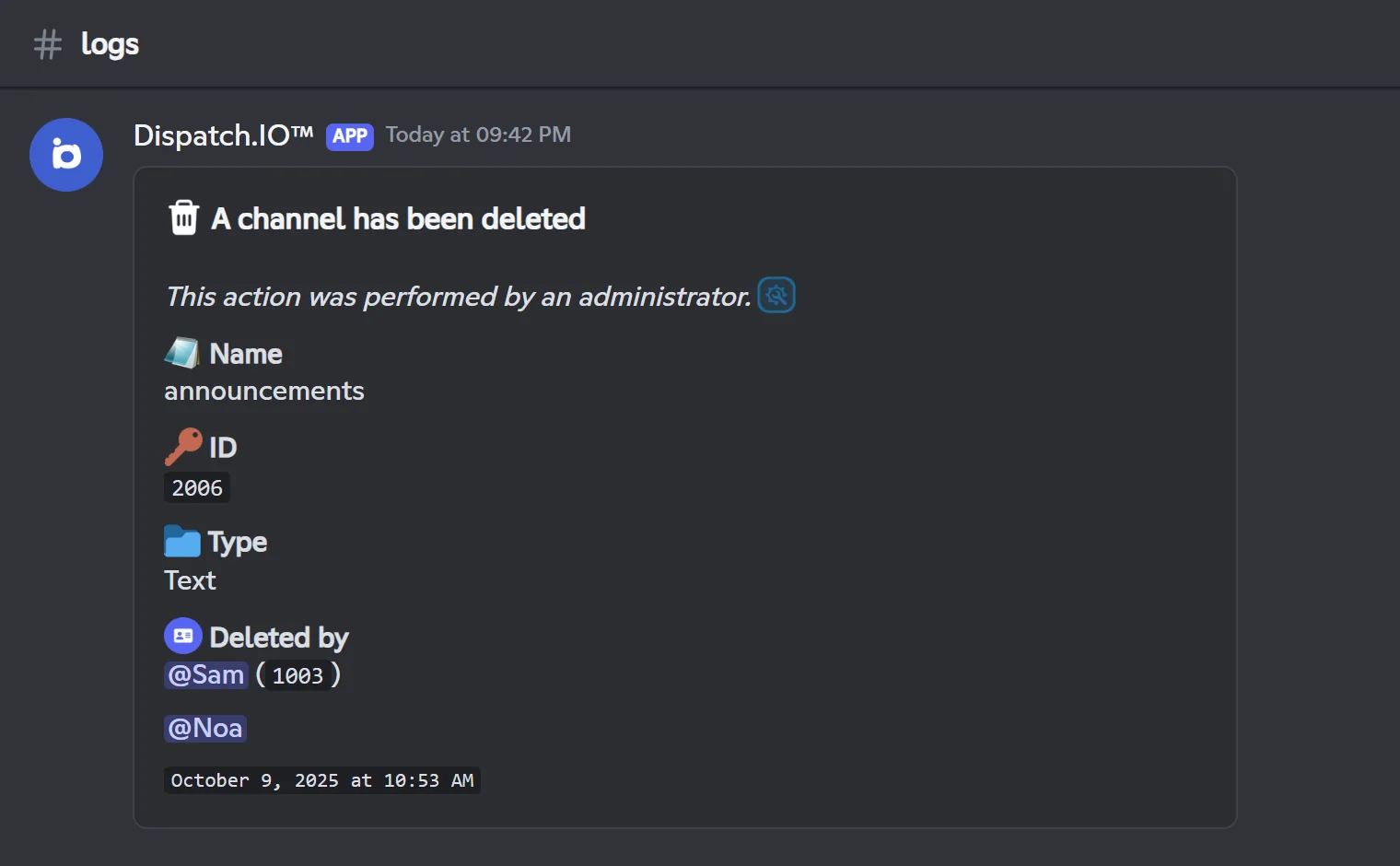
Every channel deletion is critical
The bot deletes channels itself: empty temporary voice channels, deleted tickets, /nuke. Each of these deletions produces a critical log that mentions the people being alerted. If you use these modules, pick suitable recipients (a team role rather than the owner) or turn the alerts off.
A few other logs also show the people being alerted: changes to a welcome role, deletion of the bump invite and the "User reported" alert.
Updates, badges and blacklist
- Dispatch.IO™ Patch Notes ("Updates channel" in
/config): this is not a log of your server. The Dispatch.IO team posts its update announcements there, sent to every server that picked this channel. - Badges and blacklist: these two log channels are only offered on the official Dispatch.IO server, for the team. They don't appear on your server.
What isn't logged
- Threads (creation, deletion), webhooks, emojis and stickers, scheduled events, pinned messages.
- Bulk message deletions made by another bot or by Discord (only
/clearis recorded). - Discord AutoMod actions.
- Invite creation (only invite usage and deletion of the bump invite are recorded).
- Renaming or moving a channel, and avatar changes.
For these events, check Discord's audit log or the dashboard's Discord Audit Logs page.
Logs on the website
The dashboard has two history pages, separate from the log channels (see Logs):
- Discord Audit Logs: the latest entries of Discord's audit log (100 max), with filters and export.
- Configuration Logs: the history of changes made on the dashboard.
Troubleshooting
| What you see | Explanation and fix |
|---|---|
| No logs arrive | The channel isn't set, it isn't a regular text channel (an announcement channel receives nothing), or the bot can't write there (View Channel, Send Messages). |
| "System action" instead of the author, or kicks recorded as departures | The bot lacks the View Audit Log permission. |
| The owner keeps getting mentioned | That's the default setting of emergency mentions: pick other recipients or switch Security Alerts to Off. |
| No emergency DM | The DM copy requires Dispatch.IO Basic or Ultimate, DMs must be open, and a person gets at most one message every 30 seconds. |
| No invite log when members join | The bot lacks Manage Server, or the invite used can't be identified. |
Related pages
- Channels: picking or creating the log channels.
- Anti-raid and security: the protections and their logs.
- Moderation: the sanctions recorded in the logs.
- Premium plans and limits: the DM copy of alerts.
- Discord events: everything the bot reacts to.