
Every server has a plan: Free by default, or Basic / Ultimate when a subscription is attached to the server. The plan sets the limits of several modules (word reaction rules, creator channels, YouTube and Twitch channels…) and unlocks a few options.
There's no subscription page specific to the server: everything happens in the website shop, with your server already selected. This page explains how to get there, what each plan includes and what happens when a subscription ends.
See your server's plan
The current plan shows up in several places of the server dashboard:
- on the server home: the Ultimate, Basic or Premium tag next to the name, and the Plan counter (Free without a subscription);
- on the pages of limited modules (Word reaction, Temporary voice channels, Social networks, Role Reactions, Tickets, Basic configuration…): the Premium banner compares Free, Basic and Ultimate and marks your plan Current;
- in your server list (see Managing your servers).
Open the shop for this server
Several paths lead to the shop with your server pre-selected:
- the View offers button of the Premium banners;
- the crown-shaped link at the top of the server menu;
- the address
/dashboard/guild/<server ID>/subscription(used by the View Ultimate buttons of the Flames page): it redirects to the shop, Offers tab, with your server picked.
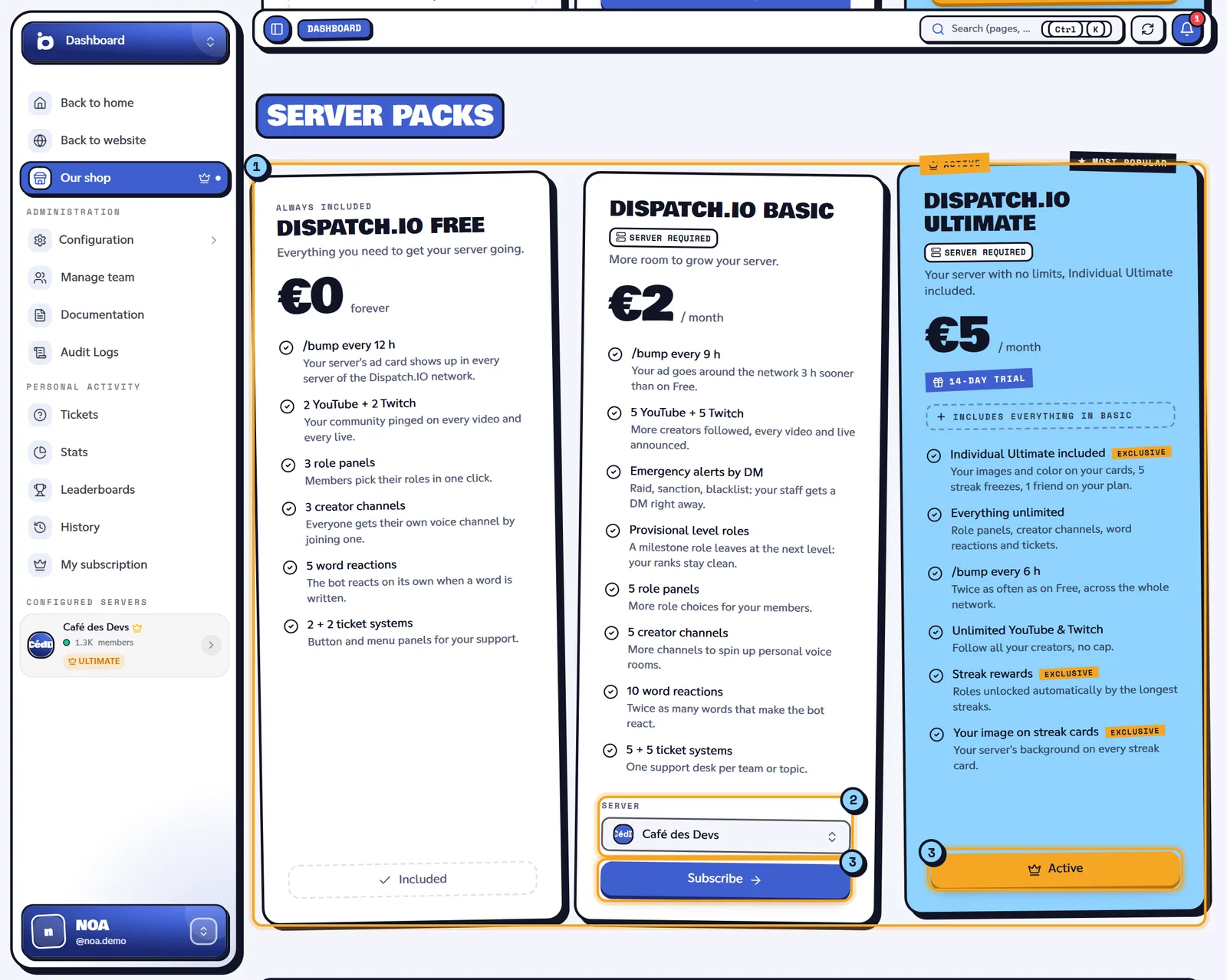
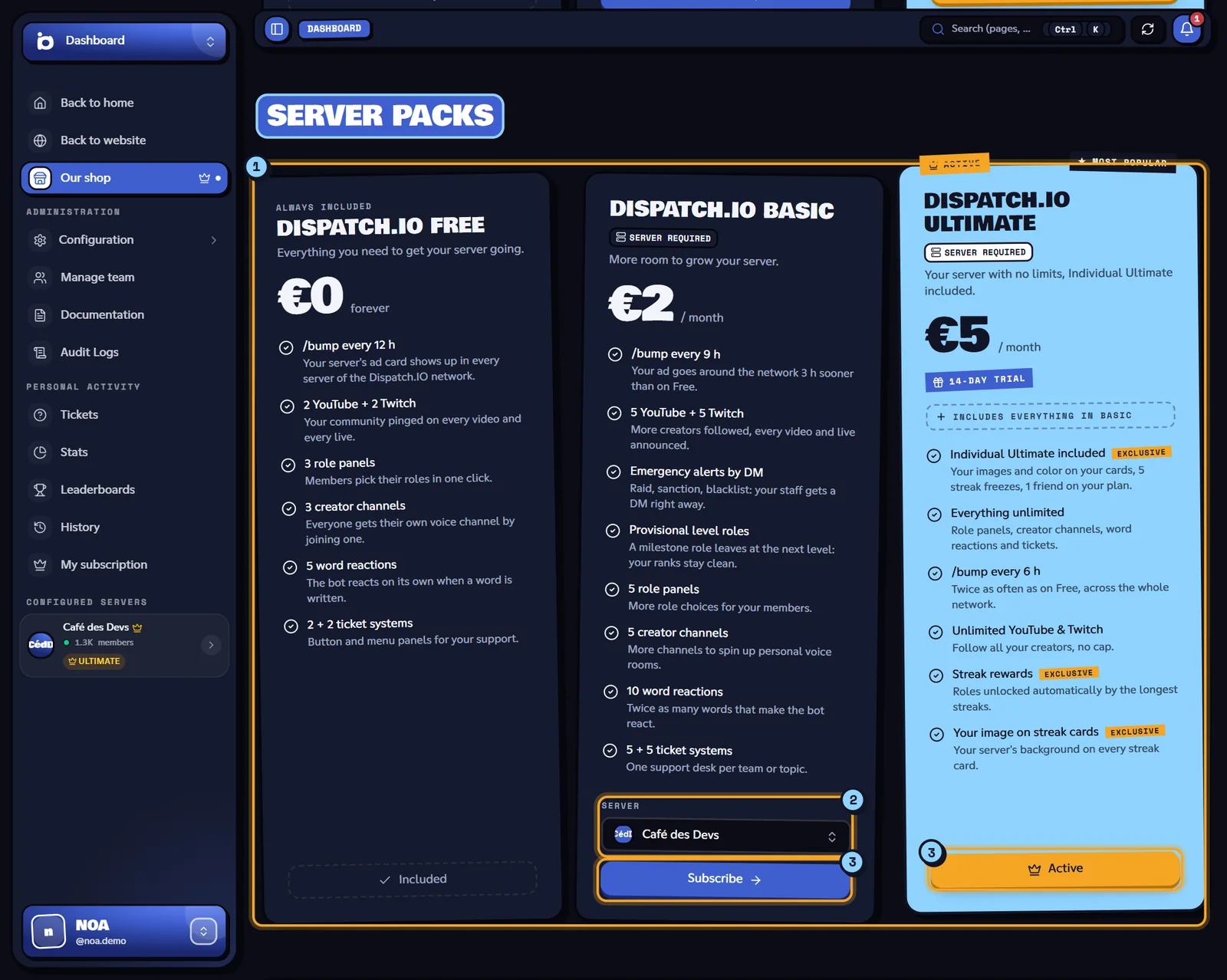
- The Server packs section: Dispatch.IO Free, Dispatch.IO Basic and Dispatch.IO Ultimate.
- The Server picker, already set to your server.
- The Subscribe button, or Active if that plan is already active.
The Monthly / Yearly choice ("−2 months" on yearly), at the top of the Offers tab, changes the prices shown.
What each server plan includes
Server pack perks, as listed on the shop cards (the Ultimate card sums up the limits as "Everything unlimited" and includes everything in Basic):
| Dispatch.IO Free | Dispatch.IO Basic | Dispatch.IO Ultimate |
|---|---|---|
| /bump every 12 h | /bump every 9 h | /bump every 6 h |
| 2 YouTube + 2 Twitch | 5 YouTube + 5 Twitch | Unlimited YouTube & Twitch |
| 3 role panels | 5 role panels | Unlimited |
| 3 creator channels | 5 creator channels | Unlimited |
| 5 word reactions | 10 word reactions | Unlimited |
| 2 + 2 ticket systems | 5 + 5 ticket systems | Unlimited |
| — | Emergency alerts by DM | Included |
| — | Provisional level roles | Included |
| — | — | Streak rewards |
| — | — | Your image on streak cards |
| — | — | Individual Ultimate included |
Tickets are counted per type: "2 + 2" means 2 button systems and 2 dropdown systems. Prices, any trial period (for example "14-day trial") and the exact list are shown on each card in the shop.
Note
The Individual Ultimate plan (account pack) also upgrades one server to Ultimate: the server chosen when subscribing then gets every Ultimate limit. The Individual Basic plan doesn't change anything for servers.
Limits applied per module
| Module | Free | Basic | Ultimate | Page |
|---|---|---|---|---|
| Word reaction rules | 5 | 10 | Unlimited | Word reactions |
| Temporary voice creator channels | 3 | 5 | Unlimited | Temporary channels |
| YouTube / Twitch channels (each) | 2 | 5 | Unlimited | Social networks and RSS |
| Check & send cooldown | 30 min | 15 min | 10 min | Social networks and RSS |
| Reaction role panels | 3 | 5 | Unlimited | Reaction roles |
| Ticket systems (per type) | 2 | 5 | Unlimited | Tickets |
Time between two /bump | 12 h | 9 h | 6 h | Bump |
| Emergency alert DM copy | No | Yes | Yes | Security and anti-raid |
| Provisional level roles | No | Yes | Yes | Levels |
| Flame rewards and image | No | No | Yes | Flames |
Each plan's bot-side details are in Premium plans and limits.
Subscribe for your server
- Open the shop from your server (see above).
- Choose Monthly or Yearly.
- Check the server in the Server picker: only servers where the bot is present are listed.
- Click Subscribe on the plan's card: you're redirected to the secure payment page.
- Back on the site, the plan is attached to the server (this can take a few seconds) and its limits apply; the card shows Active.
Any administrator of the server can subscribe: the subscription belongs to whoever pays, but its perks benefit the whole server. Invoices and payment method are handled in the shop's Billing and Payment tabs. A "free days" promo code goes in the Promo code box; see Shop and subscription.
If several subscriptions cover the server
The site keeps the best active plan attached to the server: Ultimate beats Basic, then a server pack (Dispatch.IO) beats an account pack (Individual Ultimate), then the most recent one wins. Limits never add up.
When the subscription ends
When a subscription ends (or when moving to a lower plan), nothing is deleted:
- items beyond the new limit (word reaction rules, creator channels, YouTube and Twitch channels) stay saved, carry the Over quota badge where the page shows it, and the bot ignores them;
- reserved options (emergency alert DM copy, flame rewards…) keep their setting but no longer apply;
- everything turns back on as soon as the subscription is renewed.
Related pages
- Shop and subscription: the shop in detail, invoices, promo codes.
- Premium plans and limits
- Server home