
Besides the leaderboards, the website has a few public pages you can open without signing in: the team page, the legal pages, some contact links, and an API that lets a developer read some of the bot's data (statistics, levels, bumped servers…).
The first three sections are for everyone. The API sections are for people who want to write a program (another bot, a website) that queries Dispatch.IO™.
The Team page
The people behind Dispatch.IO.
Open it from the top menu: Application › Team (address /team).
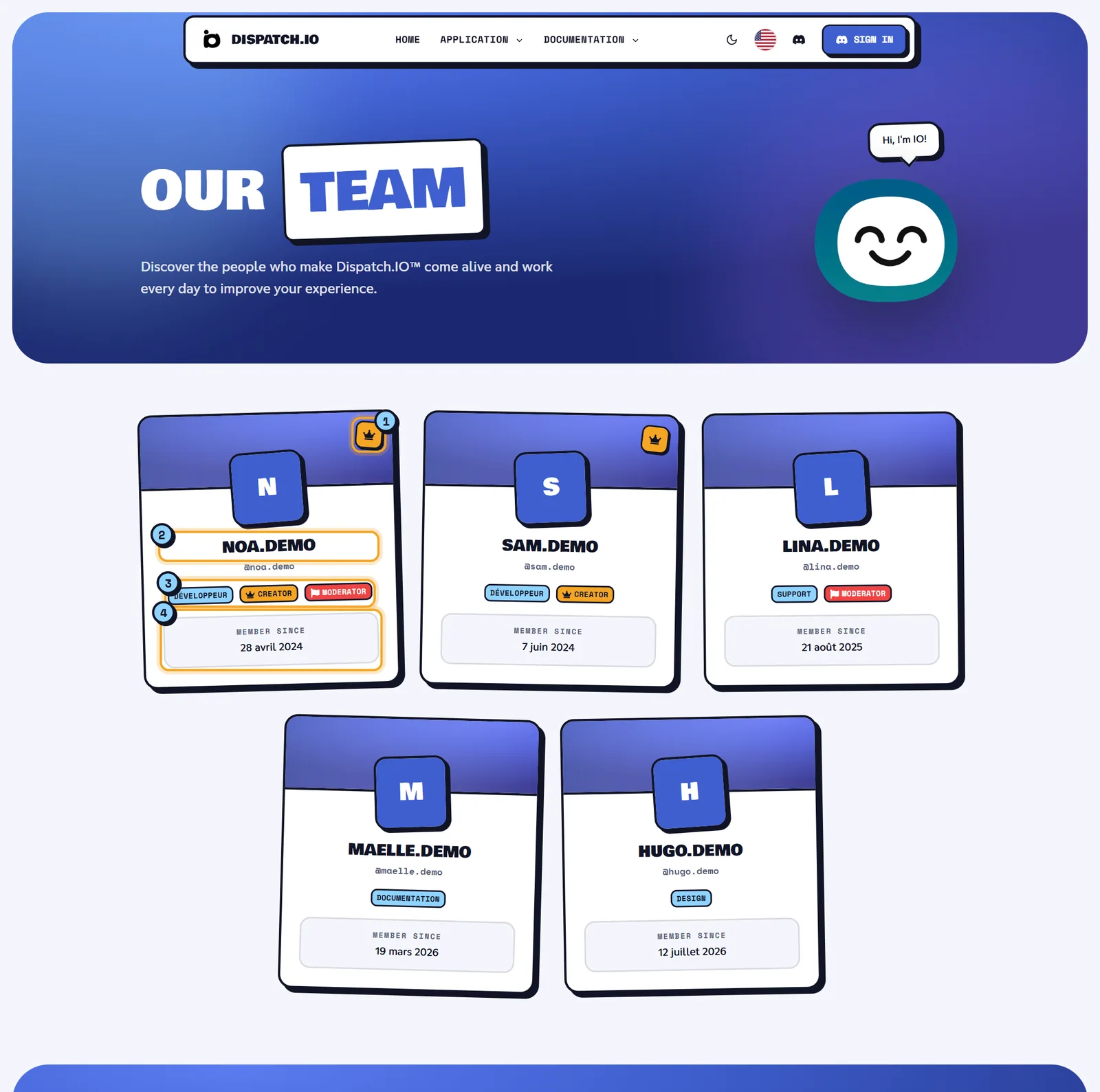
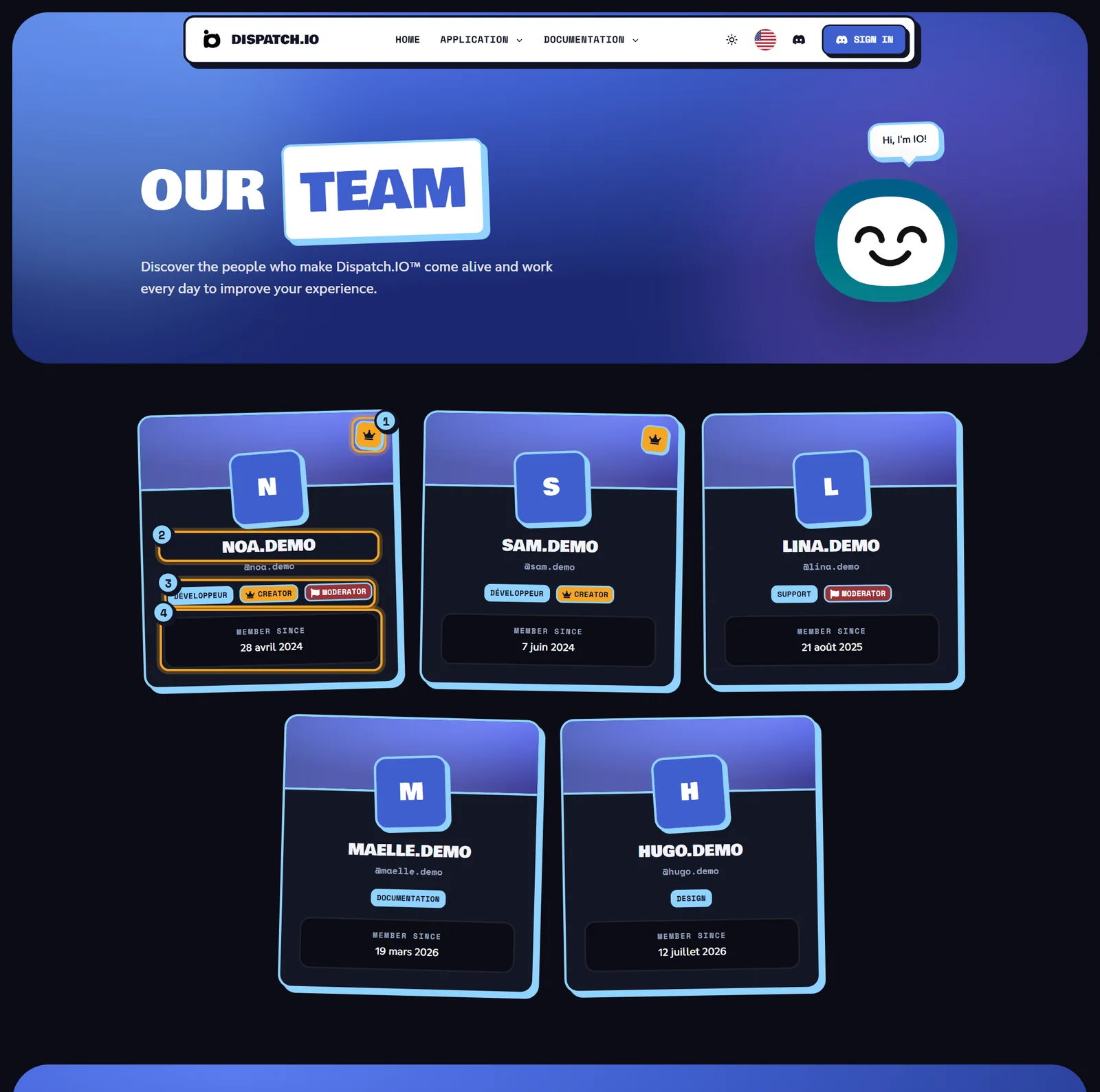
The page opens with the title Our Team, then shows one card per active team member, creators first, then the other members by the date they joined.
- The crown in the top-right corner marks a Creator.
- The name: the display name chosen by the team (or the Discord username), then
@username. - The badges: the team role (for example "Developer" or "Support"), plus Creator and Moderator where relevant.
- Member since: the date the person joined the team (dates are written in French format, for example "12 mars 2024").
Cards have no links. When nobody has been added yet, the page shows "No team members yet".
Legal pages and website FAQ
What exists today and what is still being written.
The legal page links are in the footer (Quick Links column) and, once signed in, in your profile menu (Learn more).
| Page | Address | Current status |
|---|---|---|
| Privacy Policy | /legal/privacy | Being written |
| Terms of Use | /legal/cgu | Being written |
| Terms of Sale | /legal/cgv | Being written |
| FAQ | /faq | Being written |
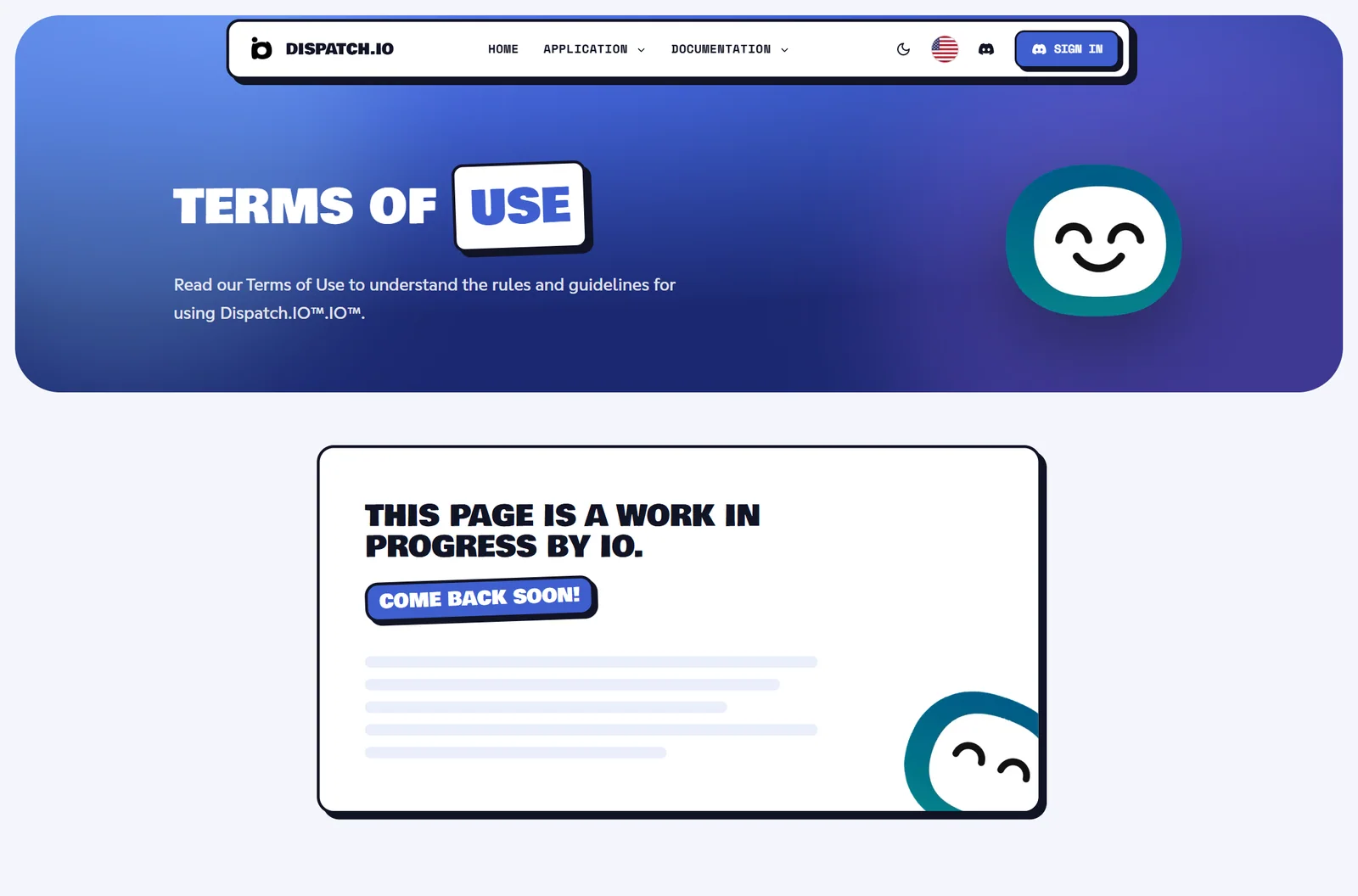
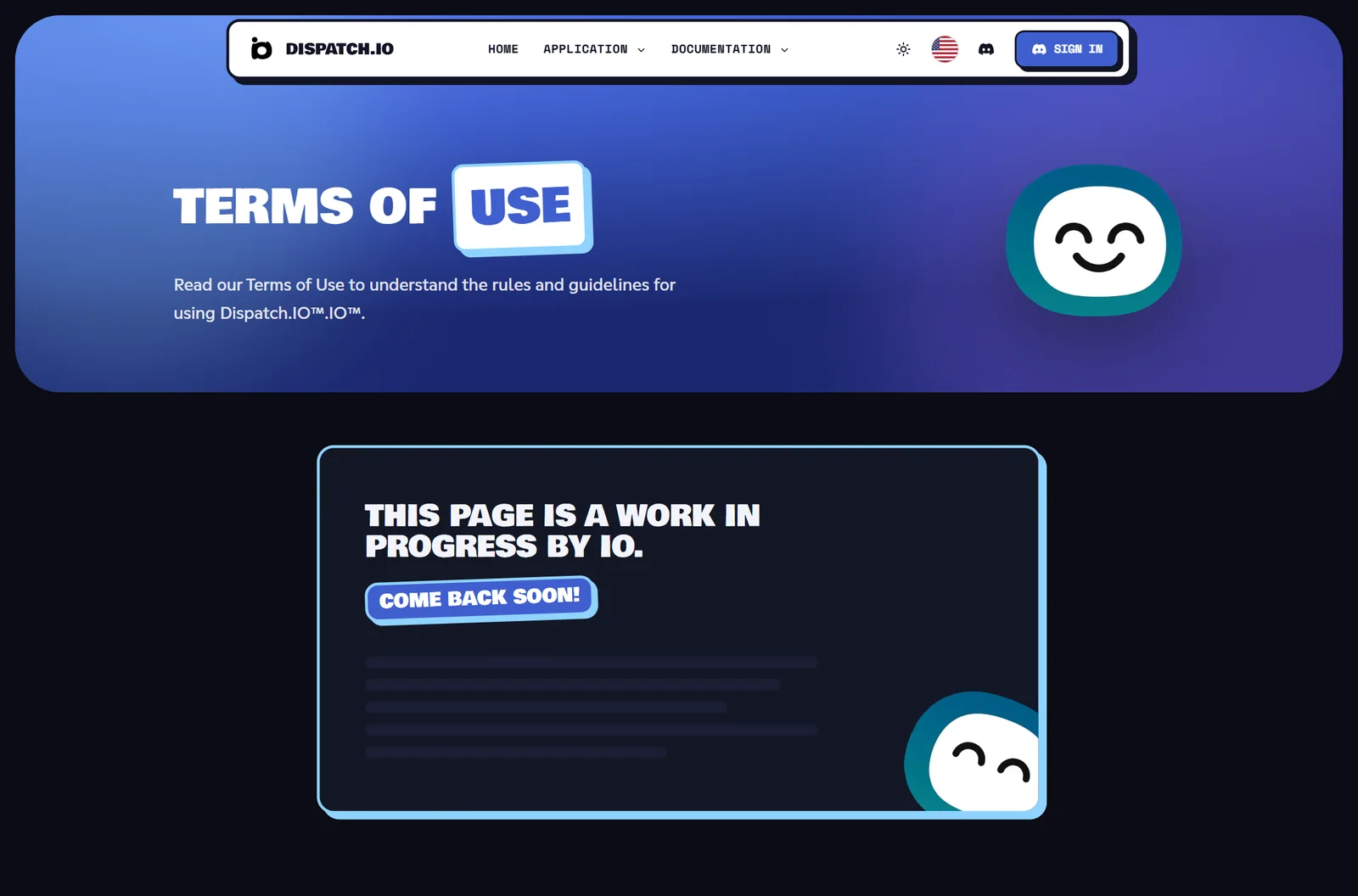
For now, each of these pages shows its title, a short summary, then the message "This page is a work in progress by IO. Come back soon!". The legal text has not been published yet.
Where to find answers in the meantime
- The website's home page has a six-question FAQ (is it free, adding the bot, no-code setup, flames and freezes, card customisation, 14-day trial): scroll to the bottom or open
/#faq. - This documentation has its own Website FAQ.
- For a question about your data or a purchase, contact the team (see the next section).
Contact and useful links
Reaching the team and the support server.
| Need | Where |
|---|---|
| Join the Discord support server | The Support button (Discord icon) in the top menu, the Get help link in your profile menu, or the short address /discord, which redirects to the official server's invite. |
| Email the team | The email address in the Contact column of the footer. |
| Add the bot | The Add to Discord button on the home page and in the footer. |
Note
The Commands link in the Application menu and in the footer currently leads to a "page not found" screen. The command list lives in this documentation: All commands.
The public API: the basics
Address, response format, IDs, pagination and request limit.
The API is a set of addresses that return data as JSON. You can use it, for example, to show the bot's statistics on another website, or to check from another bot whether a user is on the Dispatch.IO blacklist.
Address and method
- Every address starts with the website's address followed by
/api/v1/(for example/api/v1/stats). - Only the GET method (read) exists. Any other method gets code 405 and
{"message":"Method Not Allowed"}. - There is no API key: public addresses can be called without authentication. The two ticket addresses use your website session (cookie), so they only answer in a browser where you are signed in.
Response format
| Case | Code | Response body |
|---|---|---|
| One item found | 200 | { "data": { … } } |
| A paginated list | 200 | { "data": [ … ], "pagination": { … } } |
| Invalid parameter | 400 | { "error": [ { "path": "userId", "message": "ID must contain only digits" } ] } |
| Nothing found | 404 | { "message": "…" } (the text depends on the address) |
Discord IDs
Server and user IDs are made of digits only, 17 to 19 digits long (for example 100000000000000001). Otherwise the response is a 400 error: "ID must be at least 17 characters", "ID must be at most 19 characters" or "ID must contain only digits".
Pagination
Lists accept these parameters in the address (after ?):
| Parameter | Values | Default |
|---|---|---|
page | Whole number, 1 or more | 1 |
itemsPerPage | From 5 to 100 | 5 |
order | asc (ascending) or desc (descending) | desc |
orderBy | Name of the field to sort by | updatedAt |
The pagination object in the response contains page, itemsPerPage, total (total number of items), totalPages, hasNextPage and hasPreviousPage.
Request limit
Each IP address may make 100 requests per minute across all of the website's /api addresses (Discord sign-in has its own limit). The minute starts with your first request.
| Requests in the minute | Effect |
|---|---|
| 80 to 89 | Each response is slowed down by 0.3 seconds. |
| 90 to 99 | Each response is slowed down by 1 second. |
| 100 and more | Code 429 and {"error":"TooManyRequests","message":"You have exceeded the maximum number of allowed requests. Please try again later."} |
Warning
The 429 response doesn't say when to try again: wait until the minute is over. The website itself also uses these addresses (image previews, ticket lists, live updates): if you test the API from the same network, those requests count too.
Some responses are kept in memory for a few minutes: data that has just changed may show up with a short delay.
The API addresses
Each address, its parameters and its response.
| Address | Access | Returns |
|---|---|---|
GET /api/v1/health | Public | Is the website answering? |
GET /api/v1/health/full | Public | The state of the database and the cache |
GET /api/v1/stats | Public | The bot's global statistics |
GET /api/v1/bumps | Public | The latest bumped servers |
GET /api/v1/tags | Public | The Discord server tags known to the bot |
GET /api/v1/blacklist/{userId} | Public | A user's blacklist record |
GET /api/v1/level/{guildId}/{userId} | Public | A member's level on a server |
GET /api/v1/user/tickets | Signed in | Your tickets, across all servers |
GET /api/v1/guild/{guildId}/tickets | Signed in and managing the server | A server's tickets |
GET /api/v1/health
Checks that the website is answering. No parameters.
{ "isoDate": "2026-10-15T18:54:03.000Z", "status": "ok", "timestamp": 1792090443000 }
GET /api/v1/health/full
Like health, plus the state of each service: services.db (database) and services.cache (Redis cache) are up or down.
{ "isoDate": "2026-10-15T18:54:03.000Z", "services": { "db": "up", "cache": "up" }, "status": "ok", "timestamp": 1792090443000 }
Warning
For now, status is always ok and the code stays 200, even when a service is down. To monitor the website, read the values in services.
GET /api/v1/stats
The bot figures shown on the home page. No parameters.
{ "data": { "commands": 142, "servers": 1240, "users": 186500, "version": "1.0.0" } }
commands = number of bot commands, servers = number of servers, users = total number of members across those servers, version = bot version. When no statistics exist yet: 404 {"message":"No stats found."}.
GET /api/v1/bumps
The paginated list of servers that turned bump on (see Bump). Accepts the pagination parameters; to get the most recently bumped servers, use ?orderBy=lastBump&order=desc.
{
  "data": [
    {
      "bumpCount": 87,
      "guild": { "iconUrl": null, "id": "100000000000000001", "name": "Café des Devs" },
      "inviteCode": "CafeDevs00",
      "lastBump": "2026-10-15T17:40:00.000Z"
    }
  ],
  "pagination": { "hasNextPage": true, "hasPreviousPage": false, "itemsPerPage": 5, "page": 1, "total": 12, "totalPages": 3 }
}
bumpCount = number of bumps, inviteCode = the server's Discord invite code, lastBump = date of the last bump, iconUrl = the server icon or null. Empty list: 404 {"message":"No bumps found."}.
GET /api/v1/tags
The paginated list of Discord server tags (the short tag a member can display next to their username) known to the bot. Each item contains tag, guildId (the tag's server), badge (the tag badge or null) and user_count (how many members wear the tag). Empty list: 404 {"message":"No tags found."}.
GET /api/v1/blacklist/{userId}
Tells you whether a user is on the Dispatch.IO global blacklist. Replace {userId} with the user's Discord ID.
- User on the list: 200 with
data, which includesuserandadmin(each withid,username,avatarUrl),reason,canBeUnflagged(whether they can be removed from the list),createdAtandupdatedAt. - User not on the list: 404
{"message":"User not flagged"}.
GET /api/v1/level/{guildId}/{userId}
A member's level on a server. Example: GET /api/v1/level/100000000000000001/100000000000001001.
{
  "data": {
    "createdAt": "2026-03-02T18:21:44.000Z",
    "guildId": "100000000000000001",
    "level": 12,
    "updatedAt": "2026-10-14T20:05:10.000Z",
    "user": { "avatarUrl": "https://cdn.discordapp.com/embed/avatars/1.png", "id": "100000000000001001", "username": "alex" },
    "xpMessage": 12100,
    "xpVoice": 3000
  }
}
Member with no XP on that server: 404 {"message":"This user don't have a valid level."}.
GET /api/v1/user/tickets
The tickets you created or are assigned to, across all your servers. This is the address used by the tickets page of your personal space. You must be signed in to the website; otherwise: 401 {"message":"Not authenticated"}.
| Parameter | Values | Default |
|---|---|---|
| Pagination | page, itemsPerPage, order (see above) | |
orderBy | createdAt, status, ticketOption.name, userId, archive.createdAt | createdAt |
filter | all, open, closed, archived | all |
creatorUserId | Discord ID of the creator | |
responsibleUserId | Discord ID of an assignee | |
search | Text searched in the reason, the ticket ID or usernames |
Each ticket contains id, channelId, status (OPEN, CLOSED or DELETED), reason, ticketOptionName, createdAt, archivedAt, creator, responsibles, and the server (guildId, guildName, guildIcon).
GET /api/v1/guild/{guildId}/tickets
A server's tickets, for the dashboard's tickets page (see Tickets). Same parameters as the previous address. You must be signed in and be the server owner or have the Administrator or Manage Server permission on Discord.
- Not signed in: 401
{"message":"Not authenticated"}. - No rights on this server: 403
{"message":"Forbidden"}. - The
creatorUserIdandresponsibleUserIdfilters only apply for the owner or an Administrator.
Note
Two more addresses exist but are only used by the website itself and are not listed in /api-docs: /api/v1/image-proxy (shows ticket images, for signed-in users only) and /api/v1/landing-card (the cards on the home page).
Trying the API with /api-docs
The interactive Swagger documentation.
The /api-docs page presents the API interactively. Open it from the top menu: Documentation › API Documentation (it opens in a new tab).
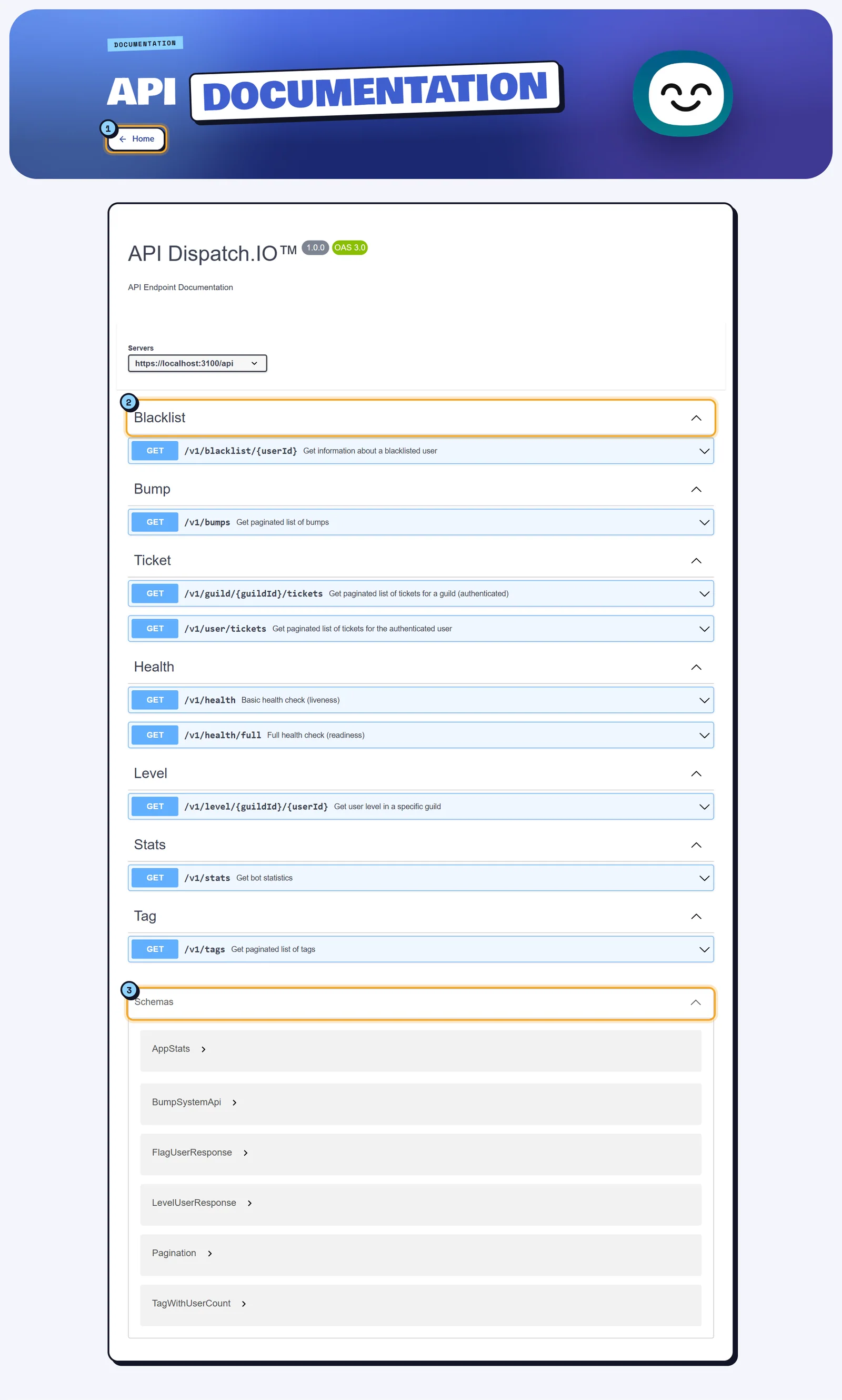
- Home: goes back to the website's home page. This page doesn't have the usual menu and footer.
- The groups: Blacklist, Bump, Health, Level, Stats, Tag and Ticket. Click an address to see its description, parameters and possible responses.
- Schemas (at the bottom): the exact shape of the returned objects.
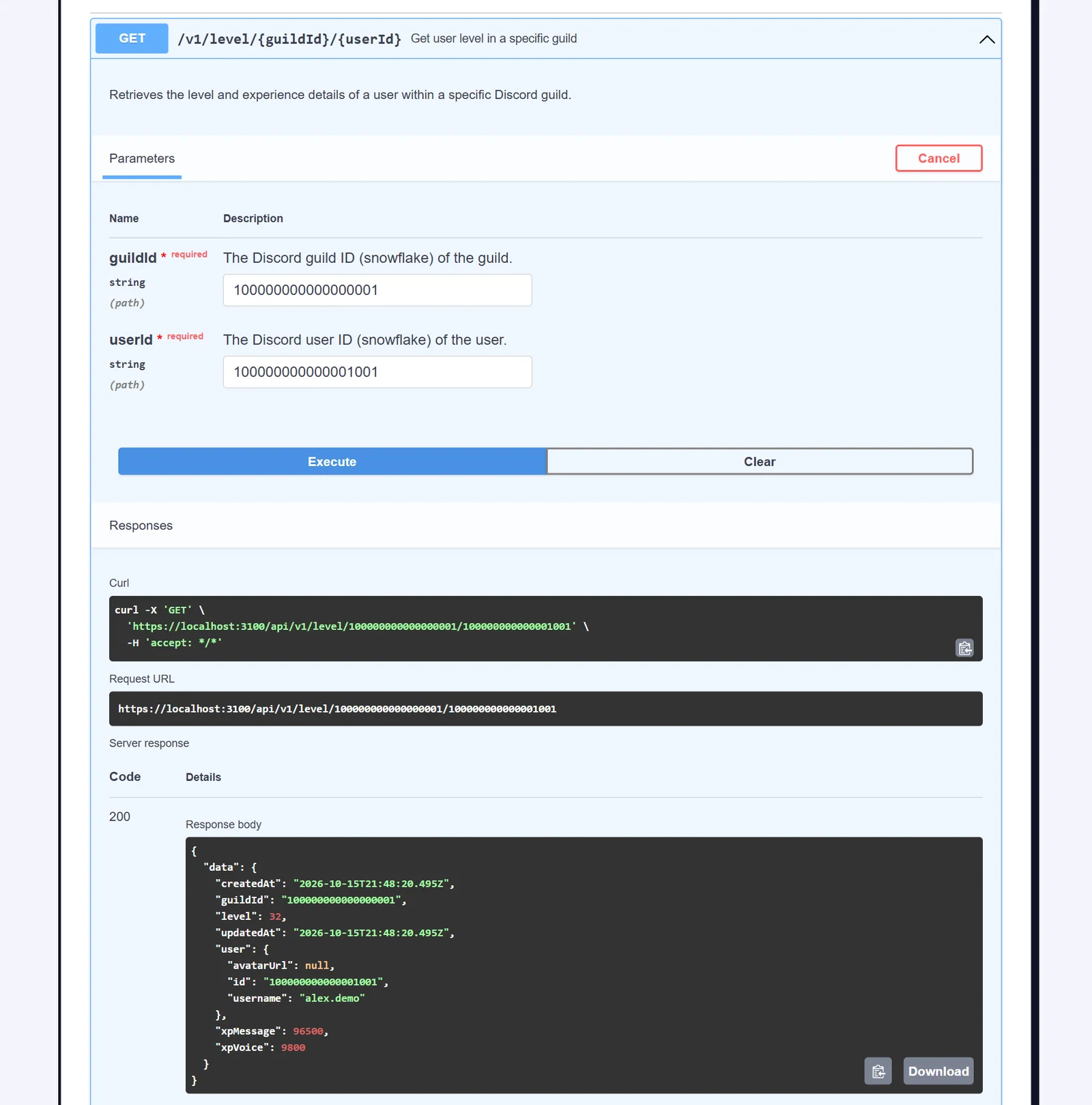
To try an address:
- Click the address, for example GET /v1/level/{guildId}/{userId}.
- Click Try it out.
- Fill in the parameters (here the server ID and the member ID).
- Click Execute. Swagger sends a real request and shows the equivalent
curlcommand, the URL that was called, the response code and body.
Tip
Your tries count towards the 100 requests per minute limit. For the ticket addresses, sign in to the website in the same browser first.