
The Levels page sets up your server's XP system: turning it on, the channel where level-ups are announced, the XP earned per message and in voice, the roles given at certain levels and the image of level cards. The Members & XP page then lets you view and fix each member's XP.
Both are meant for administrators. How members earn XP day to day is detailed in the Levels and XP module, and the /rank, /top, /modify-xp and /reset-levels commands in Levels and leaderboards.
Page overview
Open Configuration > Levels in the menu or the Levels tile of the server home.
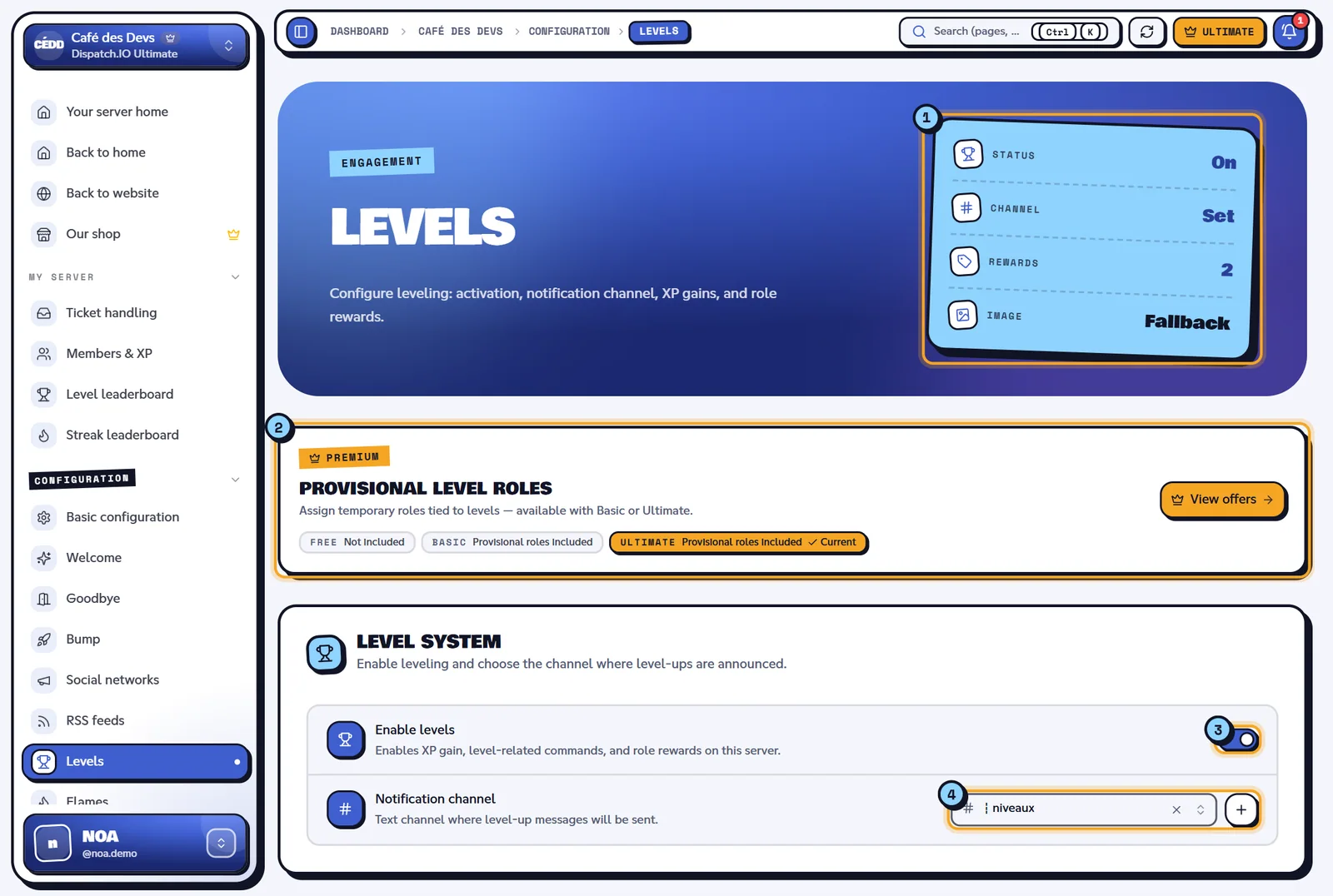
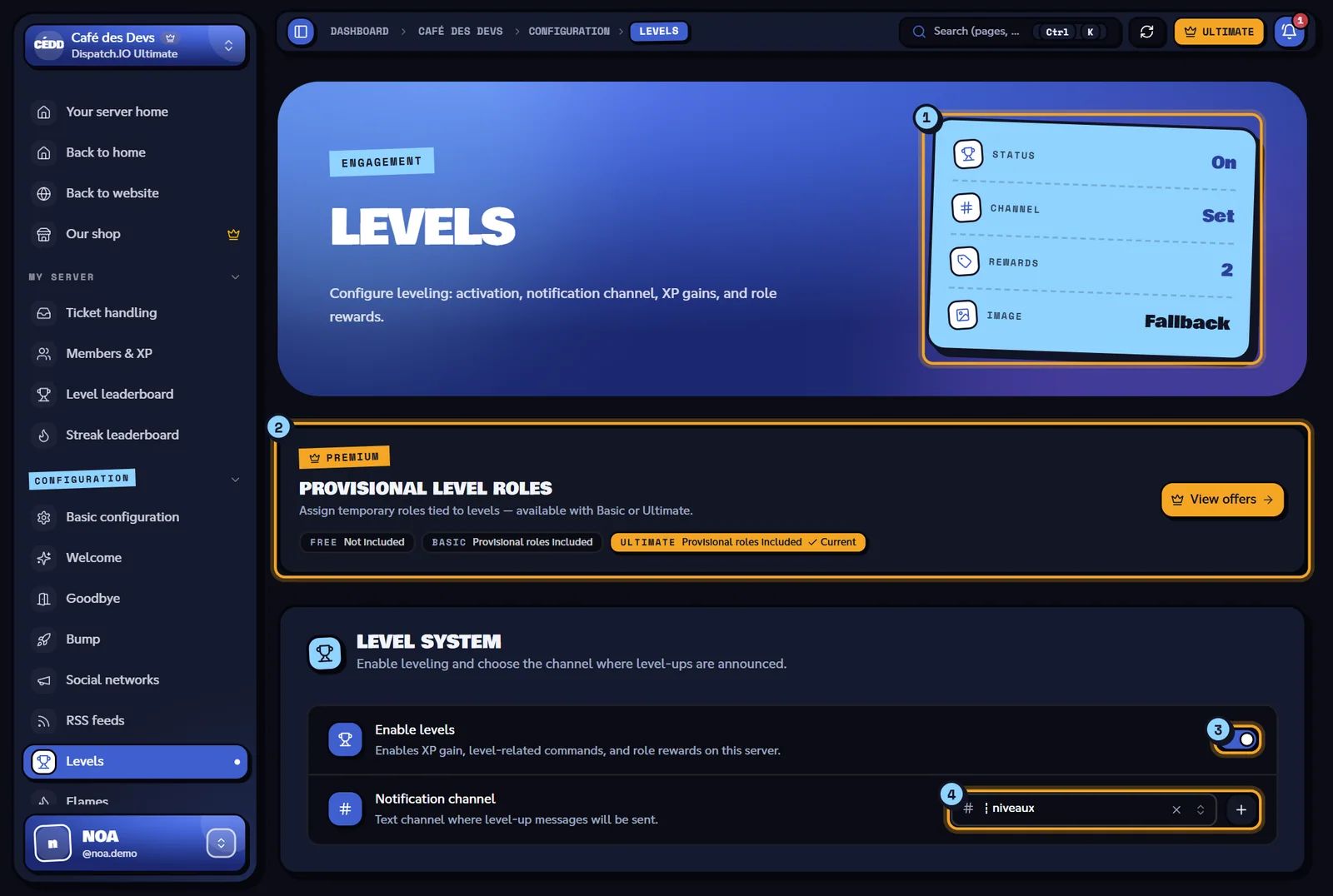
- Indicators: Status (On or Off), Channel (Set or Off), Rewards (number of role rewards) and Image (Custom or Fallback).
- Provisional level roles banner: reminds you that provisional roles need Basic or Ultimate, and highlights your current plan.
- Enable levels.
- Notification channel, with the + button.
Turning levels on and choosing the channel
Enable levels
The Enable levels switch is off until you have saved it once. Once turned on and saved:
- members earn XP by chatting and in voice;
- the
/rank,/modify-xpand/reset-levelscommands are added to your server (Discord's command list may take a moment to update); - role rewards are given on level-ups.
When you turn it off, those commands disappear, nobody earns XP anymore and running giveaways that offer XP are cancelled. XP already earned is kept.
Notification channel
The Notification channel receives level-up announcements (text, level card and Show profile button). Pick No channel to announce nothing: role rewards are still given. The + button immediately creates a ┇niveaux channel and selects it. It is the same setting as Level-Up Announcements on the Channels page.
Setting XP gains
The Experience gains block sets what activity is worth:
| Setting | What it does | Values | Default |
|---|---|---|---|
| Voice XP | XP earned for each minute spent in voice | 1 to 50 | 20 |
| Text XP (min — max) | Random XP between the minimum and the maximum for each valid message | 1 to 50, the maximum must be greater than the minimum | 5 — 15 |
A Voice XP change applies to voice sessions that start after you save. Anti-abuse rules (messages too short, spam, delay between two messages) are described in Levels and XP.
The level depends on total XP (messages + voice): reaching a level takes 100 × level² XP.
| Level | Total XP needed |
|---|---|
| 1 | 100 |
| 5 | 2,500 |
| 10 | 10,000 |
| 25 | 62,500 |
| 50 | 250,000 |
| Message | Cause |
|---|---|
| "XP values must be between 1 and 50." | A value is out of range. |
| "Text XP max must be greater than min." | The maximum is lower than or equal to the minimum. |
Role rewards
The Role rewards block automatically gives a role when a member reaches a level.
- Type the Level (1 to 999).
- Pick the Role.
- If you want a provisional role, turn on Provisional role (see below).
- Click Add. The reward joins the list, sorted by level.
- Save the page.
To change a reward, delete it with the bin icon and add it again. A role deleted on Discord shows as "Role not found".
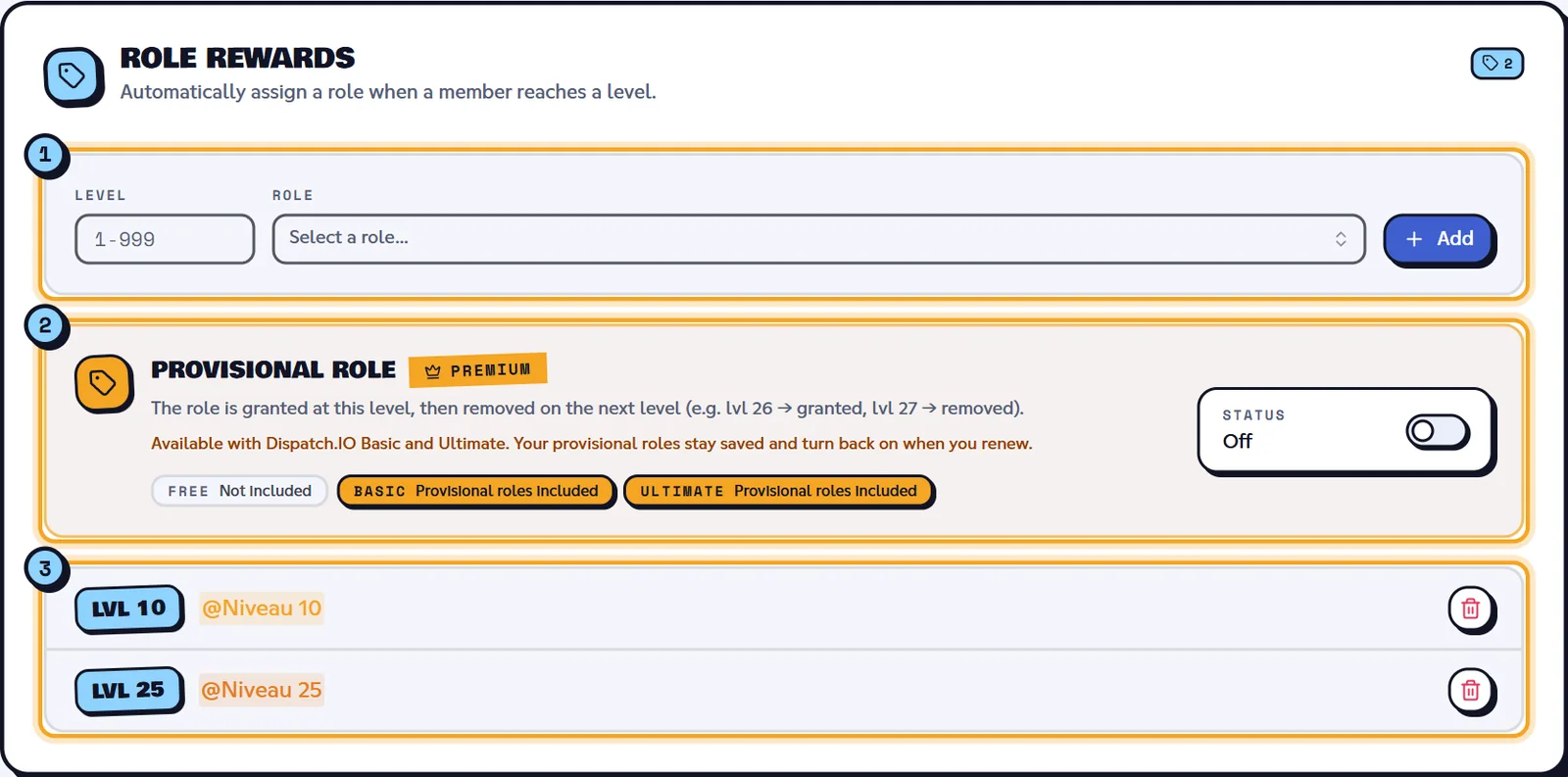
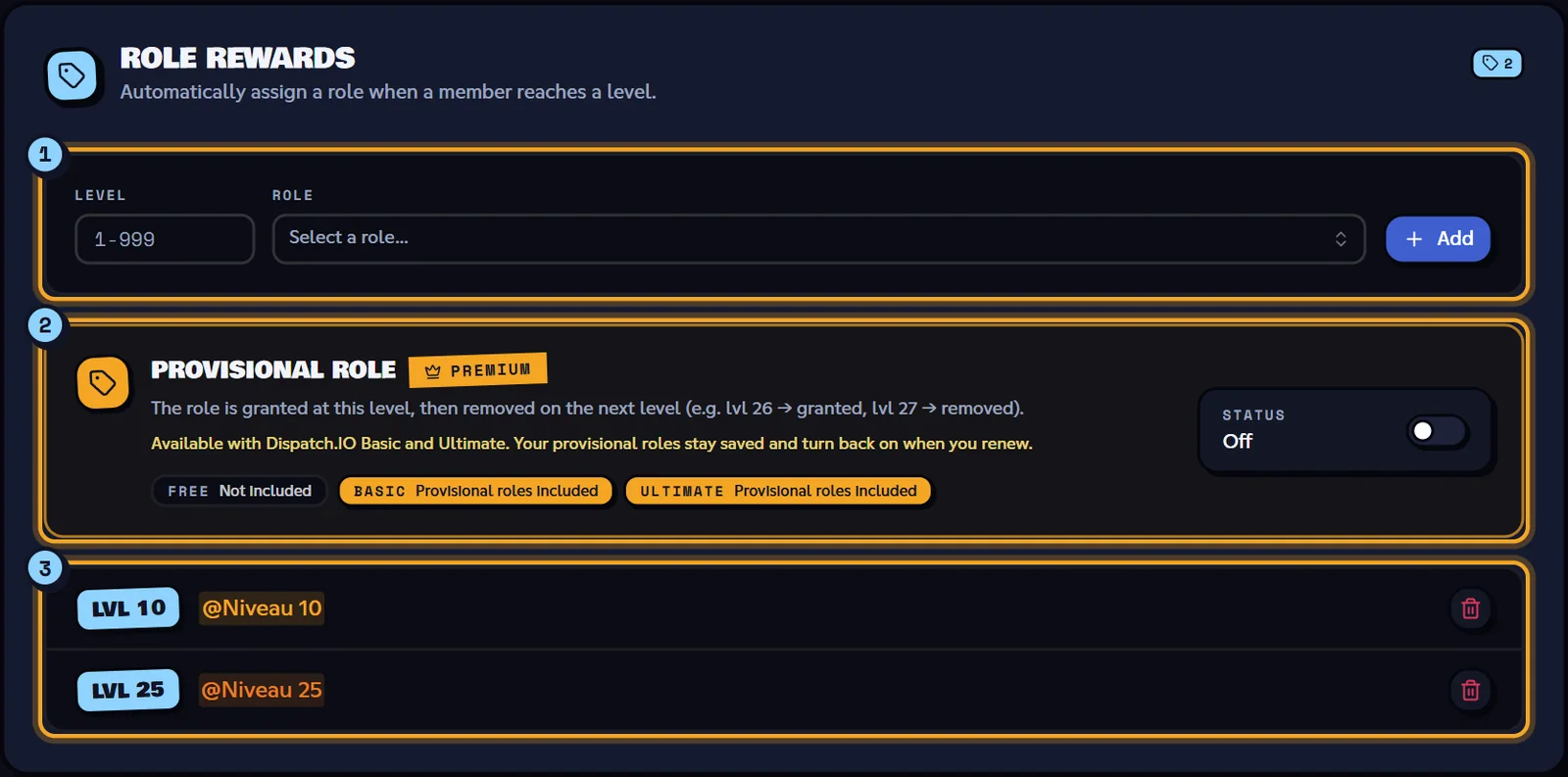
- The add row: Level, Role, Add.
- The Provisional role box.
- The reward list, with the Lvl … badge and the role.
| Message | Cause |
|---|---|
| "Level must be between 1 and 999." | Level out of range. |
| "Choose a role for the reward." | No role picked. |
| "A reward already exists for this level." | One role per level. |
What the bot does
On each level-up, the member gets every role reward whose level is lower than or equal to their new level. Example on Café des Devs: when reaching level 25, Alex gets @Niveau 10 (if he didn't have it) and @Niveau 25.
Note
Roles aren't recalculated when you edit the list: members get the new roles on their next level-up. The bot's role must be above the roles to give.
Provisional role (Basic and Ultimate)
A provisional role is given at its level and then removed at the next level (for example given at level 26, removed at level 27). Handy for a "New level 26" role that shouldn't stay.
This option needs the Basic or Ultimate plan on the server. Without it, the switch is greyed out and View offers leads to the shop. If the plan expires, provisional roles stay saved but are given like normal rewards until you renew. The number of rewards isn't limited, whatever the plan.
Level image
The Level image block picks the background of level-up cards and /rank cards, separately from welcome:
- Import an image (PNG, JPG, WEBP or GIF, 5 MB max) or paste an image link after "OR";
- Remove dedicated image (fallback) to go back to the default background.
Without a dedicated image, the bot uses the server's welcome banner, otherwise its default image. A premium member who picked their own level card background keeps theirs.
On the right, the Discord message preview shows the announcement ("Congrats to …, who reached level …!"), the card generated by the bot and the Show profile button. If the bot is offline: "Could not generate the canvas. Make sure the bot is online."
Saving
Click Save changes in the bottom bar: "Level configuration saved successfully!". The bot applies the configuration immediately and records the changes (enabling, XP, channel, rewards, image) in General Server Logs.
| Message | Cause |
|---|---|
| "Failed to save level configuration." | Saving failed: try again. |
| "Image is too large. Please re-upload a smaller image (PNG/JPG under 5 MB)." | The uploaded image is still too heavy: pick a lighter file. |
| "Level configuration updated by …" | Another administrator just saved. |
Members & XP: viewing and fixing XP
The Members & XP page (My server > Members & XP menu) lists members ranked by total XP. It is available even when levels are off. The Public leaderboard button opens the public leaderboard in a new tab.
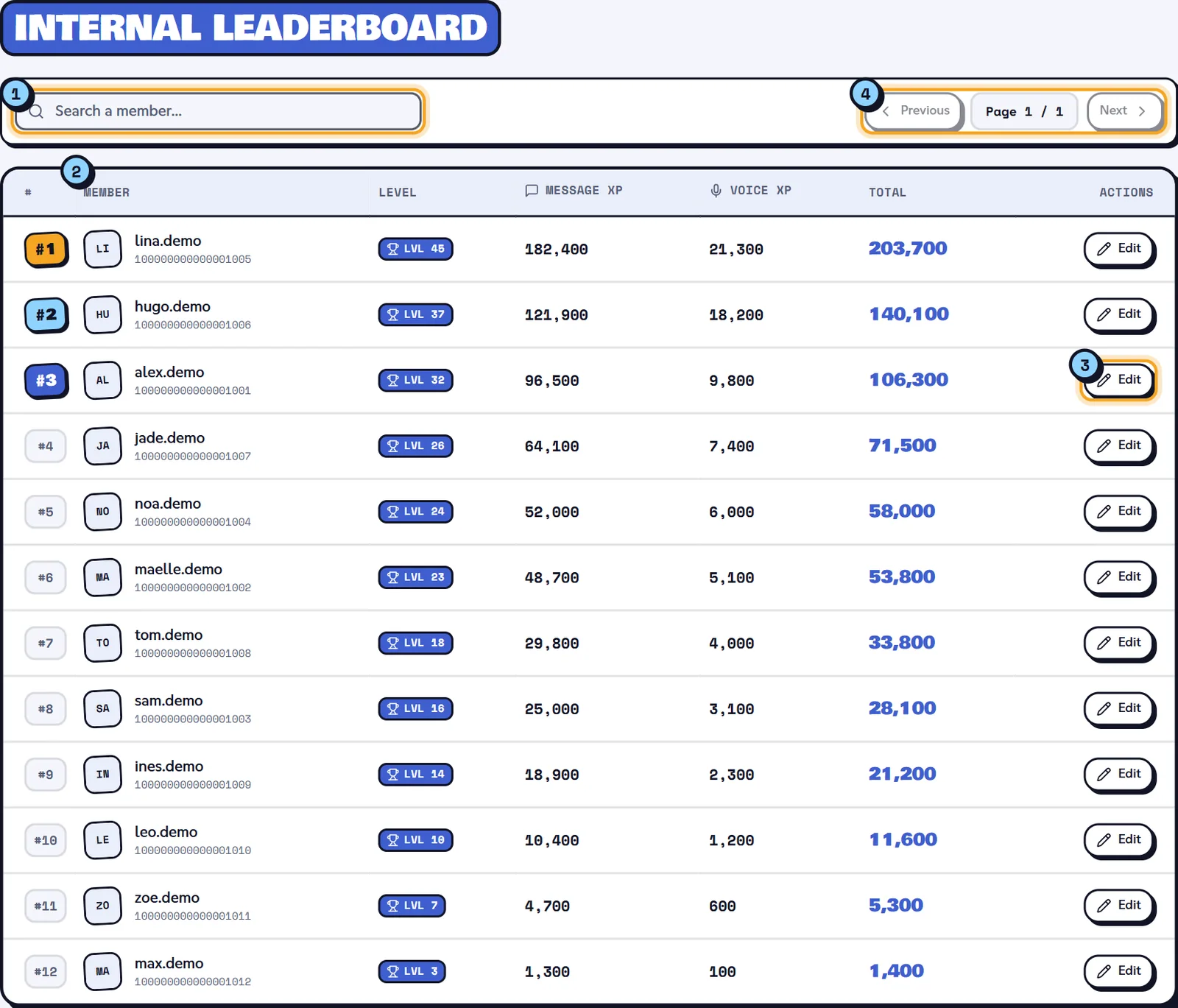
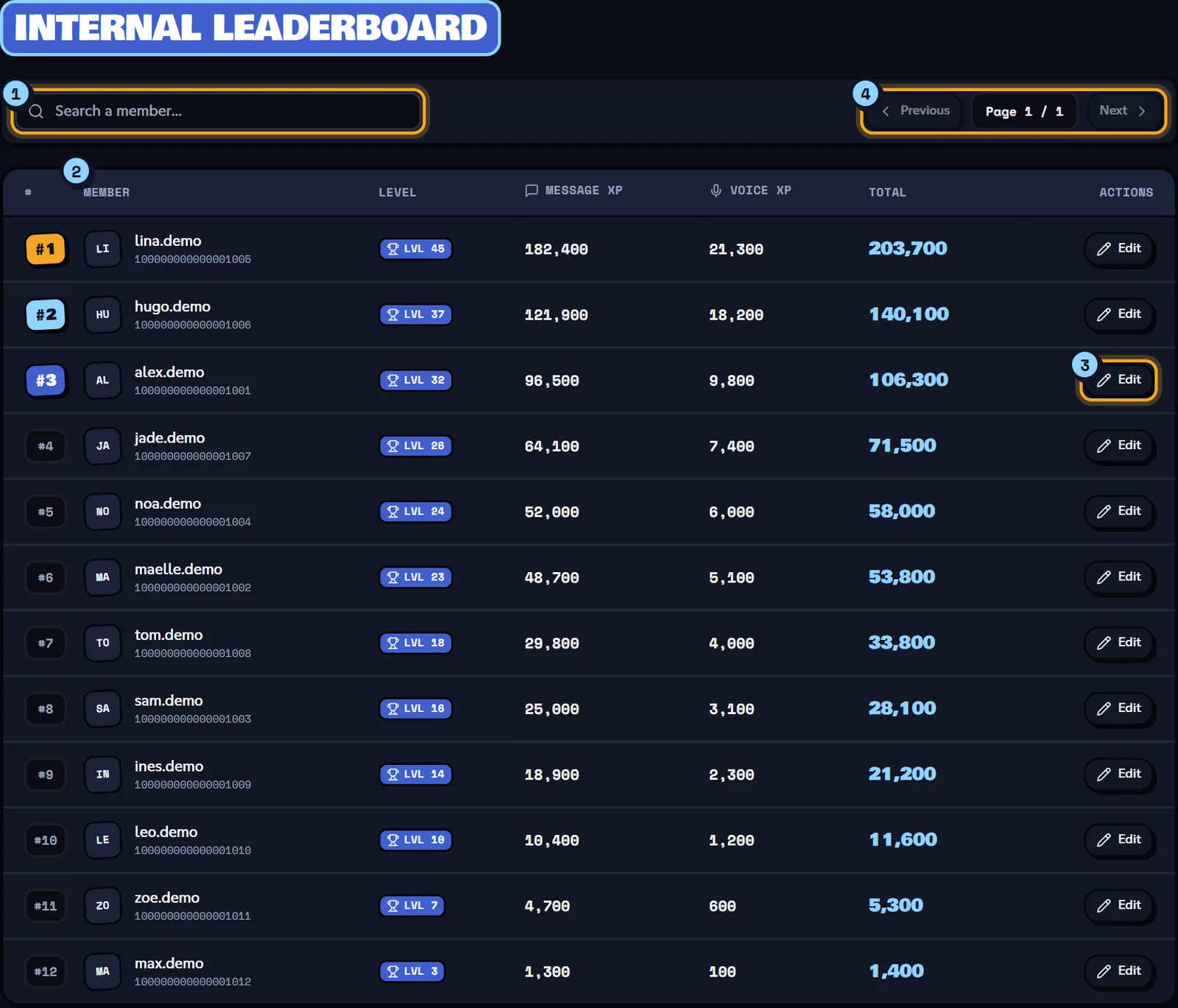
- Search a member…
- The leaderboard: rank (top 3 highlighted), member, Level, Message XP, Voice XP, Total.
- The Edit button of each row.
- Pagination (20 members per page).
Note
The search only filters the page on screen. To find a member further down the leaderboard, change pages.
Editing a member's XP
Click Edit: the Edit XP — … window opens.
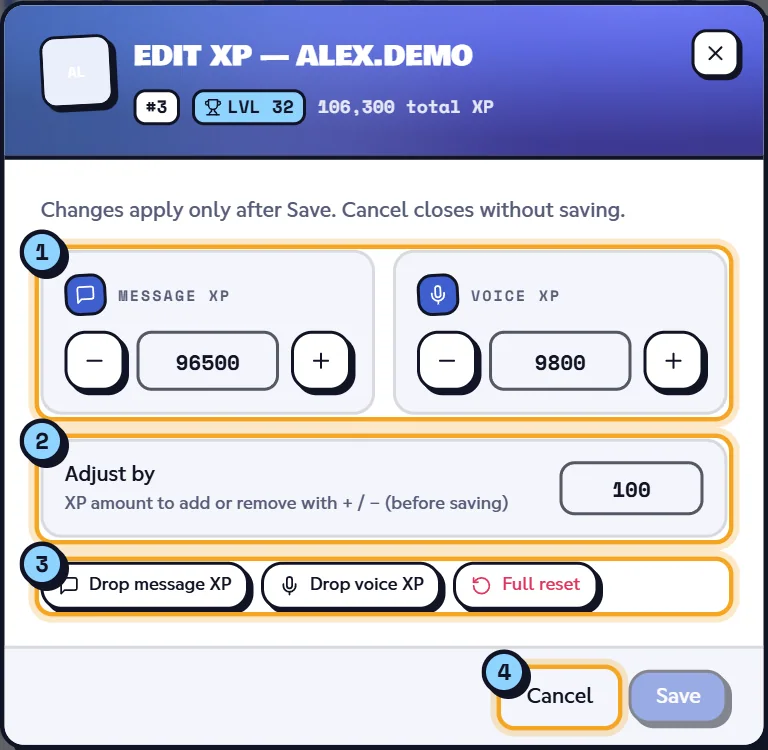
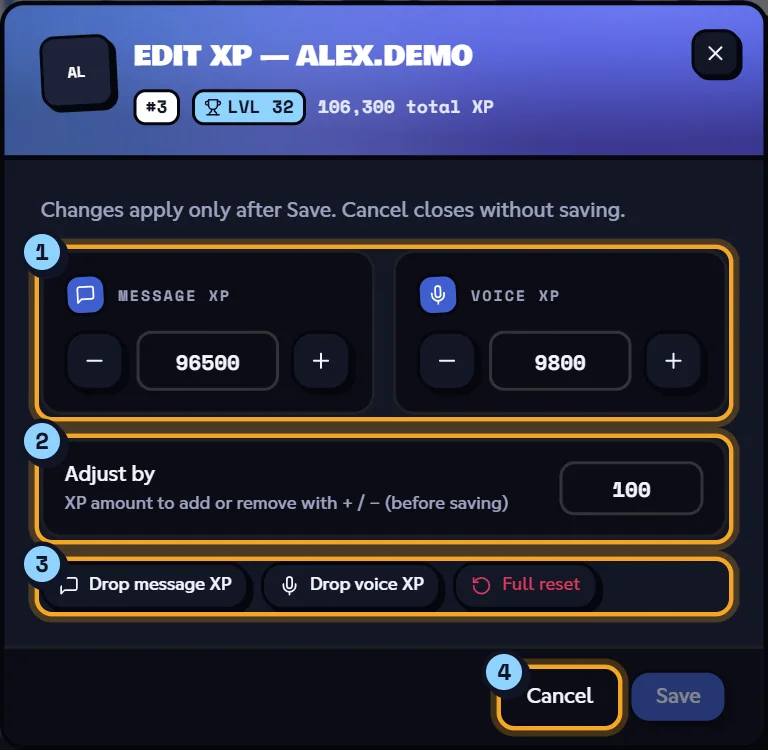
- Message XP and Voice XP: type a value or use − and +.
- Adjust by: the amount added or removed by + and − (100 by default).
- Drop message XP, Drop voice XP, Full reset: resets.
- Save and Cancel.
- The fields only take effect with Save: "XP updated". Cancel closes without changing anything.
- Drop message XP and Drop voice XP reset one kind of XP, Full reset resets the member entirely. These three buttons act right away, without Save: "XP reset".
- The level is recalculated from the new total XP.
Warning
A change made here triggers neither a level-up announcement nor any role reward being added or removed. Roles follow on the member's next level-up. These changes aren't recorded in the server logs.
If something fails: "Could not update XP". To act from Discord, use /modify-xp and /reset-levels (see Levels and leaderboards).
Related pages
- Levels and XP (bot module): XP gains, anti-spam, announcements.
- Levels and leaderboards:
/rank,/top,/modify-xp,/reset-levels. - Leaderboards and rank cards: the public leaderboard.
- Premium plans and limits: provisional roles.