
The Administration group of the menu has two history pages:
| Menu page | What it shows | Source |
|---|---|---|
| Discord Audit Logs | Actions taken on Discord: bans, kicks, channels and roles created or edited, deleted messages, AutoMod… | Discord's audit log, read by the bot. |
| Configuration Logs | Changes made on the dashboard: who changed which setting, and when. | The Dispatch.IO website history. |
These pages are read-only. They're for server owners and administrators. For the log messages the bot posts in your Discord channels, see Logs (module).
Discord Audit Logs: the page
In the left menu, Administration group, click Discord Audit Logs.
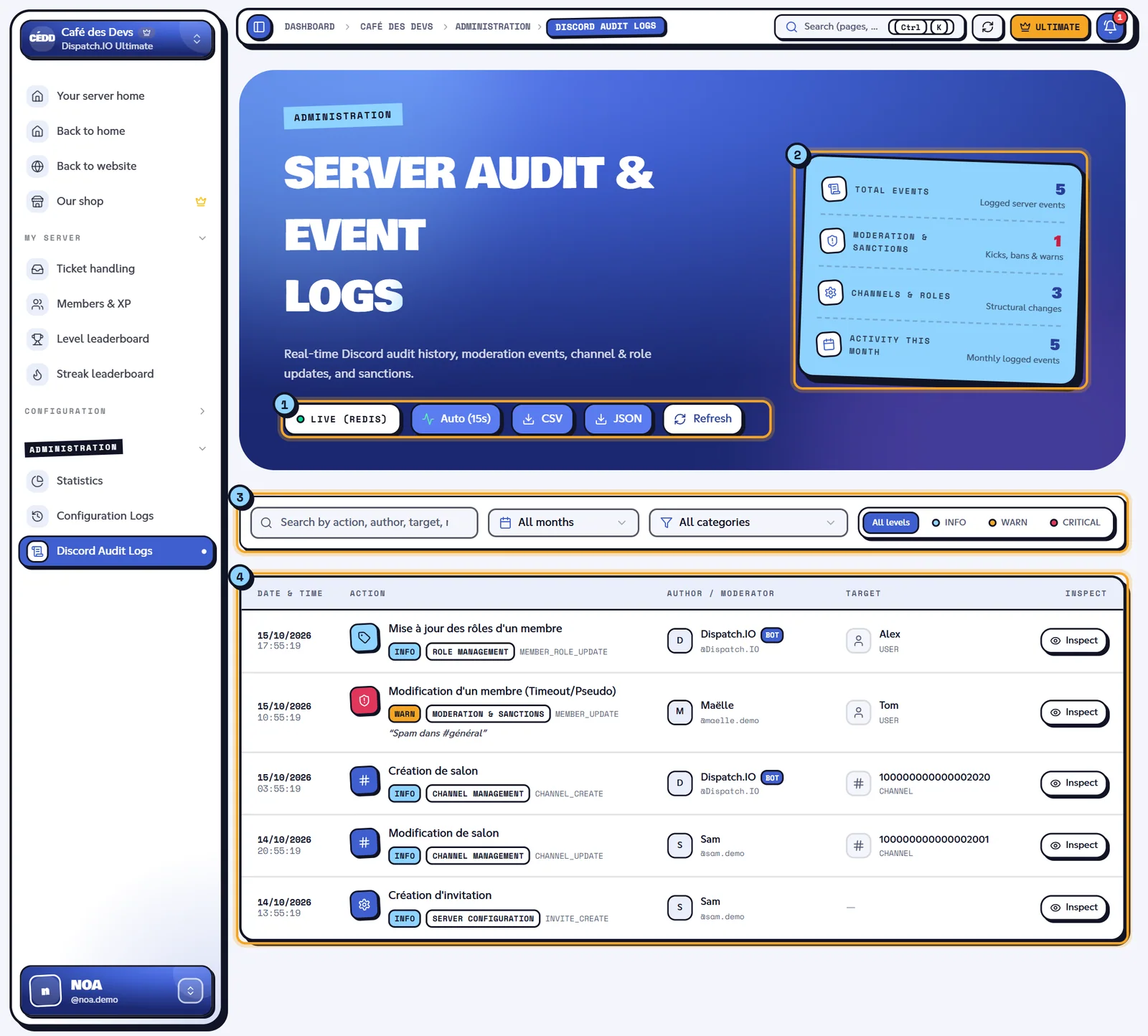
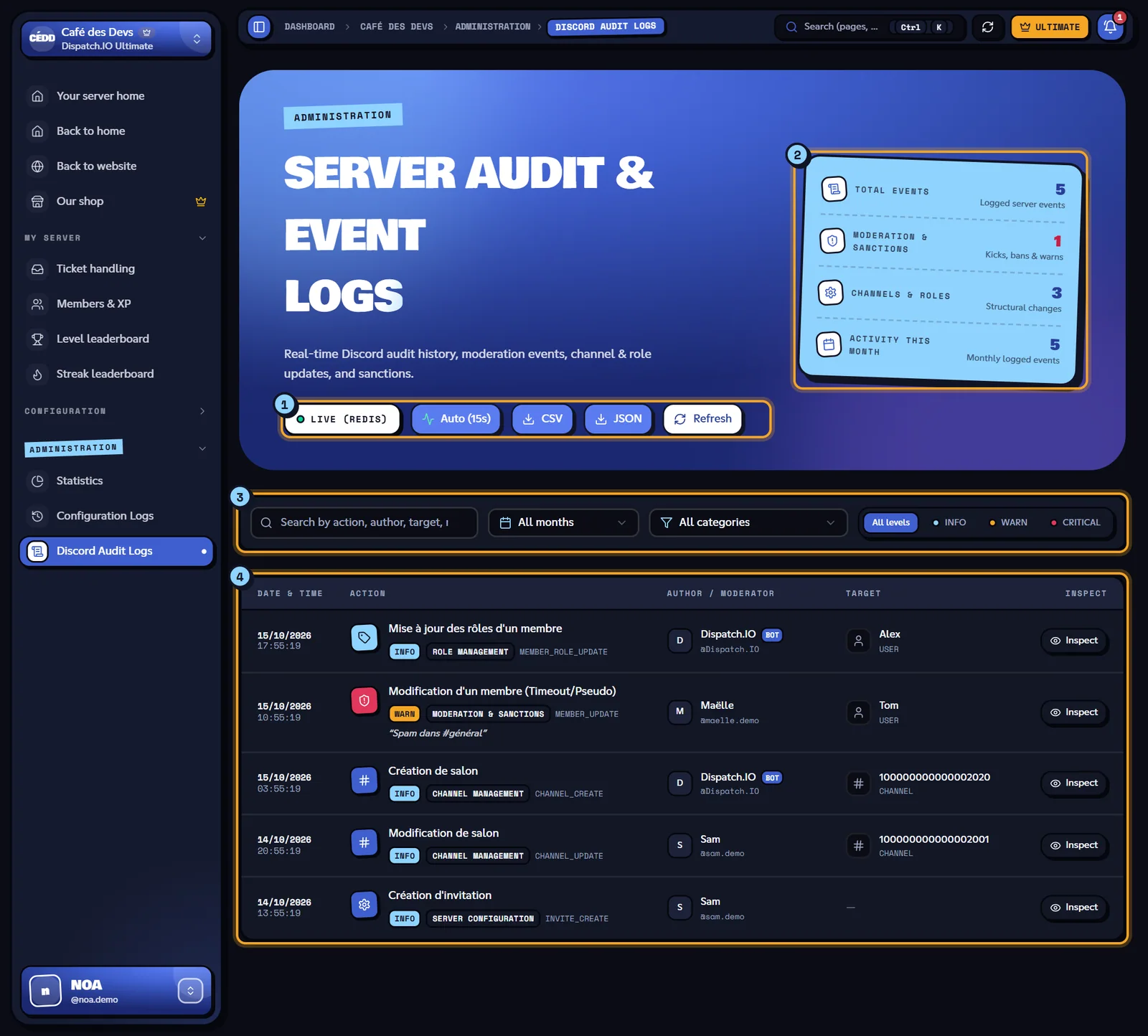
- The buttons: Auto (15s) / Auto Off (automatic refresh every 15 seconds, on by default), Refresh, Export CSV and Export JSON.
- The counters: Total Events, Activity This Month, Moderation & Sanctions and Channels & Roles.
- The filters (see below).
- The table: Date & Time, Action (with its category), Author / Moderator, Target, Reason / Note, level and Inspect. 25 rows per page.
Filter and search
| Filter | Values |
|---|---|
| Filter by month | All months or a specific month. |
| Category | All categories, Moderation & Sanctions, Role Management, Channel Management, Messages & Purge, Server Configuration, AutoMod & Security, Integrations & Webhooks, Other events. |
| Severity level | All levels, INFO, WARN, CRITICAL. |
| Search | Looks in the action, author, target, reason and changes ("Search by action, author, target, reason, or ID..."). |
Reset filters clears everything. Examples of actions per category and level (action labels are shown in French, see below):
| Category | Example actions | Level |
|---|---|---|
| Moderation & Sanctions | Member banned ("Bannissement d'un membre") | CRITICAL |
| Member kicked, member edited (timeout / nickname), member disconnected from voice | WARN | |
| Member unbanned, members moved in voice | INFO | |
| Channel Management | Channel deleted ("Suppression de salon") | CRITICAL |
| Channel created or edited, channel permissions, threads | INFO / WARN | |
| Role Management | Role deleted ("Suppression de rôle") | CRITICAL |
| Role created or edited, member roles updated | INFO | |
| Messages & Purge | Bulk message purge ("Purge de messages en masse") | CRITICAL |
| Message deleted, message pinned | WARN / INFO | |
| AutoMod & Security | Message blocked by AutoMod, member timed out by AutoMod | CRITICAL |
| Server Configuration | Server update, emojis, stickers, invites | INFO |
| Integrations & Webhooks | Bot added, webhook created | INFO |
Event details
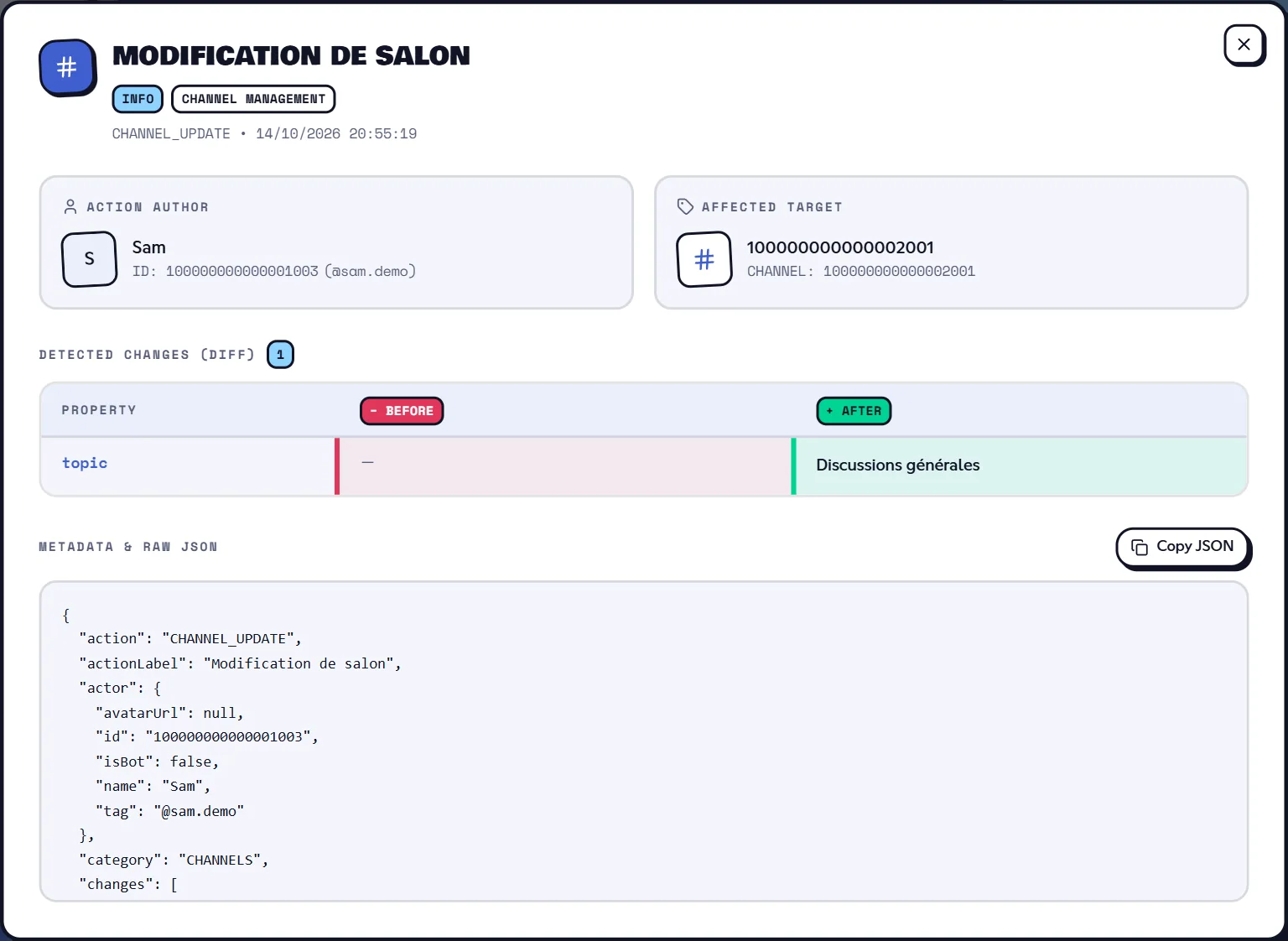
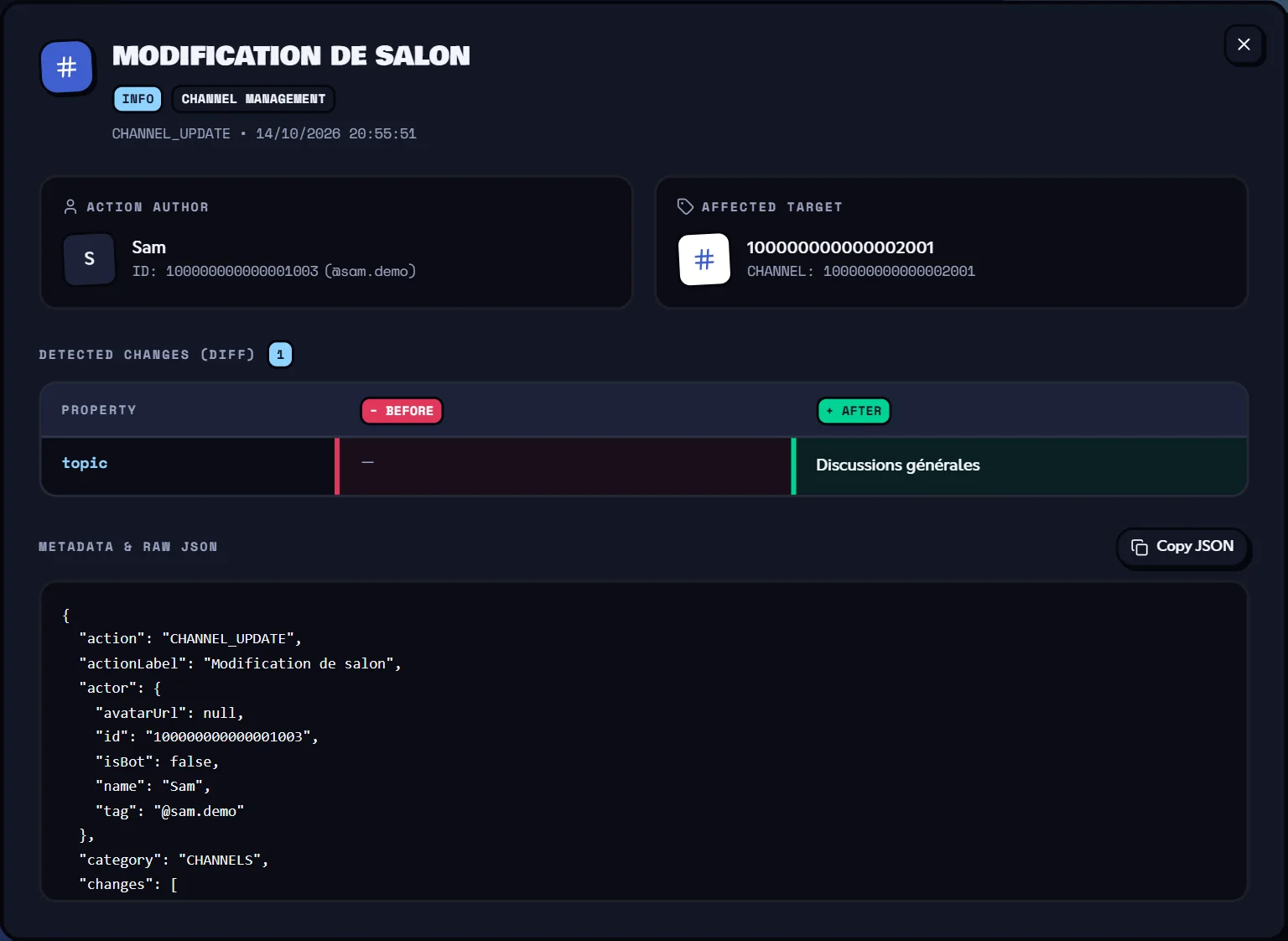
Click Inspect at the end of a row to open the event sheet:
- Action Author and Affected Target (with their avatar and ID);
- Provided Reason, if the author gave one;
- Detected Changes (Diff): a Property / Before / After table (for example a channel's old and new name);
- Metadata & Raw JSON, with Copy JSON.
Good to know about the audit log
- The page reads the last 100 events of Discord's audit log; filters and pagination apply to those.
- The bot needs the View Audit Log permission. Without it, the list stays empty, with no error message.
- Actions taken by Dispatch.IO (raid mode kicks, anti-raid sanctions, moderation commands…) appear with Dispatch.IO as the author.
- Warnings (
/warn) and the infraction history recorded by the bot don't show up here: check them with/infractions(see Moderation). - Action labels, month names and a few messages (export, errors) are shown in French, whatever the site language.
- Data is cached for 30 seconds: a brand-new event can take up to 30 seconds to appear.
- Export CSV / Export JSON download the page currently shown (25 rows max), with the current filters.
Configuration Logs: the page
In the left menu, Administration group, click Configuration Logs.
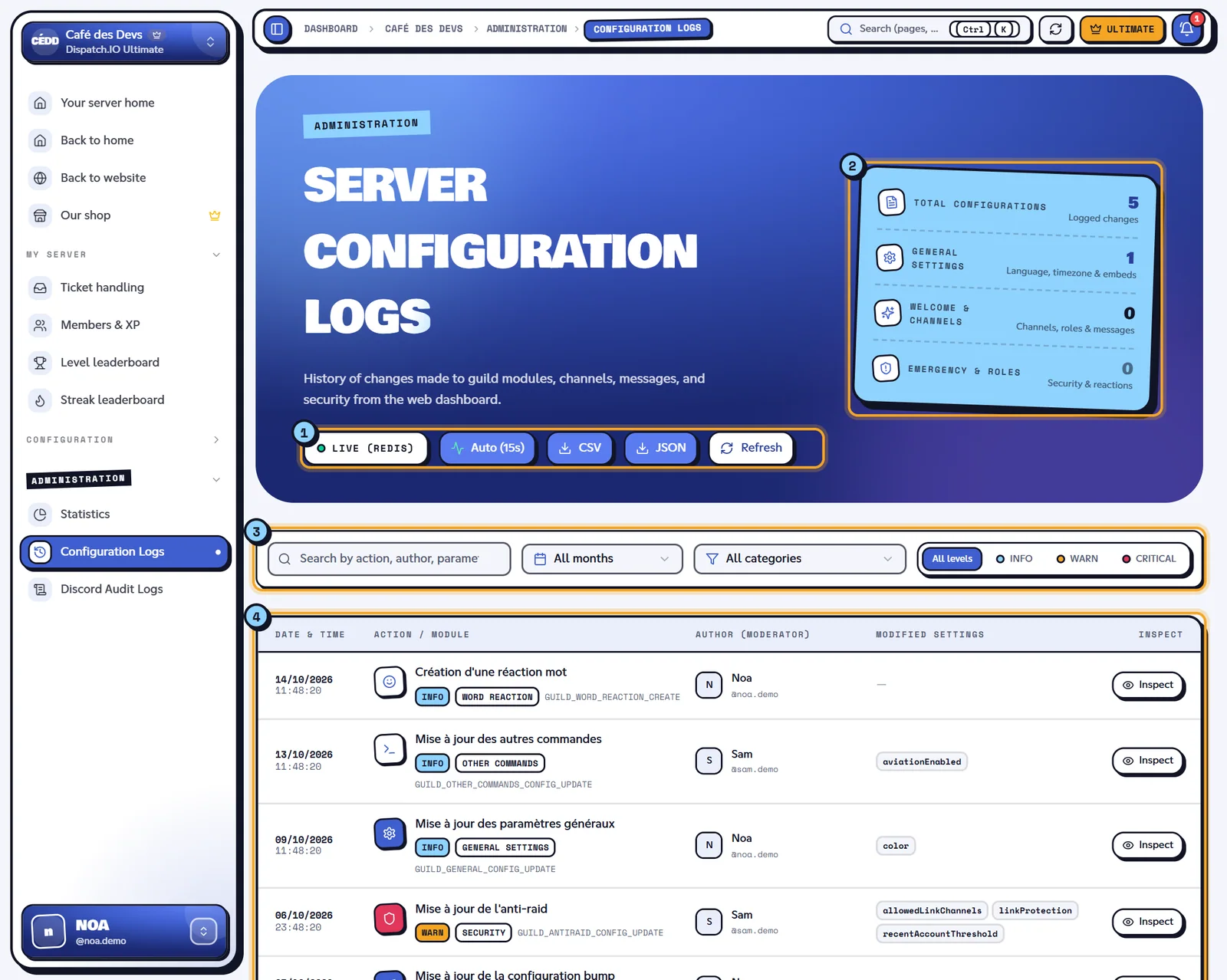
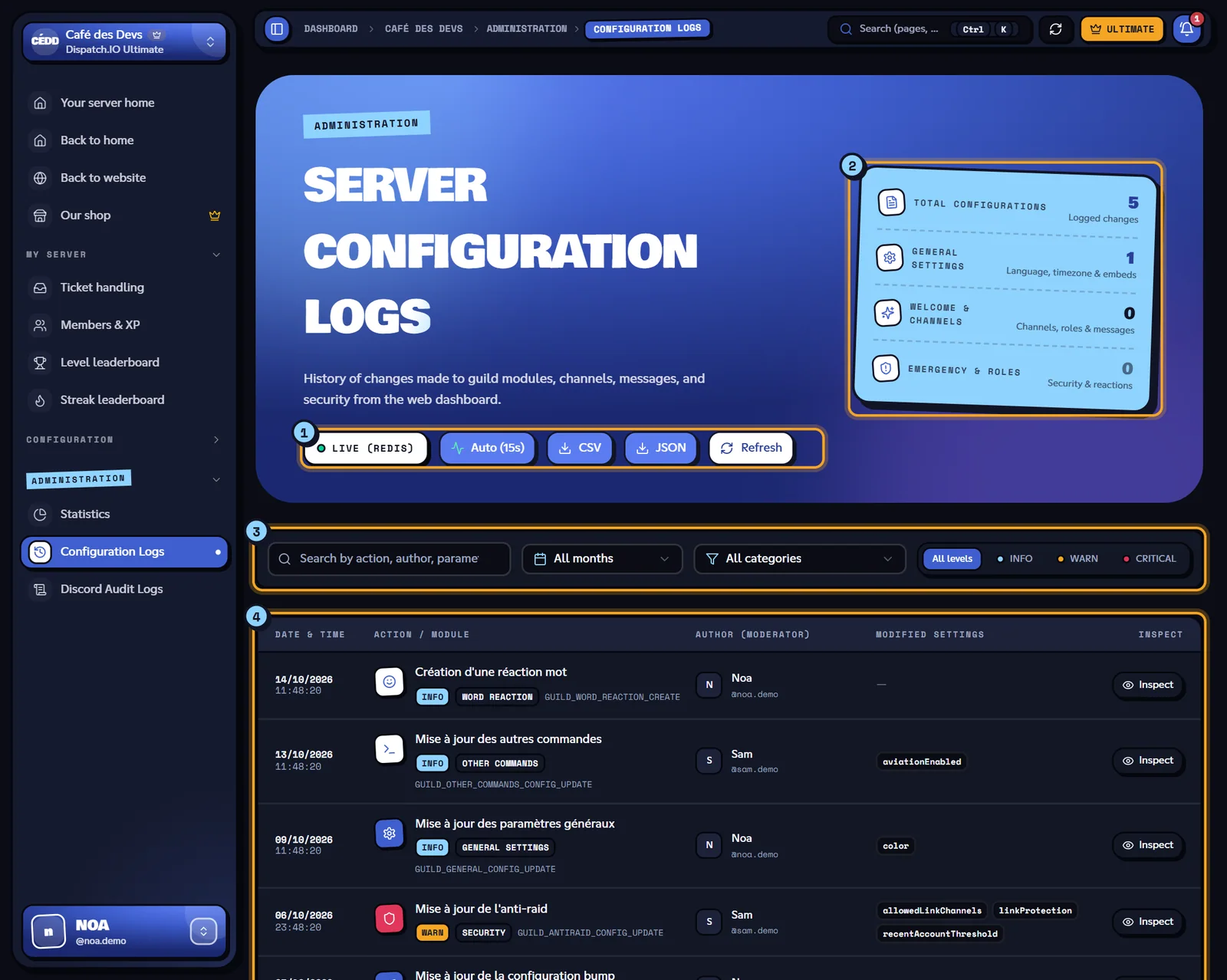
- The same buttons as the audit log: Auto (15s), Refresh, Export CSV, Export JSON.
- The counters: Total Configurations, General Settings, Welcome & Channels, Emergency & Roles.
- The filters: Filter by month, Category (a module: Security, Word reaction, RSS feeds…), Severity level (
INFO,WARN,CRITICAL) and search by action, author, parameter or ID. - The table: Date & Time, Action / Module, Author (Moderator), Modified Settings and Inspect.
What gets recorded
Every save made on a page of your server's dashboard adds a row, with its author. A few examples (labels are shown in French; the English meaning is given here):
| Action | Category | Level |
|---|---|---|
| Raid mode update ("Mise à jour du mode raid") | Security | CRITICAL |
| Anti-raid update, whitelist update | Security | WARN |
| Emergency & alerts module configuration | Emergency & Alerts | WARN |
| General settings update | General Settings | INFO |
| Server channel assignment | Channels & Layout | INFO |
| Word reaction, temporary channel, RSS feed, social network… created / updated / deleted | The module concerned | INFO (WARN for a deletion) |
| Other commands update | Other commands | INFO |
The Inspect button opens the sheet: Action Author, Server & Context, Applied Changes (Diff) with Property / Before / After, then the raw JSON. When a save didn't change any specific field, the sheet says "No specific field change detected (global configuration saved).".
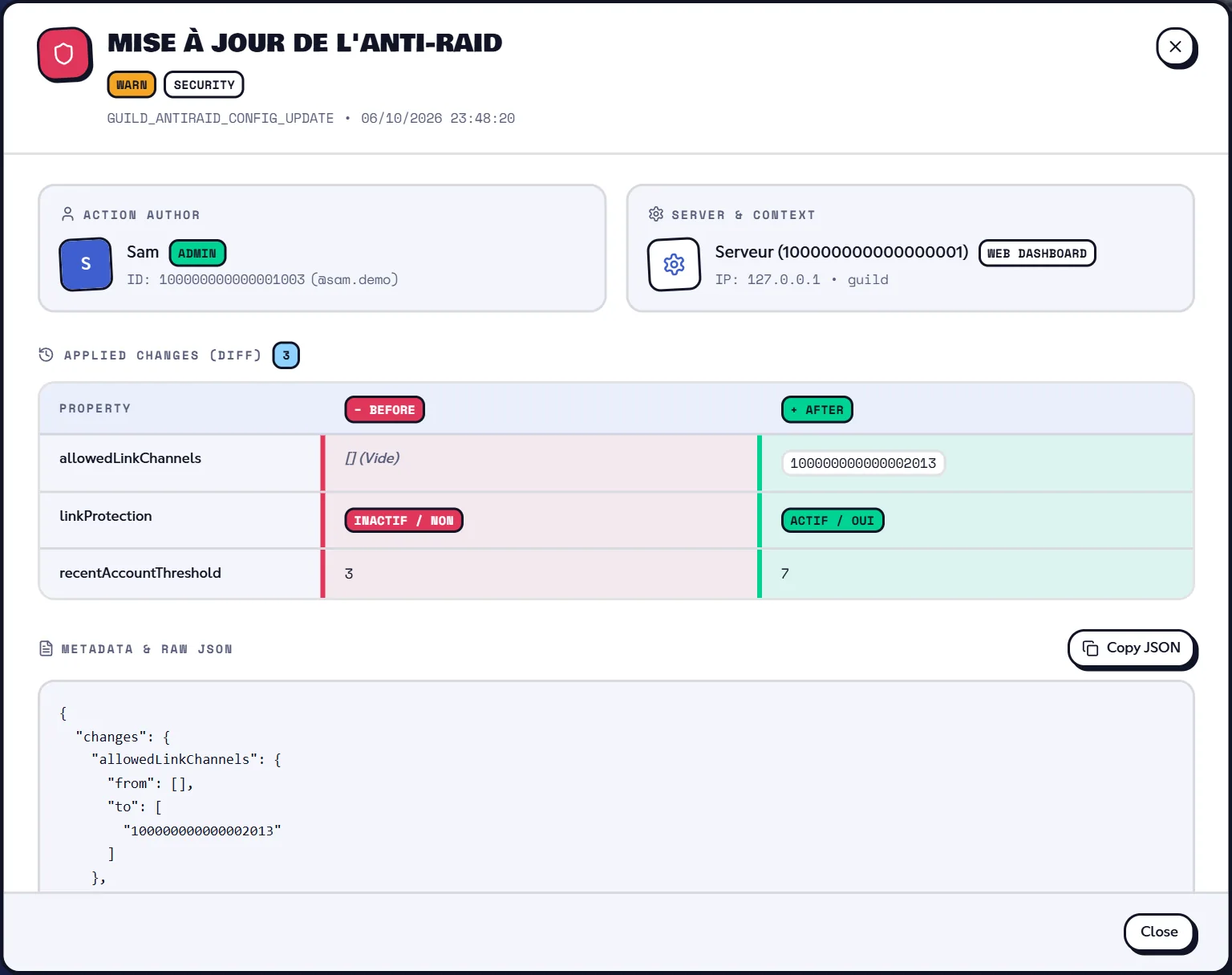
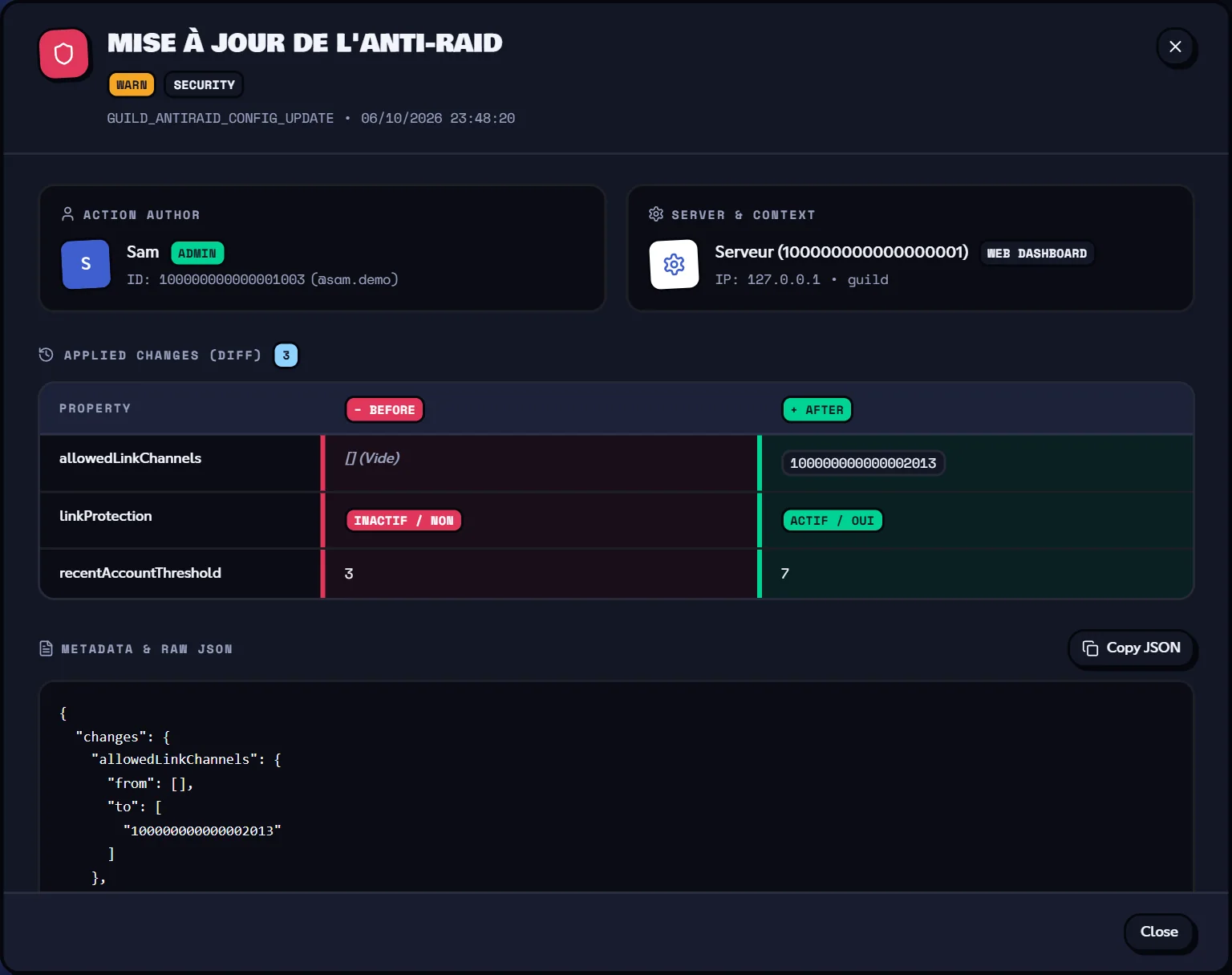
Note
Only changes made on the website are listed here. Settings changed on Discord with /config don't appear: the bot records them in the General Server Logs channel. XP edits made in Members & XP aren't recorded either.
Refreshing
- Both pages refresh every 15 seconds while Auto (15s) is on; click it to switch to Auto Off, then use Refresh whenever you want.
- Data is cached for 30 seconds on the server.
- If something goes wrong, the message "Impossible d'actualiser les logs du serveur." (or "… les logs de configuration.", meaning the logs couldn't be refreshed) appears: try again a bit later.
Related pages
- Logs (module): the log messages posted by the bot on Discord.
- Channels: pick the log channels.
- Synchronisation with the bot
- Managing permissions